



November 5, 2025
|
5 min read


Get instant access to a live TrueFoundry environment. Deploy models, route LLM traffic, and explore the full platform — your sandbox is ready in seconds, no credit card required.



Updated: July 14, 2025

Blazingly fast way to build, track and deploy your models!
The utility of an AI depends on the capabilities of the tools to which it has access. Model Context Protocol (MCP) is used by the AI agents to access various external tools such as APIs, databases, file systems, and other internal utilities. Anthropic designed MCP towards the end of 2024. Now it is used by OpenAI, Google, and Microsoft.
An MCP server is the implementation of the protocol that allows the tools to be accessed. In this article, we will cover what an MCP server is, its function, creation, and differences from running them in production.
An MCP Server is a mini application through which AI Clients (like Claude, ChatGPT, etc.) can access any external system's APIs, data stores, and/or prompts through Model Context Protocol (MCP).
To think of it as an intermediary between an AI and another external system might make things easier to understand. If you wanted to connect to a Postgres database via Claude, the MCP server would perform the following tasks:
- Register its available tools (like run_sql_query, list_tables, etc.)
- Verify the identity of the AI client
- Perform the requested task (querying the Postgres database, in this case) and
- Return the results back to the AI client in a format it understands.
Here's the catch – AI models don't interact with the database directly. Instead, they send requests to an MCP Server which then interacts with the database on their behalf to ensure security and control.
In technical jargon, MCP is the name of the protocol while MCP servers are just the implementations of this protocol tailored to work with certain specific APIs/data stores/prompts. These two concepts are very easily confused and we will elaborate more on this topic in later chapters.
Once the LLM client (such as Claude Desktop and Cursor) launches, it connects to all configured MCP servers and completes a handshake process. As a result, the server sends its manifest describing what the client can do—usually some combination of:
- Tools: functions that can be called by the LLM client (e.g., create_pull_request, run_query)
- Resources: data the LLM can consume (e.g., content of files, rows of a database)
- Prompts: pre-defined templates that users can trigger
The LLM client depends on that manifest in order to discover what tools and resources are present in the current MCP session. Upon deciding to execute a certain tool, the LLM sends a JSON-RPC 2.0 command and receives a structured response from the server, after which the latter will perform an action on its side.
Transport layers: MCP presently supports two types of transports:
- stdio: works when the server runs locally (i.e., on the same computer as the client); this transport type is mostly used for desktop clients
- Streamable HTTP: when connecting to remote servers; this type replaces the previous SSE-based transport in the March 2025 spec update
Stateful: an MCP session maintains its state throughout the single connection. It allows the server to remember the context of calls and makes it possible to chain tools' executions when needed.
To understand what an MCP Server does, we first need to clarify what MCP actually is. MCP (Model Context Protocol) is a standardized communication protocol that allows AI models, particularly large language models (LLMs), to interact with external tools and data sources in a safe, consistent, and extensible way. Think of MCP as the API specification or “contract” that defines how AI clients (like Claude, ChatGPT, or any agent framework) can discover and invoke tools securely, using JSON-RPC 2.0 as the transport layer.
Now, an MCP Server is a specific implementation of this protocol. It wraps one or more tools (for example, a GitHub API, a database, a PDF reader, or a proprietary business service) and exposes them using the MCP specification. When an AI client connects to an MCP Server, it performs a discovery handshake, learns about available methods (such as list_pull_requests), and then sends invocation requests over stdio or HTTP with Server-Sent Events (SSE).
In simple terms:
Why separate them? Because this modular design allows:
This separation of concerns is what makes MCP powerful. In practical MCP and A2A architectures, MCP handles tool access through servers, while A2A handles communication between independent agents coordinating tasks. It decouples the intelligence (AI agent) from the execution (tool access), leading to scalable, secure, and maintainable AI integrations.
To operationalize MCP Servers in production, teams often rely on managed MCP Gateway platforms. Examples include TrueFoundry and Composio, which help standardize tool access, security, and observability across agents.
In the next section, we’ll break down how an MCP Server fits into the overall architecture and how requests are processed under the hood.
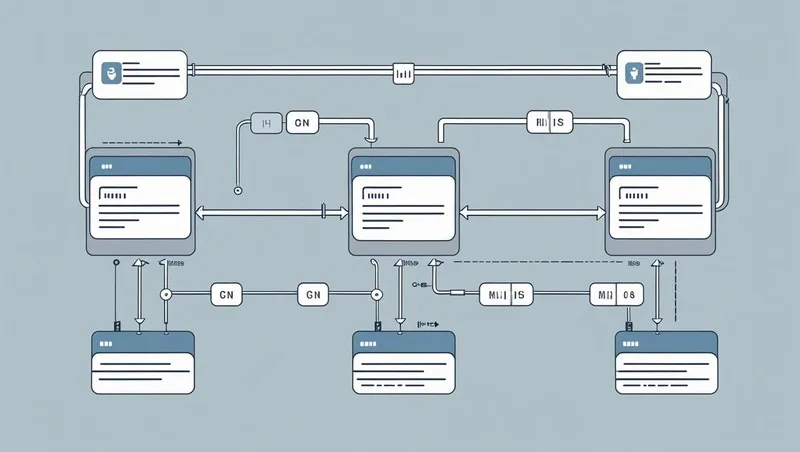
At the heart of the MCP ecosystem is a clean, modular architecture that separates AI reasoning from tool execution. This structure allows for flexibility, security, and maintainability. The interaction primarily involves three components: the MCP Client, the MCP Server, and the Tool itself.
Request Flow
This architecture ensures LLMs can interact with a wide range of tools without custom code for each integration. In the next section, we will explore what makes an MCP Server truly effective.
Not all MCP Servers are created equal. While any tool can be wrapped in an MCP interface, building a high-quality MCP Server requires thoughtful design and robust implementation. A good enterprise MCP server is not just functional — it is secure, efficient, easy to discover, and provides clear semantics for the AI client.
Here are the key traits of an effective MCP Server:
When these qualities come together with strong governance and observability, teams typically graduate from running individual MCP servers to a managed gateway layer. We've broken down how the leading MCP gateways compare, including their tradeoffs around authentication, observability, and multi-tenant routing.
AI applications and agents are becoming increasingly capable, but their real-world effectiveness depends on how well they can interact with external tools and services. MCP (Modular Control Plane) servers play a critical role in bridging this gap, making AI systems more functional, secure, and scalable.
MCP servers aren’t just a bridge, they’re a powerhouse that makes AI agents smarter, safer, and more flexible. By managing how tools are exposed, accessed, and monitored, they enable seamless integration with external systems.
While traditional APIs like REST or GraphQL focus on direct service access, MCP servers are designed specifically for AI and agent ecosystems. They add layers of discovery, security, and orchestration that make AI workflows more modular, scalable, and resilient.
The growing adoption of the Model Context Protocol has led to the development of a wide range of MCP Servers across industries. These servers act as adapters, wrapping existing tools and services so that AI models can interact with them securely and efficiently. One of the most widely used examples is the GitHub MCP Server, which allows AI agents to interact with GitHub repositories. It exposes methods like list_pull_requests, create_issue, and get_repo_stats, making it easy for agents to automate development workflows using a standardized interface.
Another common type is the File System Server. This is typically a local MCP Server that provides read and write access to files on disk. It exposes tools such as read_file, list_directory, and write_file within a safe execution boundary, enabling AI agents to perform file operations without direct access to the host system. Enterprise software vendors like Atlassian have also embraced the protocol by building MCP Servers for Jira and Confluence. These allow agents to create tasks, update issues, or search through documentation, all while respecting enterprise-grade permission systems and audit trails.
MCP Servers are also being used to expose structured business data. For example, a database query server can wrap SQL or NoSQL databases and offer safe access through methods like get_customer_by_id or fetch_sales_summary. These servers handle parameter validation and protect against query injection, making them useful in data-sensitive environments. Beyond internal tools, many companies are building MCP wrappers for third-party SaaS platforms such as Slack, Notion, HubSpot, and Salesforce. These servers handle authentication, rate limiting, and data transformation so agents can seamlessly interact with cloud-based tools.
Together, these examples illustrate how MCP Servers can bridge LLMs with operational systems, whether local or remote, simple or complex. In the next section, we will explore best practices and design tips for building effective MCP Servers.
MCP servers are becoming a core part of modern AI ecosystems, enabling agents to interact with tools and services efficiently. Here, have a look at the common use cases of MCP server:
Setting up an MCP server may seem challenging at first, but with a structured approach, you can get it running smoothly and integrated with your AI workflows. Here’s a step-by-step guide.
Before diving into the server setup, you need to prepare your environment. Install all required dependencies, such as Python, Node.js, or Docker, depending on your MCP implementation. Make sure your system has access to the APIs and services the MCP server will interact with. Using virtual environments or containers helps isolate your setup, making it easier to manage and troubleshoot later.
Organizing your MCP server properly is crucial for scalability and maintainability. Define endpoints for each tool or API your AI agent will access. Establish clear input and output formats for requests and responses to avoid confusion. Adding robust logging and error handling ensures you can easily track issues and monitor server activity. A well-structured MCP server also simplifies future expansions or integrations.
Once your server structure is ready, you need to connect it to your LLM interface, such as Claude Desktop. This involves authenticating and establishing secure communication channels between the MCP server and the AI agent. Ensure that API keys, tokens, or OAuth credentials are correctly configured. Successful integration allows the MCP server to act as a reliable bridge, enabling your agent to interact with external tools and services seamlessly.
Testing is a critical step before using your MCP server in production. Run sample requests to confirm that all endpoints respond correctly and return expected data. Verify that authentication, rate limiting, and error handling function as intended. Simulate real-world workflows to ensure smooth orchestration between your AI agent and connected tools. Proper testing guarantees that your MCP server is reliable, secure, and ready for operational use.
Building an MCP Server involves more than just exposing functions over JSON-RPC. To ensure reliability, security, and usability, developers should follow a set of best practices that make the server robust and AI-friendly.
First, clarity is key. Each tool method should be well-documented with human-readable descriptions and clear input-output schemas. This allows AI models to reason more effectively about the tool's purpose and usage. For instance, include parameter names, data types, constraints, and examples within the server’s discovery metadata. Avoid exposing overly generic or ambiguous methods, as these can confuse the AI or lead to incorrect usage.
Second, implement solid error handling. Always return structured and meaningful error messages, including codes and descriptions. This helps both developers and AI agents understand what went wrong and how to recover gracefully. Consider logging every request and response, along with timestamps and metadata, for observability and debugging.
Security should be a top priority. If the MCP Server interacts with sensitive systems, such as production databases, financial tools, or cloud APIs, use authentication and authorization mechanisms to limit access. For remote servers, secure the HTTP endpoints with HTTPS and use API keys, tokens, or OAuth flows. In local environments, consider process isolation or containerization to prevent privilege escalation.
Performance also matters. Use connection pooling, response caching, and efficient serialization to keep latency low. Servers should be responsive even under concurrent loads, especially if they are serving AI agents in real-time.
Finally, make your server composable and extensible. Group related tools into modular packages and allow dynamic registration of new tools if possible. This makes it easier to scale and reuse your server across multiple AI workflows.
Following these practices ensures that your MCP Server is not only functional but also safe, scalable, and ready for production use. Next, let’s look at how TrueFoundry fits into this ecosystem.
TrueFoundry provides a modern, scalable foundation for managing your entire MCP Server ecosystem, from deployment to discovery, from access control to observability. As enterprises adopt AI agents that rely on external tools, managing MCP Servers efficiently becomes critical. TrueFoundry offers a unified MCP Gateway that centralizes the lifecycle of all your MCP integrations, whether internal, third-party, cloud-hosted, or on-premises. Below, we explore how TrueFoundry elevates the MCP Server infrastructure with five core capabilities.
.webp)
TrueFoundry offers a unified MCP Gateway that enables agent runtimes to discover and connect with all authorized MCP Servers, regardless of their origin. Internal tools, cloud services, or third-party SaaS integrations are all visible and searchable in one place. From a centralized dashboard, teams can register and catalog MCP Servers deployed across cloud, on-premises, or hybrid environments. Built-in approval flows allow organizations to define which roles or teams can access specific servers, ensuring secure and policy-driven access at scale.
.webp)
To accelerate agent adoption, TrueFoundry provides prebuilt MCP Server integrations for widely used enterprise tools like Slack, Confluence, Sentry, and Datadog. These plug-and-play connectors make it possible to integrate external services into LLM-powered workflows without writing code or modifying your AI stack. Using standardized schemas and auto-generated discovery metadata, these MCP Servers are ready for use in pipelines and autonomous agents instantly, with no SDK changes required.
.webp)
TrueFoundry gives you the flexibility to onboard any custom or proprietary service as an MCP Server within minutes. Whether you are wrapping an internal API, a microservice, or a legacy enterprise tool, you can register it with the MCP Gateway and make it discoverable to agents. This also enables seamless coordination between self-hosted and vendor-hosted MCP Servers, allowing teams to personalize LLM workflows based on unique business logic or data without needing additional engineering overhead.
.webp)
Security is first-class in TrueFoundry’s MCP ecosystem. Teams can implement federated identity through providers like Okta, Azure AD, or Google Workspace, while role-based access control (RBAC) ensures fine-grained policy enforcement at the MCP Server level. TrueFoundry also supports OAuth 2.0 with dynamic discovery for token handling and session management. Centralized security policies applied at the gateway level help reduce the surface area of risk while improving regulatory compliance.
.webp)
TrueFoundry includes native observability tools that let you trace every MCP interaction, from agent decisions to tool executions. You can collect structured telemetry including latency, error rates, request volume, and usage patterns, filtered by team, user, tool, or cost center. This makes it easy to troubleshoot performance issues, monitor health, and optimize usage across your entire MCP landscape.
TrueFoundry is not just a deployment platform. It is an enterprise control plane for your entire MCP Server architecture. It simplifies discovery, strengthens security, and enables real-world AI integrations at scale.
TrueFoundry AI Gateway delivers ~3–4 ms latency, handles 350+ RPS on 1 vCPU, scales horizontally with ease, and is production-ready, while LiteLLM suffers from high latency, struggles beyond moderate RPS, lacks built-in scaling, and is best for light or prototype workloads.




The latest news, articles, and resources sent to your inbox
© 2026 All rights reserved.



.webp)










.png)
