

Platform > Access > Audit Logs section of the TrueFoundry dashboard.
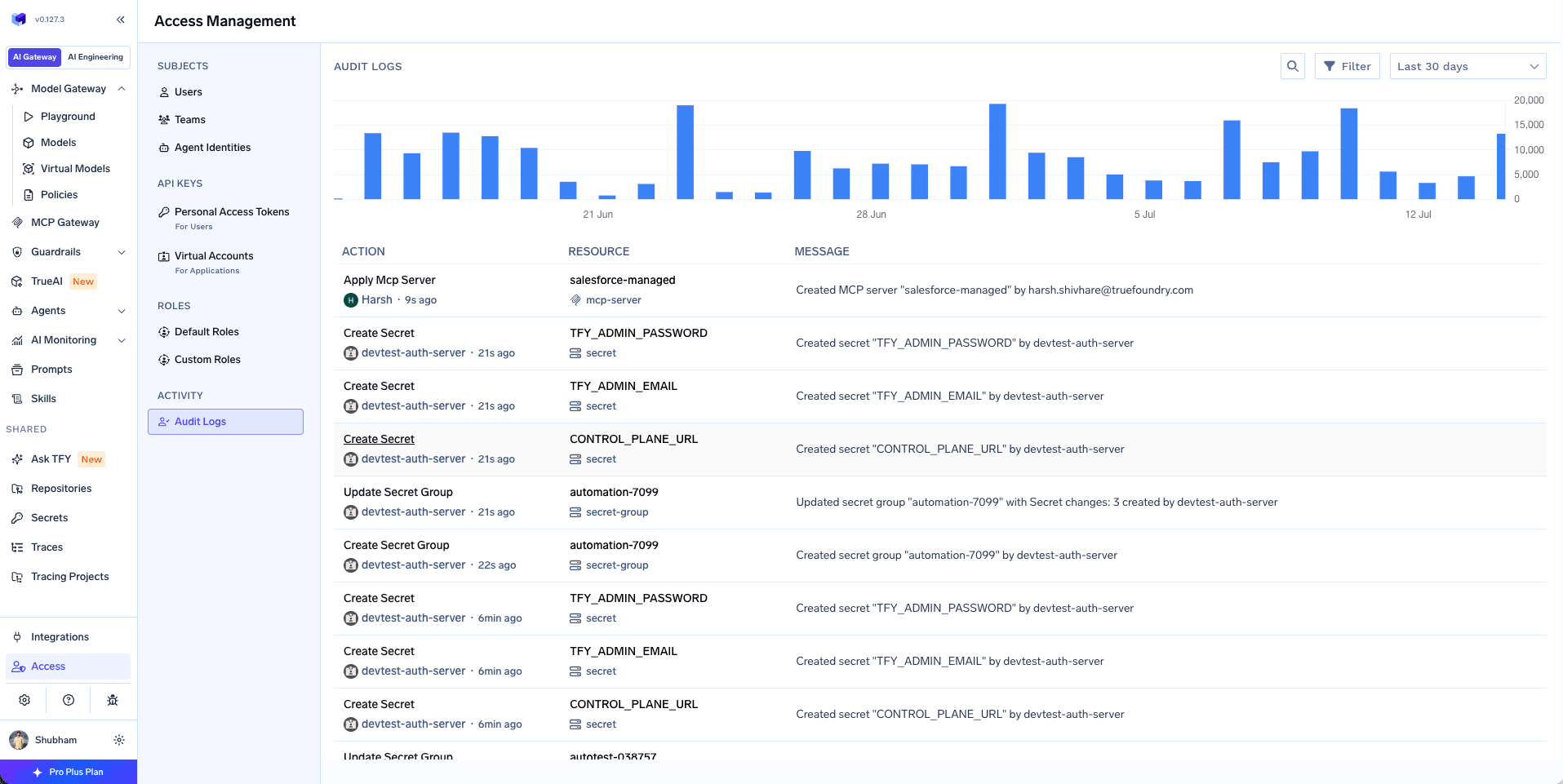
Audit Logs dashboard
- User actions - Who performed what action and when
- Resource changes - Creation, updates, and deletions of deployments, workspaces, integrations, and more
- API activity - All API calls made to the platform
- System actions - Automated actions performed by Autopilot and other system components
- Sensitive value redaction - API keys, tokens, secrets, and other sensitive field values are stripped; audit logs include metadata only, such as
resourceName, action, resource ID/type, actor, and configuration snapshot.
Users, Teams, and Virtual Accounts can view audit logs if they have permission to read audit logs. Tenant Admins and Account Admins have this permission by default. Users without this permission can view only their own actions on resources they have access to.
- ACTION - The type of action performed (e.g., “Apply Provider Integration”, “Create Deployment”)
- RESOURCE - The resource that was affected, including its name and type
- API ROUTE - The API endpoint that was called
- USER - The user or system component that performed the action
- TIMESTAMP - When the action occurred (displayed as relative time, e.g., “8m ago”, “16m ago”)
- MESSAGE - A brief summary of the action, highlighting what changed
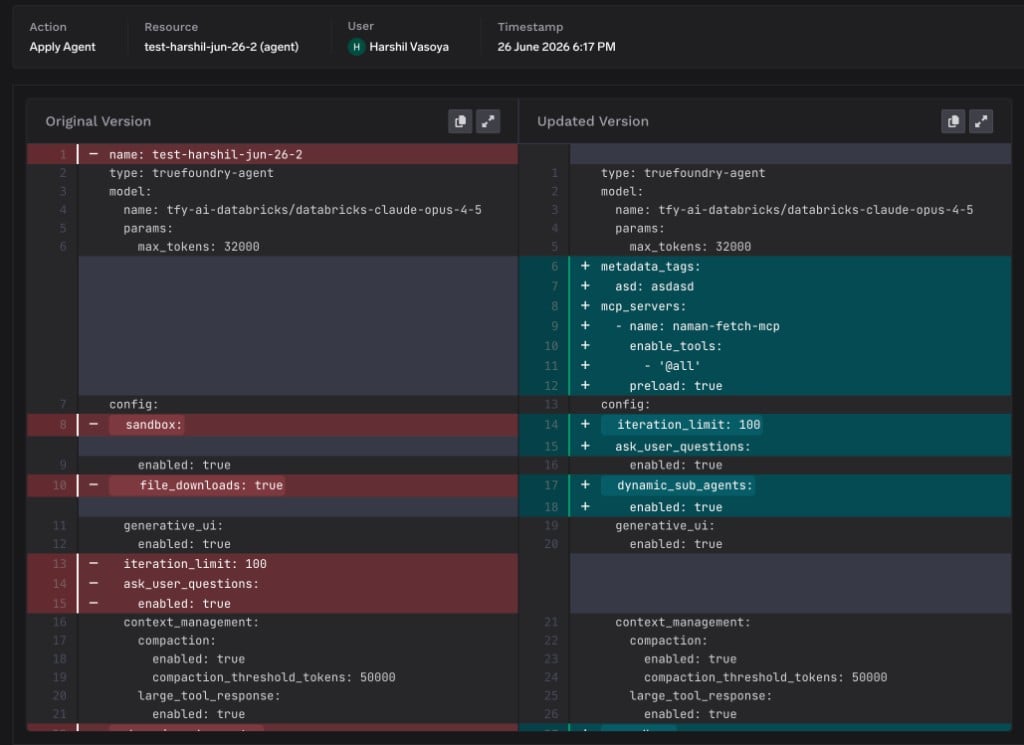
Resource-level activity logs
Audit logs are also available from individual resource pages. This helps you review the activity history for a specific entity, such as a model, policy, guardrail, setting, user, or other supported resource. For resource-level audit logs:- Tenant Admins can view all audit logs related to the selected resource, including actions performed by other users.
- Users who are not Tenant Admins can view only their own actions for that resource.
- When an action changes a YAML configuration, Audit log shows the diff between the previous YAML and the current YAML.
- Each log entry includes a short summary of the change made by that action.
- Step 1
- Step 2
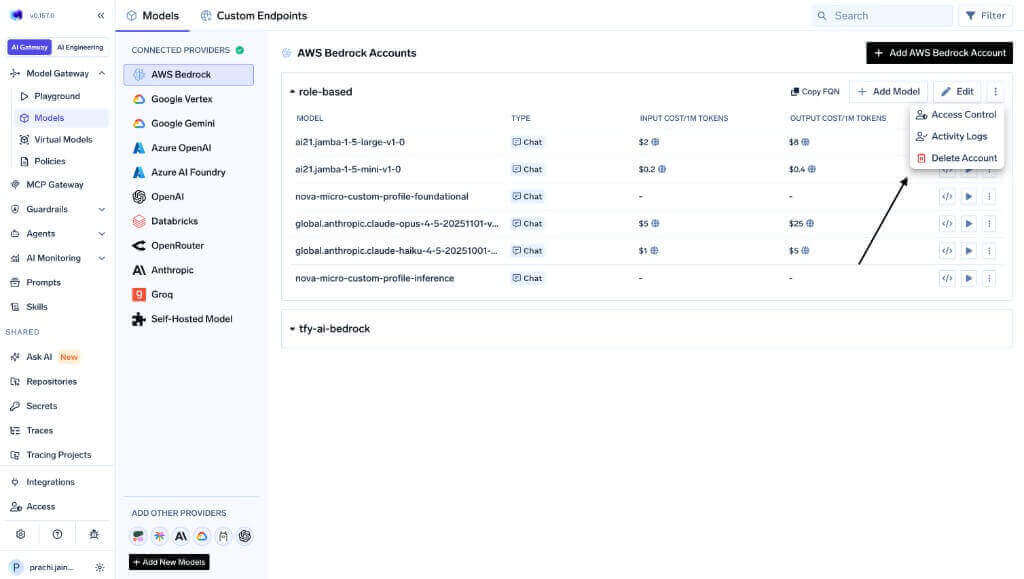
Open activity logs from a resource
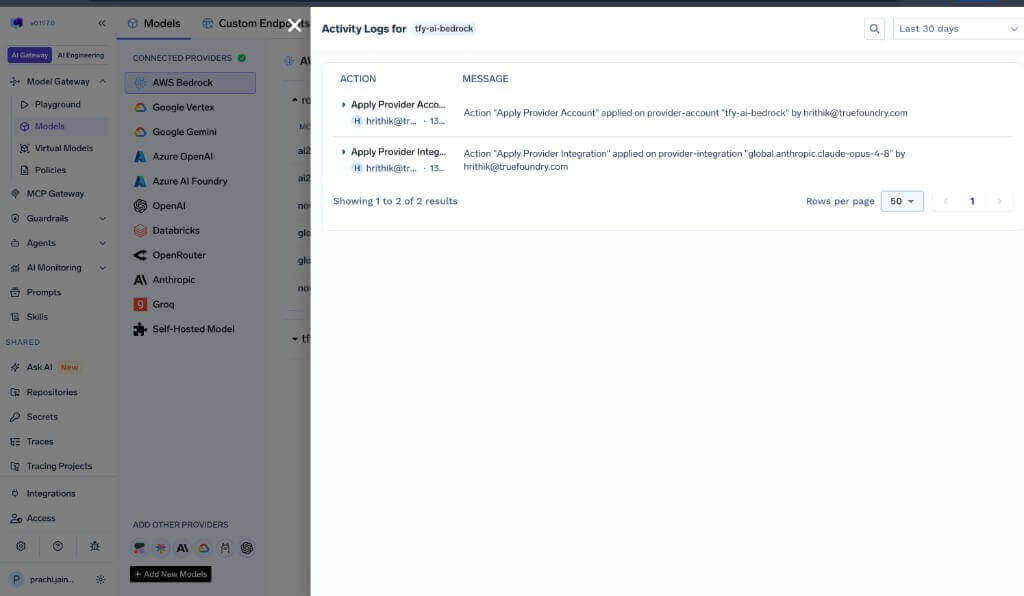
Exporting Audit Logs
The audit logs are printed in application logs in the following format:context=AuditLogInterceptor.
API Access
For programmatic access to audit logs, you can use the TrueFoundry API. Refer to the API Reference for detailed endpoint documentation.Access to audit logs via API requires appropriate permissions. Ensure your API keys or authentication tokens have the necessary access rights.