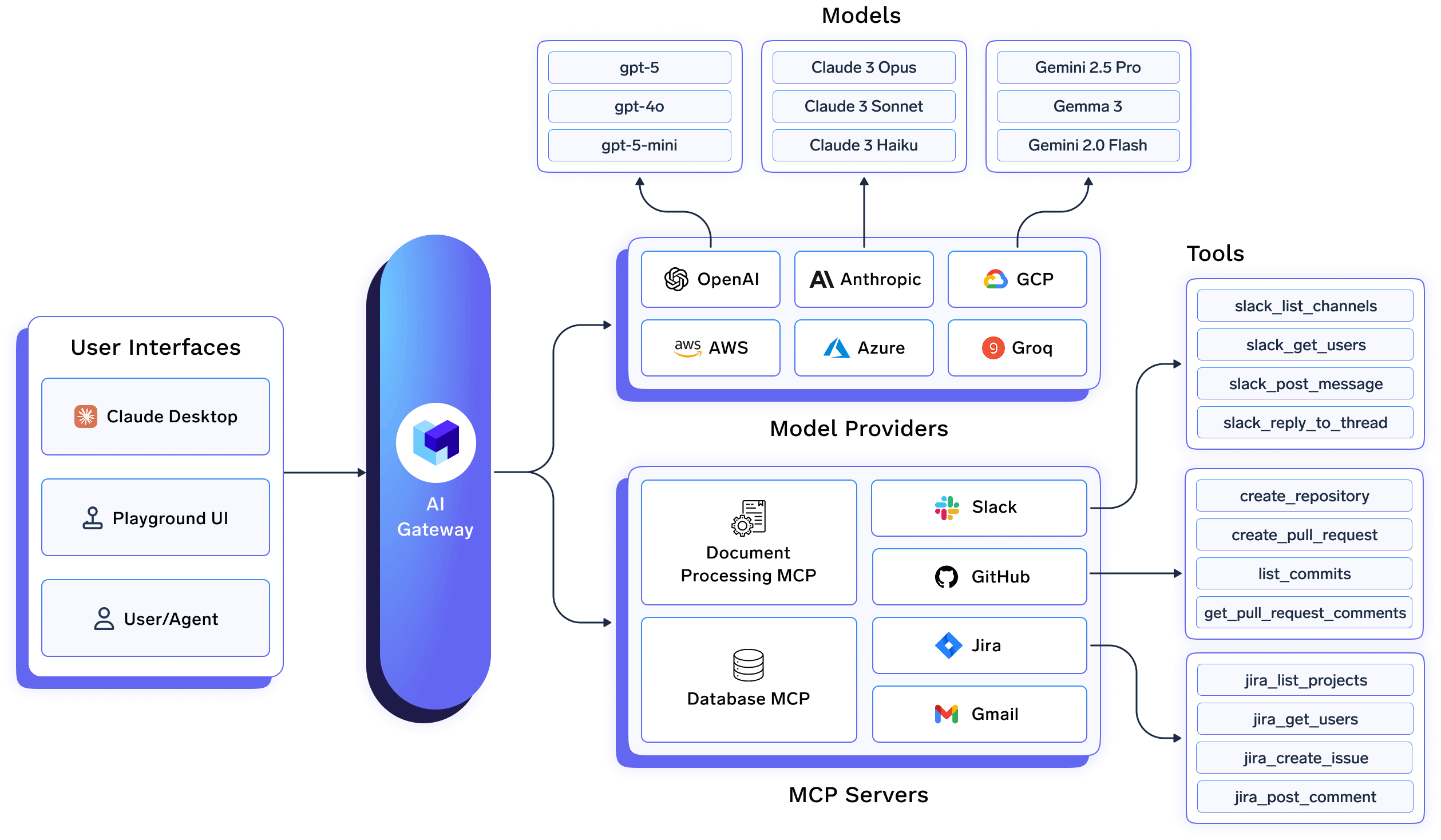
TrueFoundry AI Gateway: A unified interface for accessing 1000+ LLMs with enterprise-grade security, observability, and governance.
TrueFoundry AI Gateway is the proxy layer that sits between your applications and the LLM providers and MCP Servers. It is an enterprise-grade platform that enables users to access 1000+ LLMs using a unified interface while taking care of observability and governance.
We integrate with 1000+ LLMs through the following providers.
If you don’t see the provider you need, there is a high change it will just work as self-hosted models or OpenAI provider. Please reach out to us at support@truefoundry.com, and we will be happy to guide you.
The following accordions summarize provider support for each gateway endpoint. Each section links to the full guide for that API (same order as Supported APIs in the sidebar).
Legend:
✅ Supported by provider and TrueFoundry
Provided by provider, but not supported by TrueFoundry
Documentation:Video Generation API · API ReferenceVideo generation is supported for Google Vertex AI, Google Gemini, and self-hosted ComfyUI models through provider-native video requests.
Documentation:Proxy APIForward provider-native requests through the AI Gateway while keeping logging, rate limiting, and budget controls. See the guide for setup, headers, and examples by provider.
You can run the AI Gateway as fully managed SaaS, keep LLM request–response data in your own object storage while TrueFoundry operates the AI Gateway, or host the AI Gateway plane (and optionally more of the stack) in your cloud or on-prem for stricter data residency and control. Each option differs in who hosts infrastructure, where traffic flows, and pricing tier.Read the full comparison—including a scenario table, diagrams, and operational notes—in AI Gateway deployment options. For background on how the AI Gateway fits the platform, see gateway plane architecture. To start on managed SaaS, follow the quick start.
What's the performance impact of using the AI Gateway?
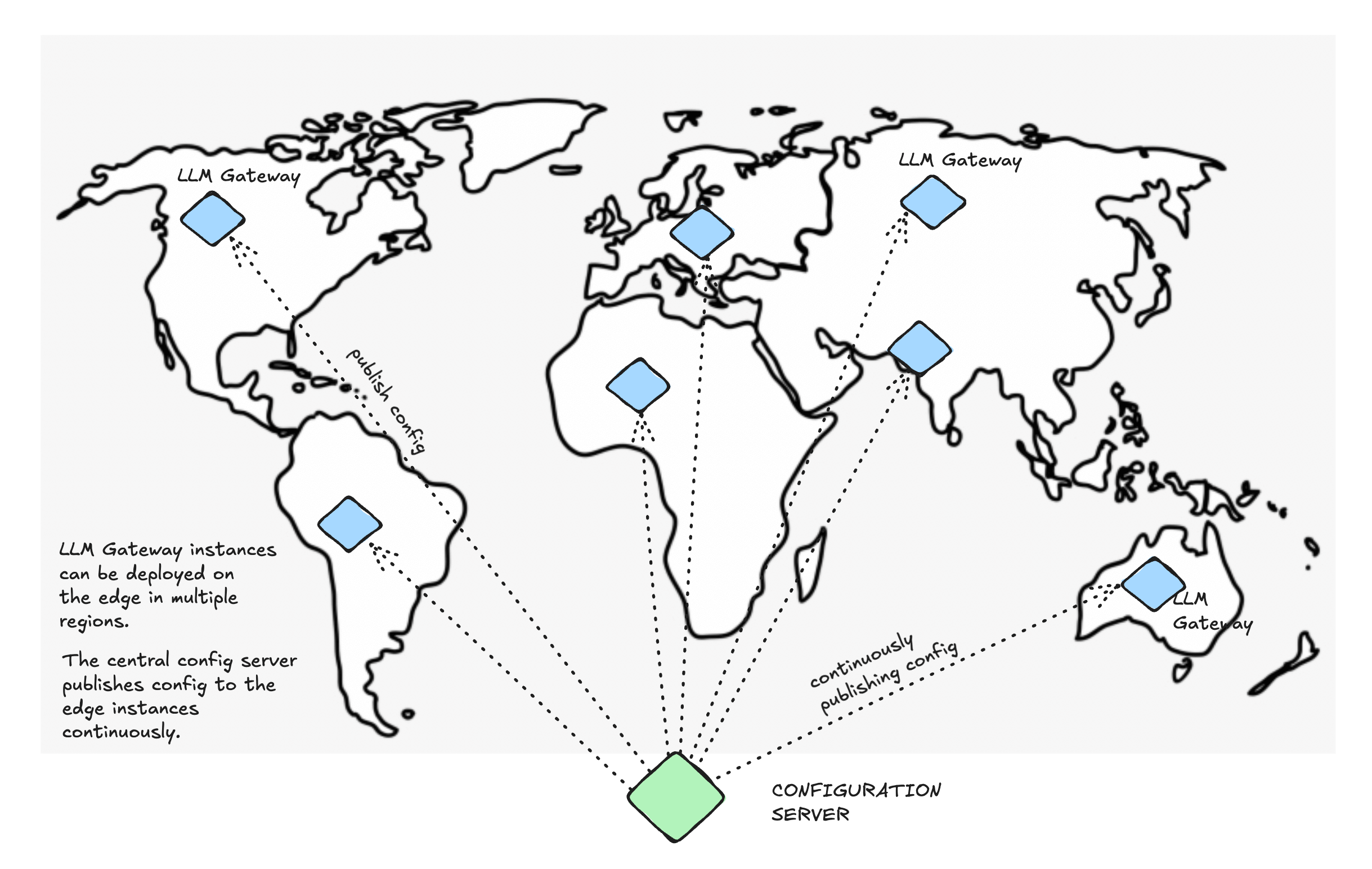
The latency overhead is minimal, typically less than 5ms. Our benchmarks show enterprise-grade performance that scales with your needs. Our SaaS offering is hosted in multiple regions across the world to ensure low latency, and high availability. You can also deploy the AI Gateway on-premise, or on any cloud provider in your region which is closer to your users.
AI Gateway on the edge, close to your applications for optimal performance.
Can I deploy the AI Gateway on-premise?
Yes, the AI Gateway supports on-premise deployments on any infrastructure or cloud provider, giving you complete control over your AI operations.
How do I integrate my self-hosted models?
You can easily integrate any OpenAI-compatible self-hosted model. Check our self-hosted models guide for detailed instructions.
Can I use the AI Gateway without the full MLOps platform?
Yes, the AI Gateway can be used as a standalone solution. You can use the full MLOps platform if you’re using features like model deployment (traditional models and LLMs), model training, LLM fine-tuning, or training and data processing workflows.
Was this page helpful?
Assistant
Responses are generated using AI and may contain mistakes.


 Gemini & Vertex AI
 Google Gemini
 AWS Bedrock
 AWS SageMaker
 Azure OpenAI
 OpenAI
 Cohere
 Databricks
 AI21
AI21 Anthropic
 Together AI
 xAI
xAI DeepInfra
 Perplexity AI
 Mistral AI
 Cloudera
 Groq
Groq ElevenLabs
 Deepgram
 Cartesia
 Smallest AI
 Snowflake Cortex
 Self Hosted
 OpenRouter
 SambaNova
 Cerebras