

What is Coralogix?
Coralogix is a full-stack observability platform that provides real-time insights into logs, metrics, and traces. It offers advanced analytics, alerting, and visualization capabilities for monitoring your applications and infrastructure.Key Features of Coralogix
- Real-time Analytics: Stream and analyze logs, metrics, and traces in real-time without indexing delays
- ML-Powered Insights: Automatically detect anomalies and patterns using machine learning algorithms
- Cost-Effective Storage: Flexible data management with hot, warm, and cold storage tiers for cost optimization
Prerequisites
Before integrating Coralogix with TrueFoundry, ensure you have:- TrueFoundry Account: Create a Truefoundry account and follow the instructions in our Gateway Quick Start Guide
- Coralogix Account: Sign up for a Coralogix account
- Coralogix API Key: Generate an API key from your Coralogix dashboard
Integration Steps
TrueFoundry AI Gateway supports exporting OpenTelemetry traces to Coralogix, allowing you to monitor and analyze your LLM requests in Coralogix’s observability platform.Step 1: Get Your Coralogix Configuration
From your Coralogix dashboard, gather the following information:- Traces Endpoint: Your Coralogix OTEL traces endpoint (e.g.,
ingress.eu2.coralogix.com:443) - API Key: Your Coralogix API key for authorization
- Subsystem and Application Names: Configure these to organize your traces in Coralogix
Step 2: Configure OTEL Export in TrueFoundry
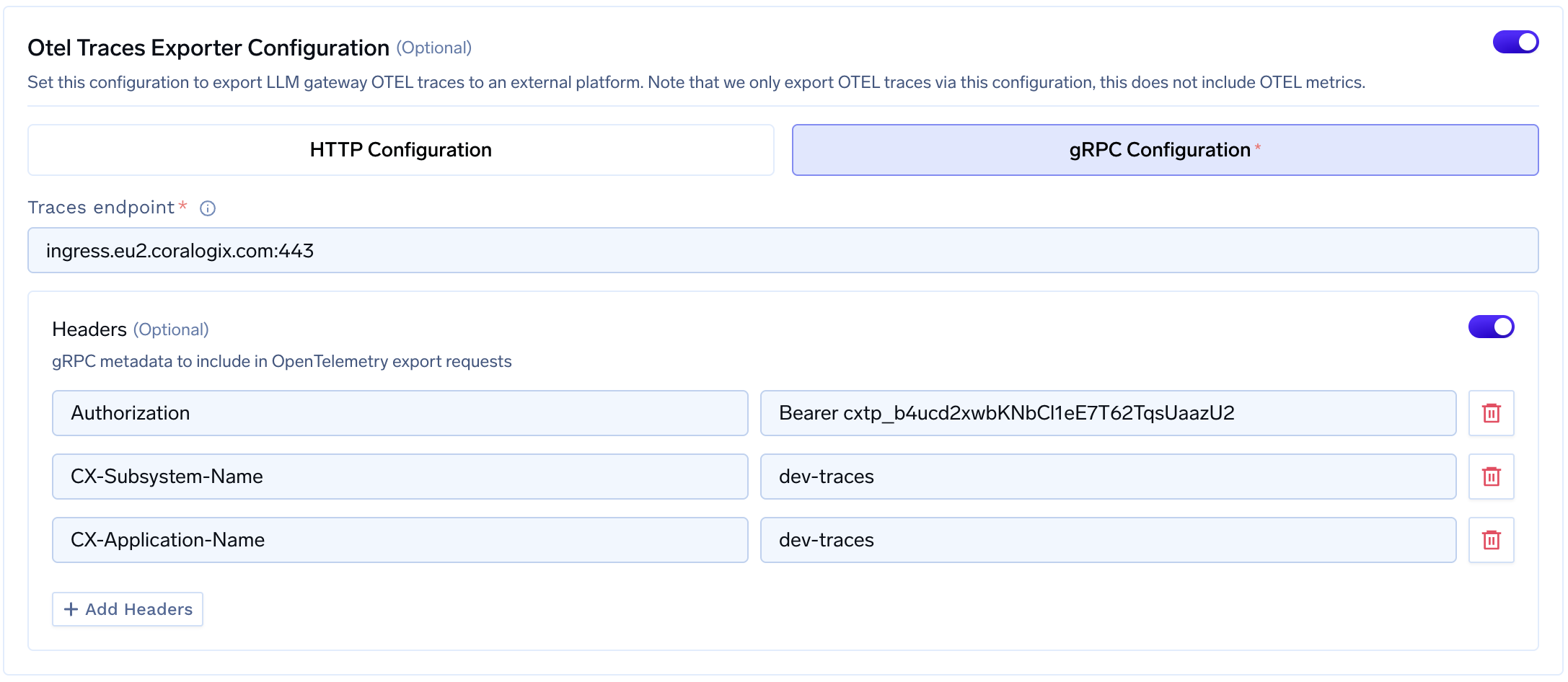
- Go to AI Gateway → Controls → Settings in the TrueFoundry dashboard
- Scroll down to the OTEL Config section and click the edit button
- Enable the OTEL Traces Exporter Configuration toggle
- Select gRPC Configuration (recommended for Coralogix)
- Enter your Coralogix traces endpoint
Step 3: Configure Headers
Add the required headers for Coralogix authentication:| Header | Value |
|---|---|
Authorization | Bearer <your-coralogix-api-key> |
CX-Subsystem-Name | Your subsystem name (e.g., dev-traces) |
CX-Application-Name | Your application name (e.g., dev-traces) |
Step 4: Verify the Integration
- Make some requests through the TrueFoundry AI Gateway
- Navigate to the Monitor section in TrueFoundry to verify traces are being generated
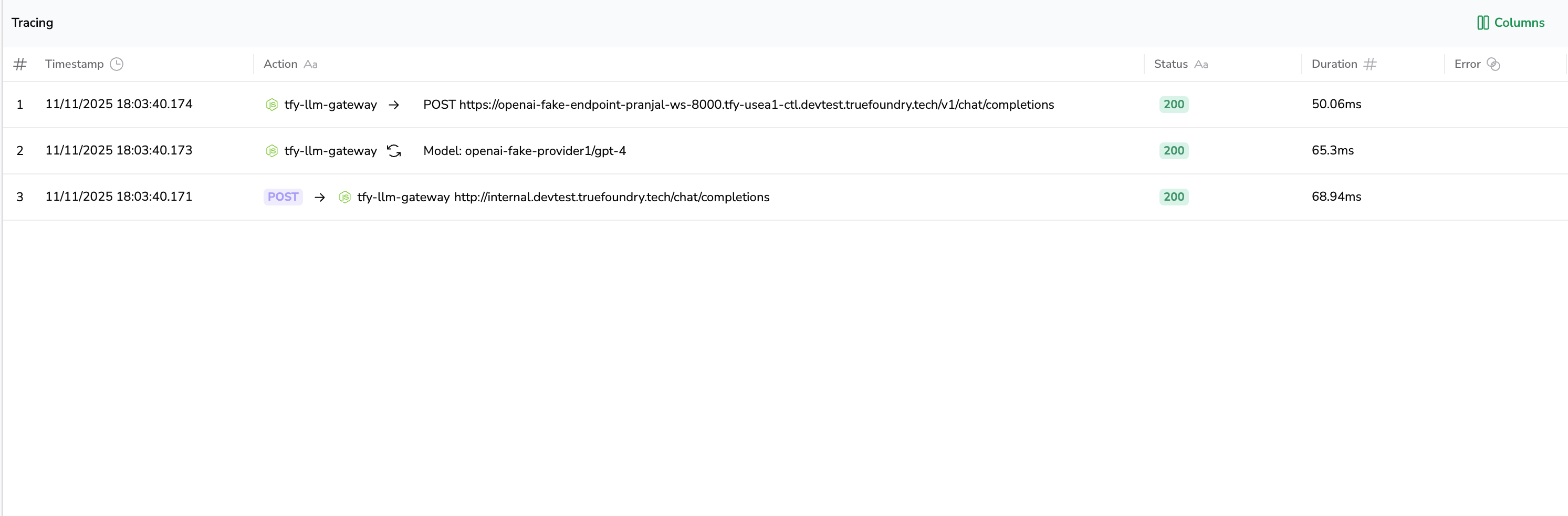
- Log into your Coralogix dashboard and navigate to the Traces section
- Verify that traces from TrueFoundry are appearing with your configured application and subsystem names
Configuration Options
Coralogix Regional Endpoints
Coralogix has different endpoints based on your region. For the most up-to-date endpoints, refer to the official Coralogix documentation.| Region | gRPC Endpoint |
|---|---|
| Europe 1 | ingress.coralogix.com:443 |
| Europe 2 | ingress.eu2.coralogix.com:443 |
| USA 1 | ingress.coralogix.us:443 |
| APAC 1 (India) | ingress.app.coralogix.in:443 |
| APAC 2 (Singapore) | ingress.coralogixsg.com:443 |
Benefits of Using Coralogix with TrueFoundry
- Unified Observability: View all your LLM traces alongside other application telemetry in one platform
- Advanced Analytics: Leverage Coralogix’s ML-powered analytics to detect anomalies in your LLM usage
- Cost Optimization: Use Coralogix’s tiered storage to manage trace data costs effectively
- Custom Dashboards: Create custom dashboards to visualize LLM performance metrics
- Alerting: Set up alerts for latency spikes, error rates, or unusual patterns in your LLM usage