

What is LangSmith?
LangSmith is LangChain’s observability and evaluation platform for LLM applications. It provides comprehensive tracing, debugging, and monitoring capabilities to help teams build reliable AI applications.Key Features of LangSmith
- LLM Tracing: Capture detailed traces of all LLM interactions including inputs, outputs, latency, and token usage with automatic instrumentation
- Evaluation & Testing: Run evaluations on your LLM outputs with custom evaluators, datasets, and automated testing pipelines
- Prompt Hub: Version control and manage prompts with collaboration features and A/B testing capabilities
Prerequisites
Before integrating LangSmith with TrueFoundry, ensure you have:- TrueFoundry Account: Create a Truefoundry account and follow the instructions in our Gateway Quick Start Guide
- LangSmith Account: Sign up for a LangSmith account
- LangSmith API Key: Generate an API key from your LangSmith settings
Integration Steps
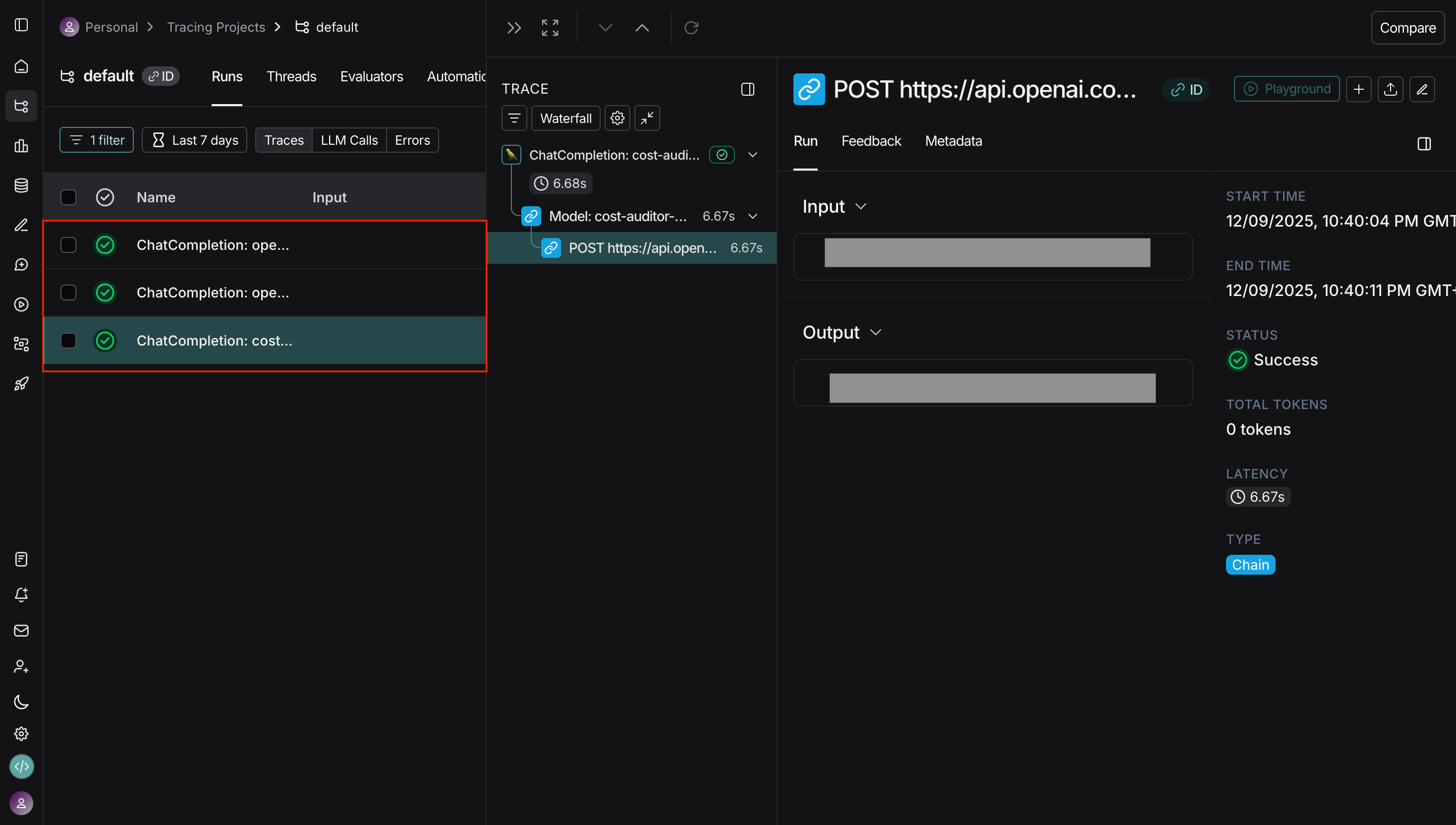
TrueFoundry AI Gateway supports exporting OpenTelemetry traces to LangSmith, allowing you to monitor and analyze your LLM requests in LangSmith’s observability platform.Get Your LangSmith API Key
- Log into your LangSmith dashboard
- Navigate to Settings → API Keys
- Create a new API key or copy an existing one
Configure OTEL Export in TrueFoundry
- Go to AI Gateway → Controls → Settings in the TrueFoundry dashboard
- Scroll down to the OTEL Config section and click the edit button
- Enable the OTEL Traces Exporter Configuration toggle
- Select HTTP Configuration
- Enter the LangSmith traces endpoint:
https://api.smith.langchain.com/otel/v1/traces - Set Encoding to
Proto
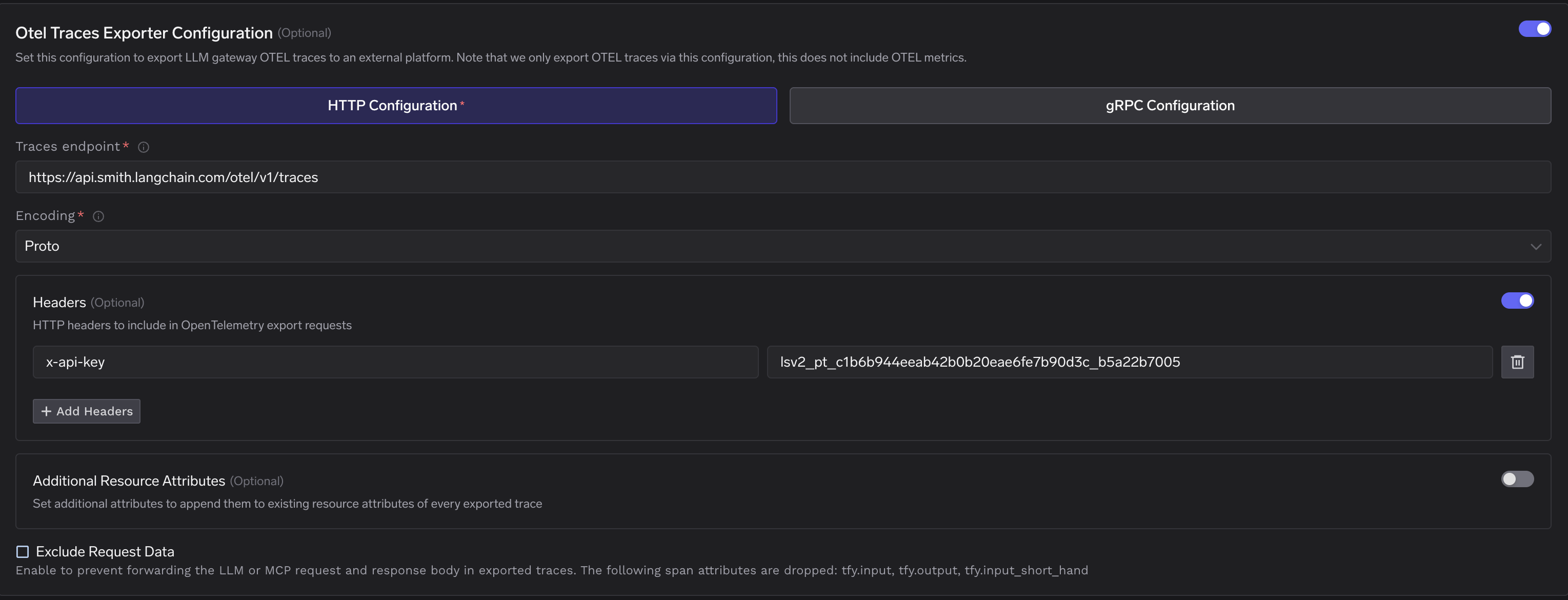
Configure Headers
Add the required header for LangSmith authentication:
Click Save to apply your configuration.
| Header | Value |
|---|---|
x-api-key | Your LangSmith API key |
Configuration Options
LangSmith Endpoint
LangSmith uses a single endpoint for OTEL trace ingestion:| Configuration | Value |
|---|---|
| Traces Endpoint | https://api.smith.langchain.com/otel/v1/traces |
| Protocol | HTTP |
| Encoding | Proto / JSON |