What is Dify?
Dify is an open-source platform for building AI applications with built-in LLMOps, workflow automation, and agent capabilities. It provides a comprehensive suite of tools for creating, managing, and deploying AI-powered applications through an intuitive visual interface.Key Features of Dify
- Workflow Studio: Create complex AI workflows using visual drag-and-drop interface with support for conditional logic, loops, and multi-step reasoning processes
- Agent Builder: Build intelligent agents with tool integration, conversation memory, and the ability to plan and execute multi-step tasks autonomously
- Knowledge Management: Upload documents, websites, and structured data to create searchable knowledge bases for RAG (Retrieval-Augmented Generation) applications
Prerequisites
Before integrating Dify with TrueFoundry, ensure you have:- TrueFoundry Account: Create a Truefoundry account and follow the instructions in our Gateway Quick Start Guide
- Dify Installation: Set up Dify using either the cloud version or self-hosted deployment with Docker
Integration Steps
This guide assumes you have Dify installed and running, and have obtained your TrueFoundry AI Gateway base URL.Step 1: Access Dify Model Provider Settings
- Log into your Dify workspace (cloud or self-hosted).
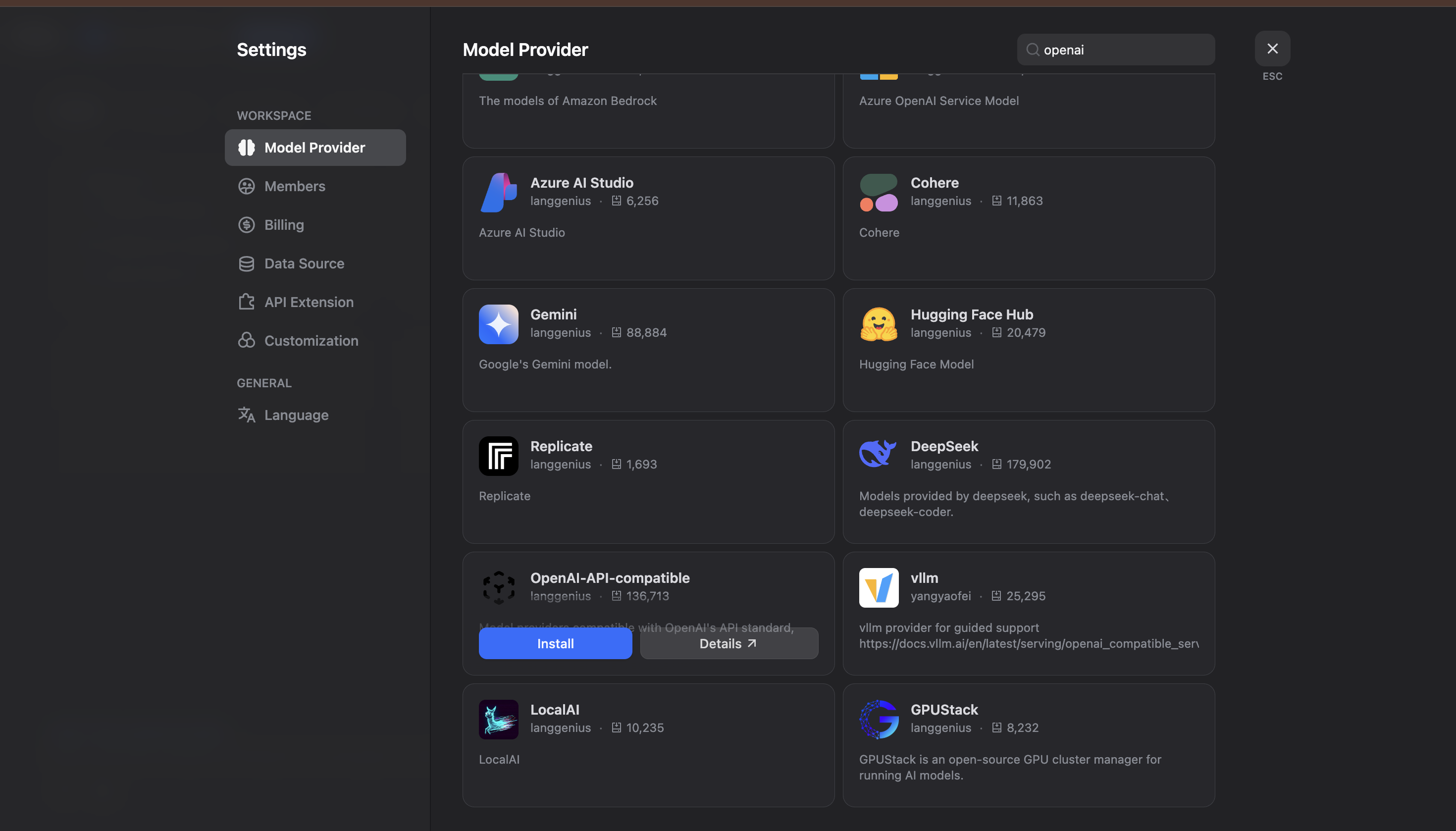
- Navigate to Settings and go to Model Provider:
Step 2: Install OpenAI-API-Compatible Provider
- In the Model Provider section, look for OpenAI-API-compatible and click Install.
- Configure the OpenAI-API-compatible provider with your TrueFoundry details:
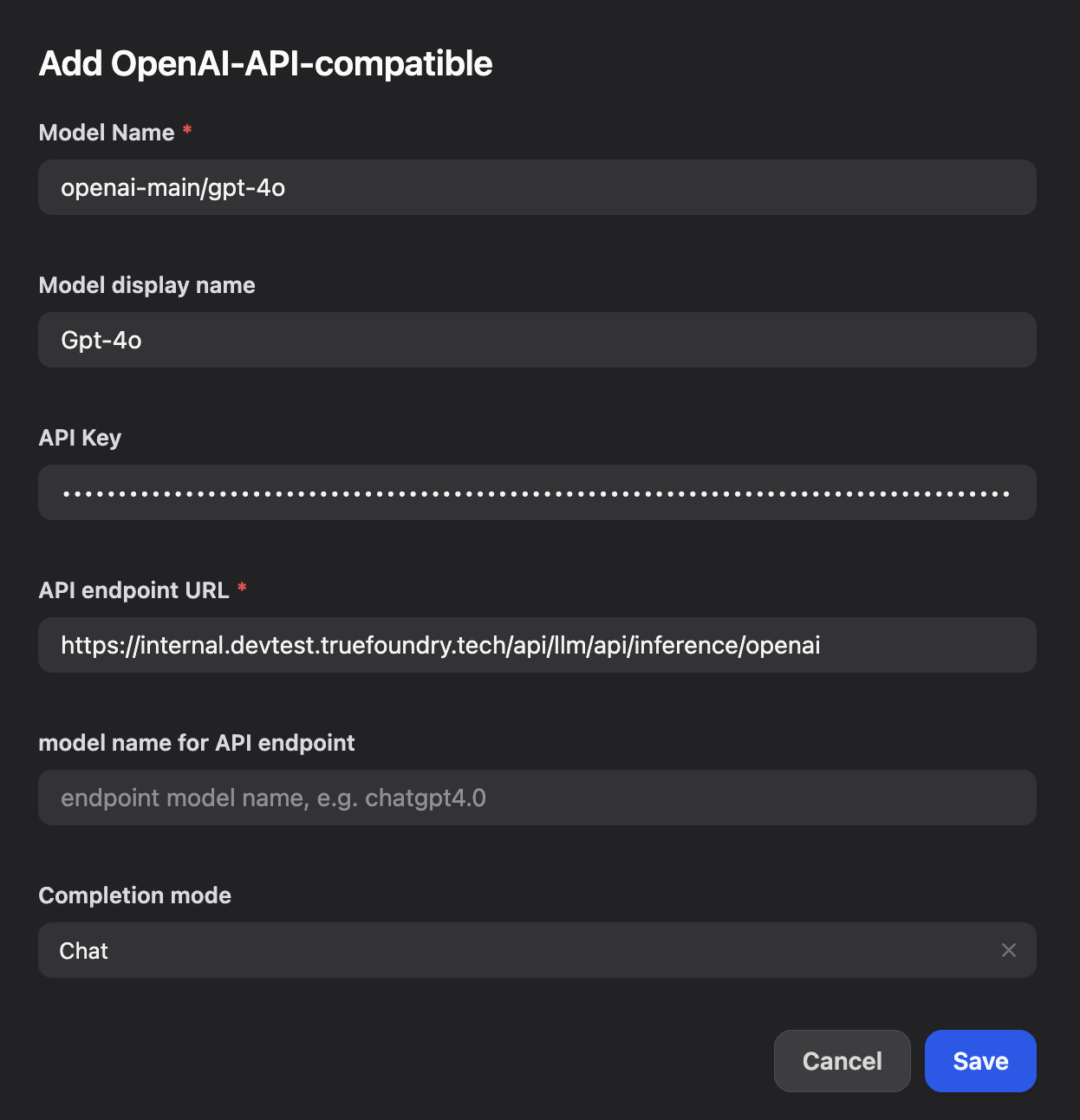
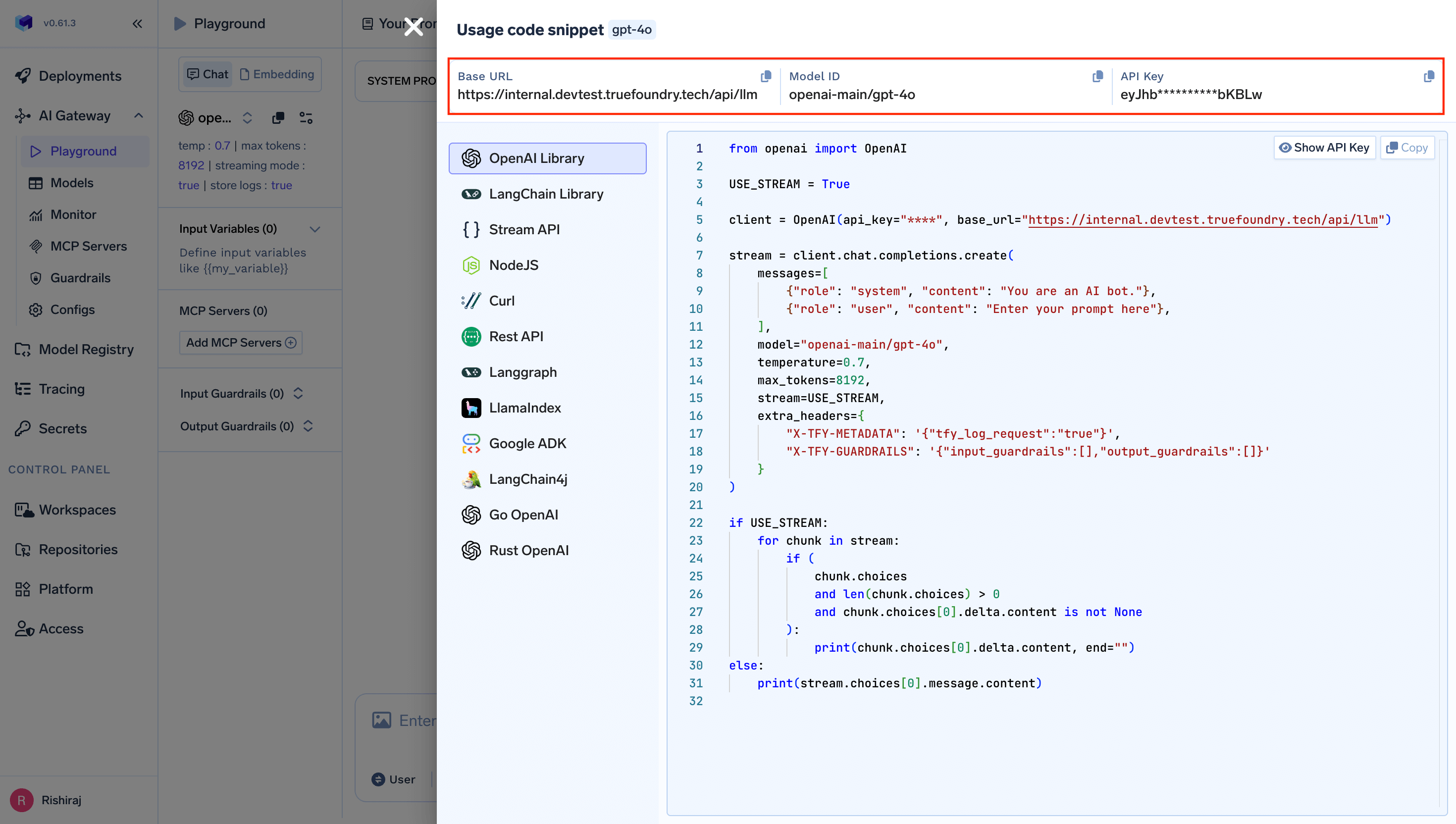
- Model Name: Enter your TrueFoundry model ID (e.g.,
openai-main/gpt-4o) - Model display name: Enter a display name (e.g.,
Gpt-4o) - API endpoint URL: Enter your TrueFoundry Gateway base URL
- model name for API endpoint: Enter the endpoint model name (e.g.,
openai-main/gpt-4o)
Step 3: Save and Test Your Configuration
- Click Save to apply your configuration in Dify.
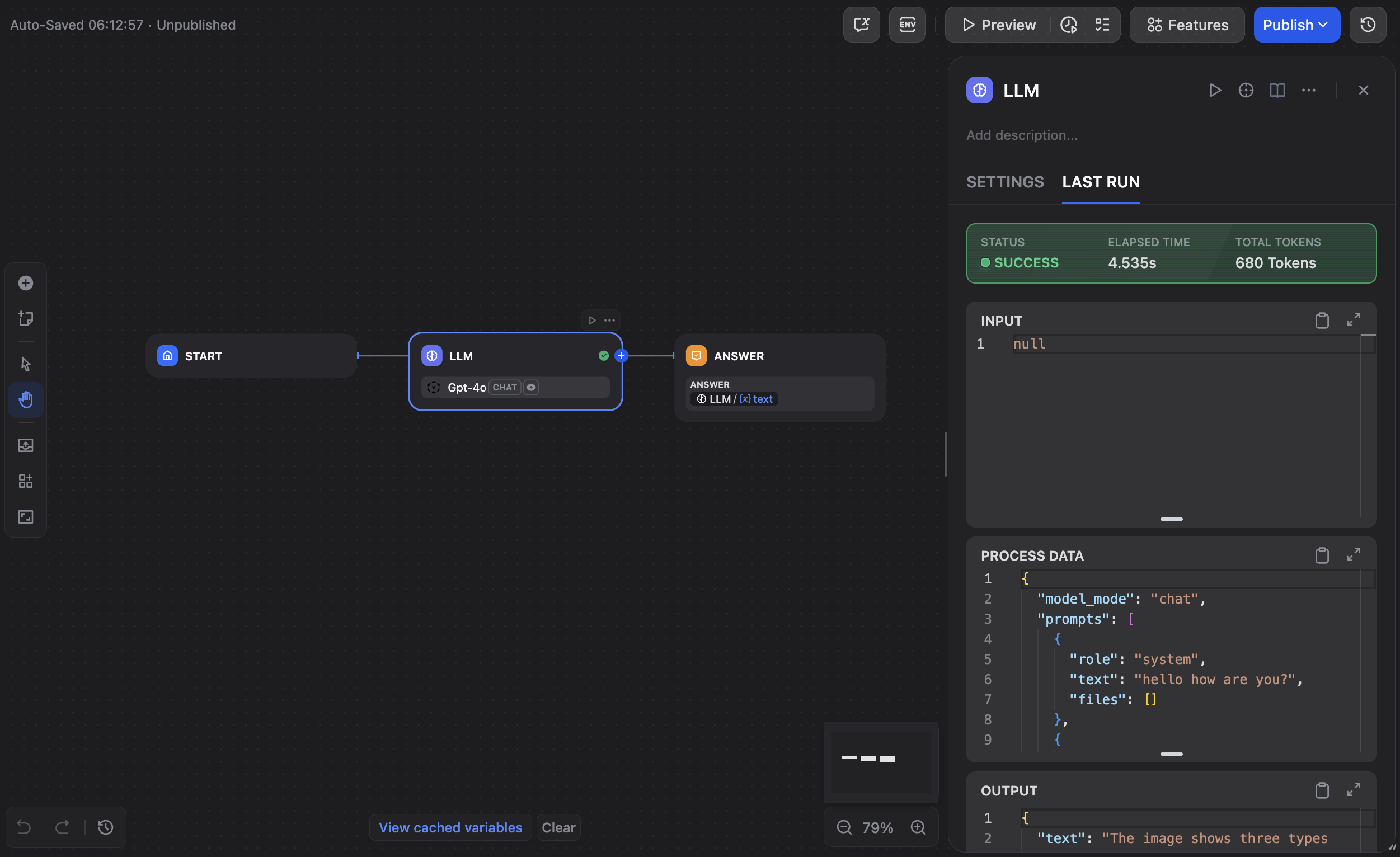
- Create a new application or workflow to test the integration:
- Test the integration by creating a simple LLM workflow to verify that Dify is successfully communicating with TrueFoundry’s AI Gateway.