

What is Langflow?
Langflow is a visual framework for building multi-agent and RAG applications. It’s a low-code app builder for RAG and multi-agent AI applications, providing a Python-based platform that allows users to create flows using a drag-and-drop interface or through code.Key Features of Langflow
- Visual Drag-and-Drop Interface: Langflow provides an intuitive visual interface where users can build complex AI workflows by simply dragging and dropping components. This eliminates the need for extensive coding and makes AI application development accessible to non-technical users and developers alike.
- Multi-Agent and RAG Support: Built-in support for Retrieval-Augmented Generation (RAG) and multi-agent architectures allows users to create sophisticated AI applications that can access external knowledge bases and coordinate multiple AI agents to solve complex tasks collaboratively.
- Code and No-Code Flexibility: Langflow offers both visual workflow creation and Python SDK integration, allowing users to switch between drag-and-drop interfaces and programmatic control. This flexibility enables both rapid prototyping and production-ready deployments with custom logic.
Prerequisites
Before integrating Langflow with TrueFoundry, ensure you have:- TrueFoundry Account: Create a Truefoundry account and follow the instructions in our Gateway Quick Start Guide
- Langflow Installation: Install Langflow using either the Python package or Docker deployment
- Virtual Model: Create a Virtual Model for your desired models (see Create a Virtual Model below)
Why You Need a Virtual Model
Langflow works optimally with standard OpenAI model names (likegpt-4, gpt-4o-mini), but may experience compatibility issues with TrueFoundry’s fully qualified model names (like openai-main/gpt-4 or azure-openai/gpt-4).
When Langflow encounters these fully qualified model names directly, it may not function as expected due to internal processing differences.
The Solution: A Virtual Model allows you to:
- Use standard model names in your Langflow configurations (e.g.,
gpt-4) - Have TrueFoundry Gateway automatically route the request to the fully qualified target model (e.g.,
openai-main/gpt-4)
Setup Process
1. Create a Virtual Model
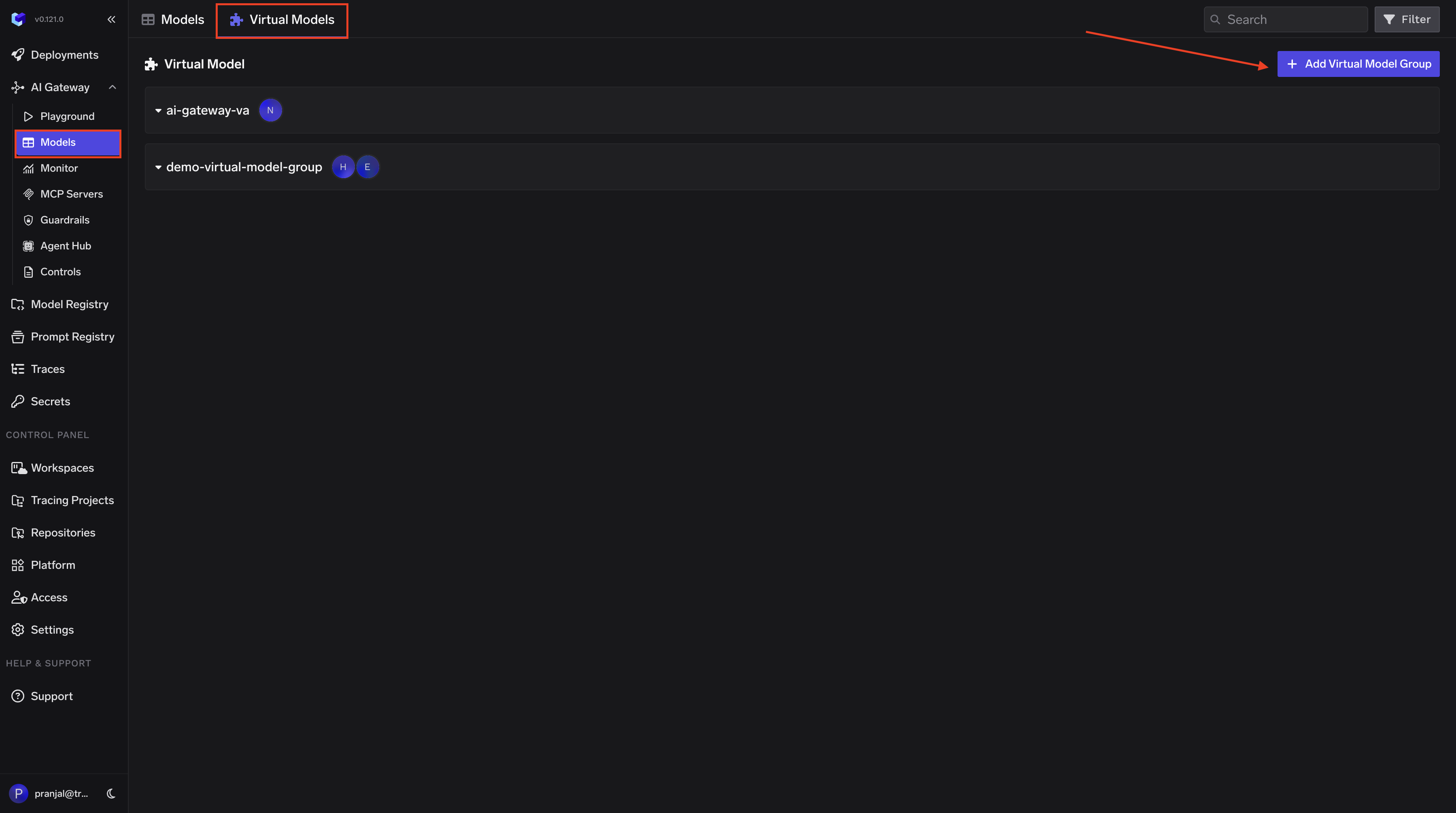
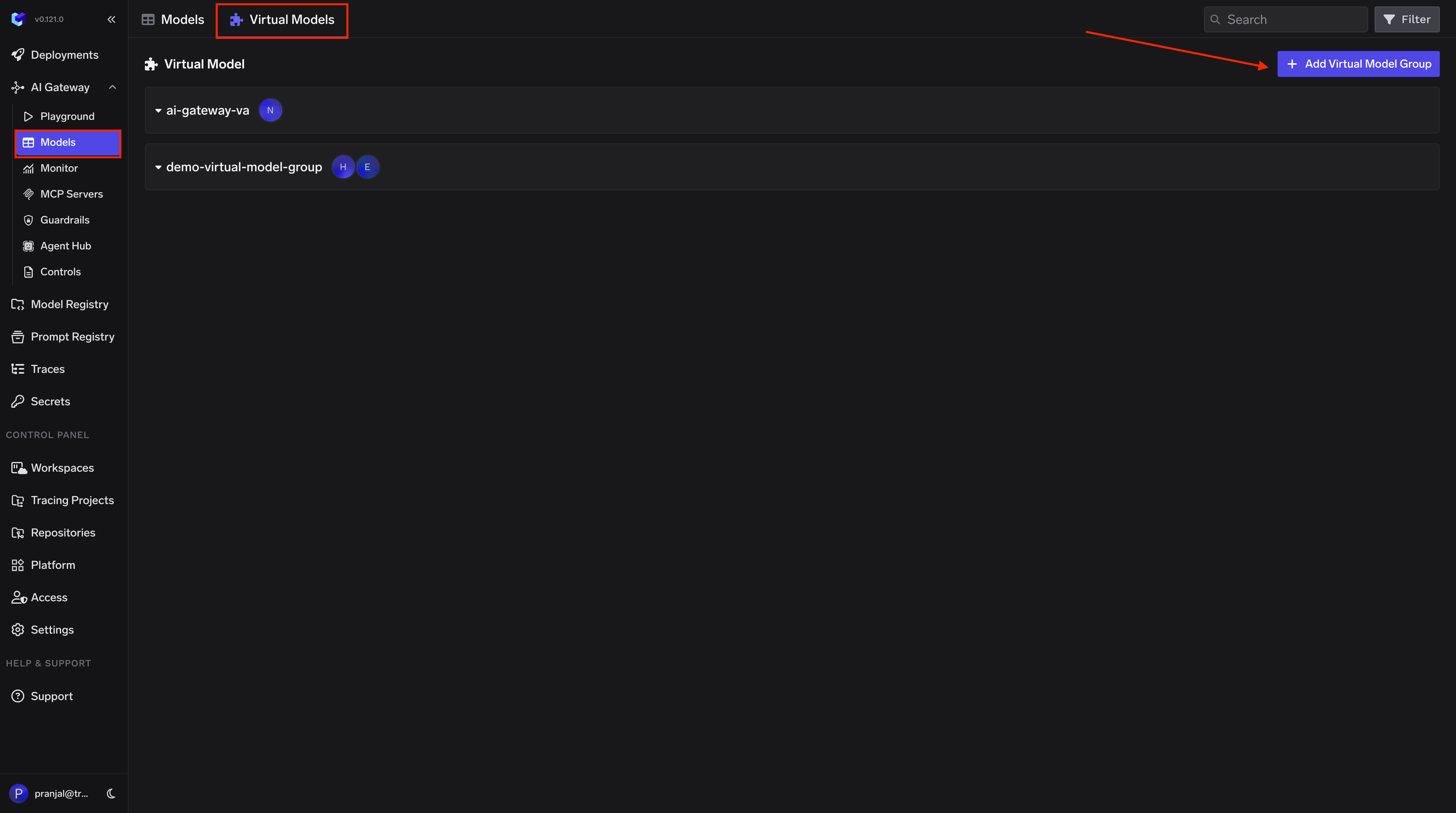
Create a Virtual Model so Langflow can use a simple model name that the Gateway maps to your provider:- Navigate to AI Gateway → Models → Virtual Model in the TrueFoundry dashboard.
-
Create a new Virtual Model Provider Group with a name (e.g.,
langflow-vm) and configure collaborators for access control. -
Add your target model (e.g.,
openai-main/gpt-4o) under the provider group. Set the Virtual Model name to the model name Langflow expects (e.g.,gpt-4o), so requests from Langflow are automatically routed to your configured provider.
2. Configure Langflow Language Model Component
In your Langflow interface, configure the Language Model component with TrueFoundry Gateway settings: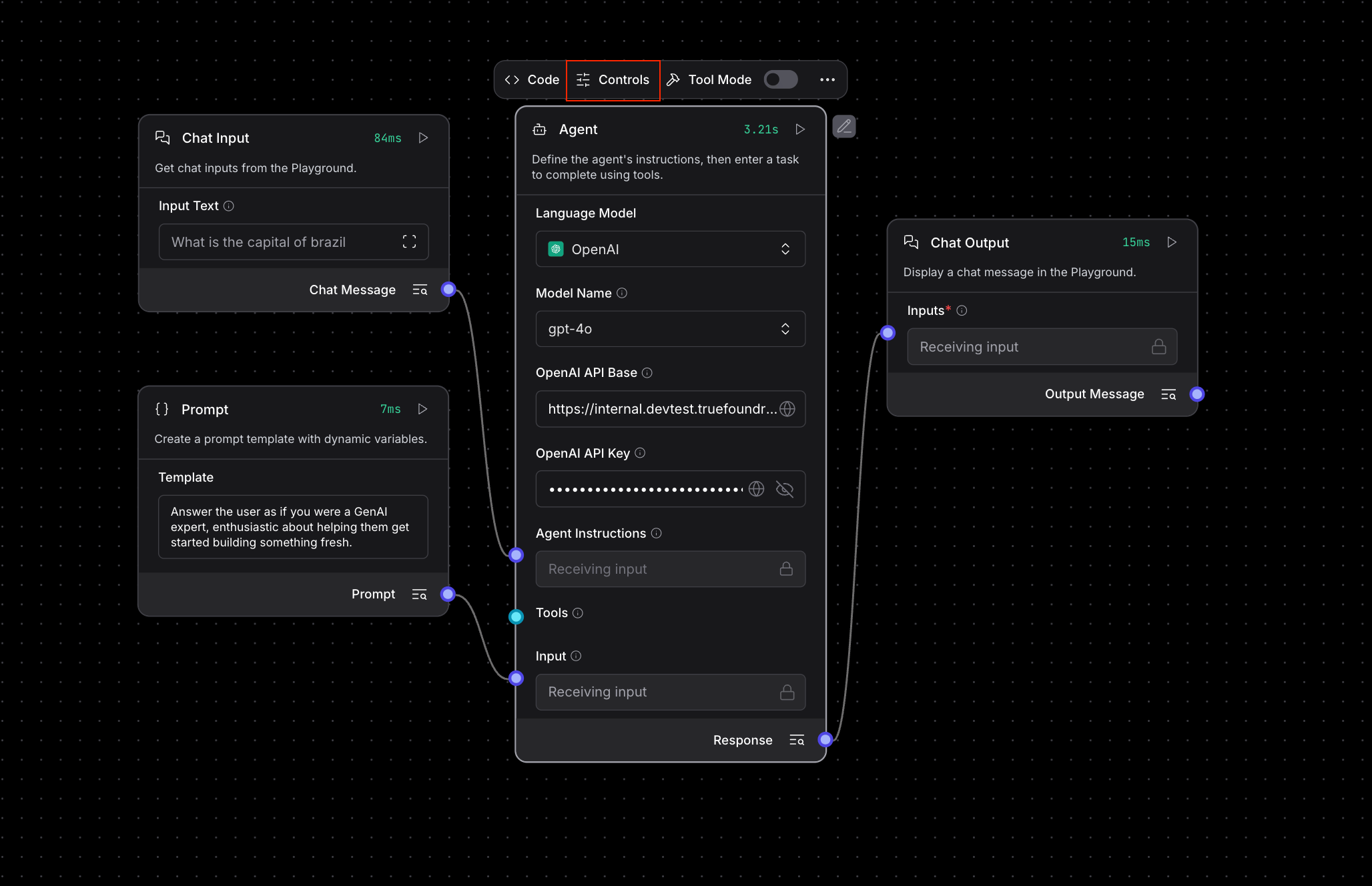
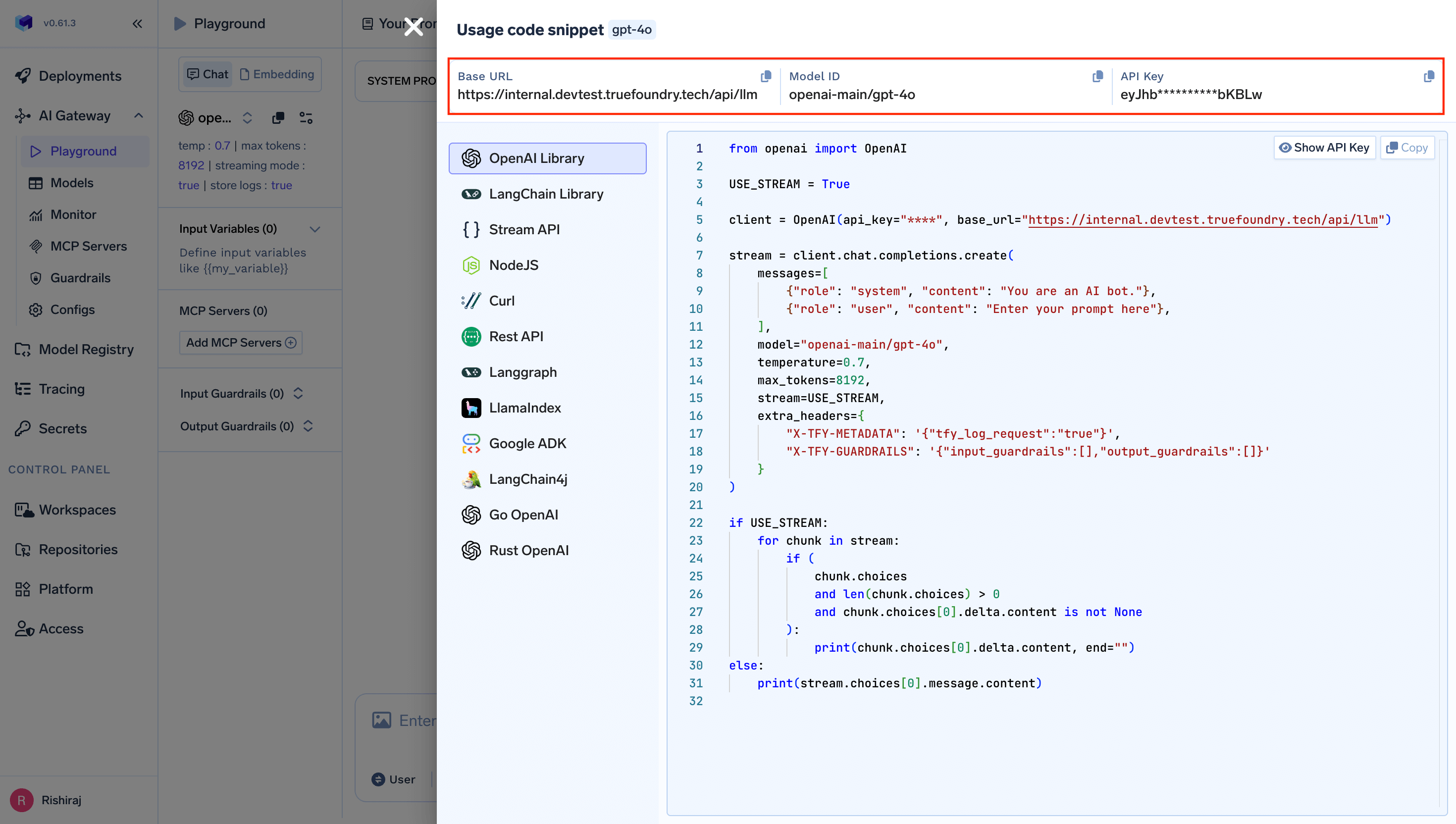
- Model Provider: Select “OpenAI” from the dropdown
- Model Name: Use the Virtual Model name you configured (e.g.,
gpt-4o-mini) - OpenAI API Base: Set to
https://{controlPlaneUrl}/api/llm
{controlPlaneUrl} with your actual Truefoundry control plane URL.
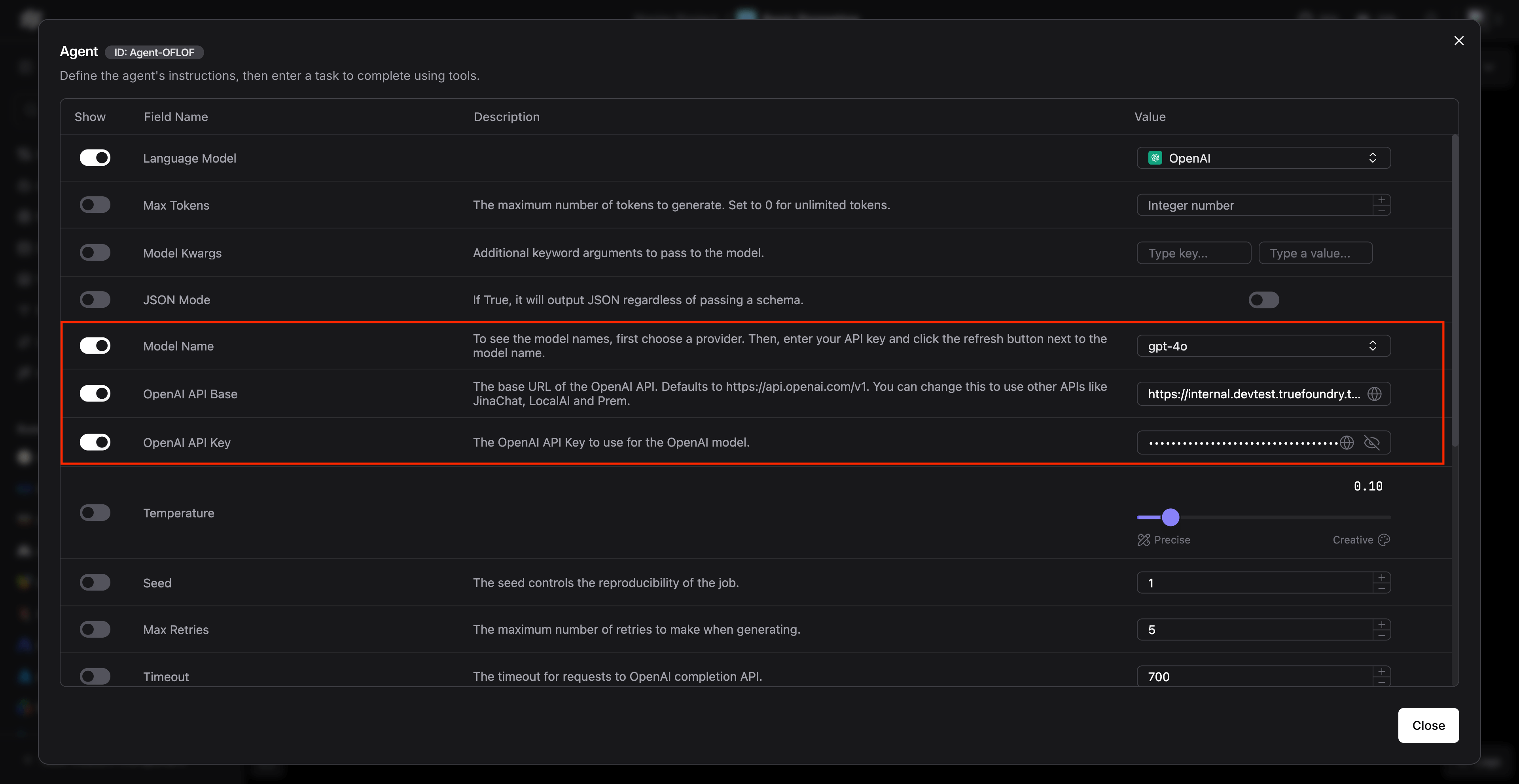
3. Advanced Configuration in Agent Settings
For more advanced flows using agents, configure the agent component with TrueFoundry settings: Ensure the following settings are configured:- Model Name: Use the Virtual Model name (e.g.,
gpt-4) - OpenAI API Base:
https://{controlPlaneUrl}/api/llm
Usage Examples
Basic Chat Flow
Create a simple chat flow using the configured Language Model: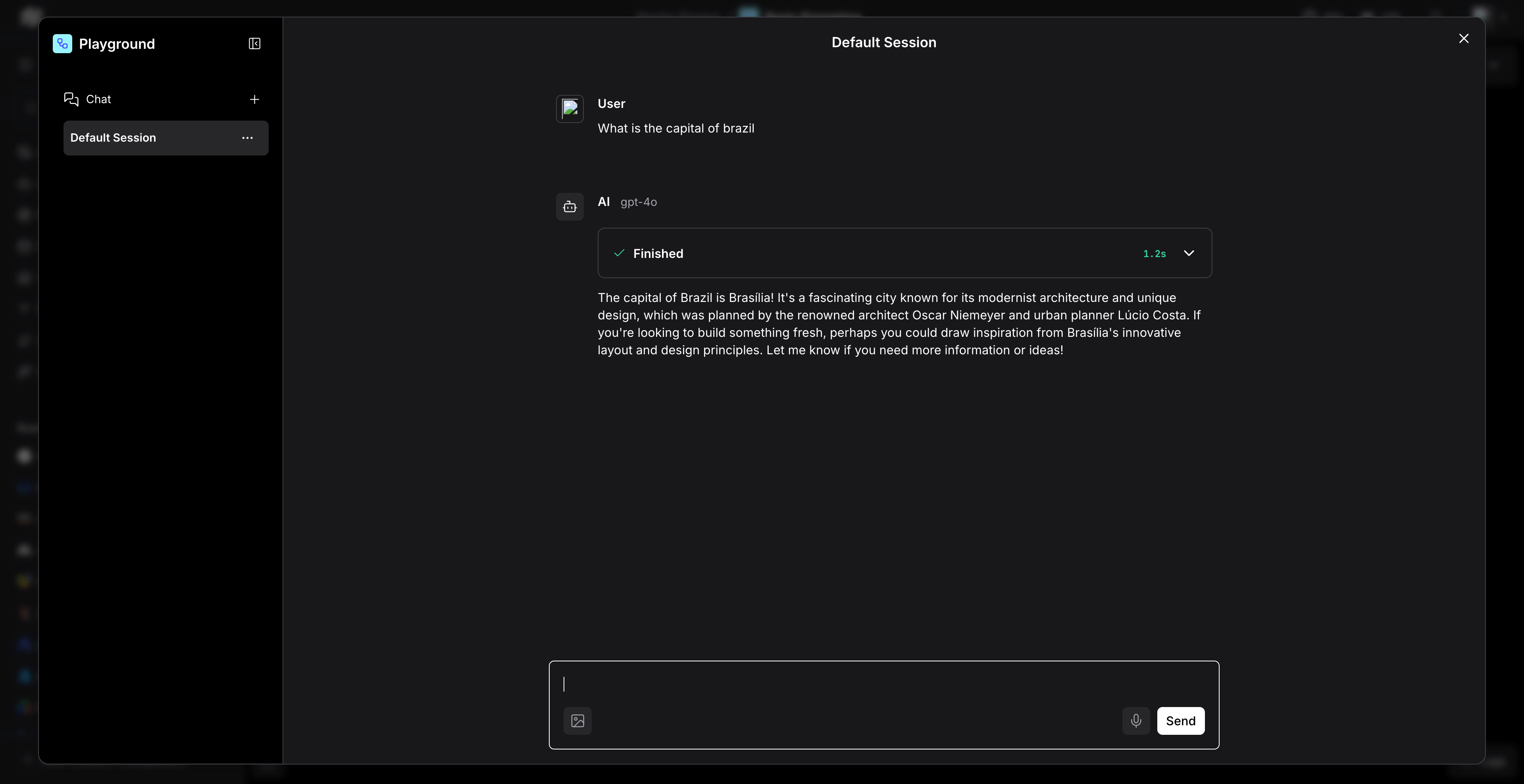
- Drag and drop a “Chat Input” component
- Connect it to your configured “OpenAI” Language Model component
- Connect the output to a “Chat Output” component
- Run the flow to test the integration
Multi-Agent RAG Application
For more complex applications involving RAG and multiple agents:Environment Variables Configuration
Alternatively, you can set environment variables for easier configuration across multiple flows:Understanding Virtual Model Routing
When you use Langflow with standard model names likegpt-4, your requests are routed through the Virtual Model you configured. The Virtual Model maps the standard name to your actual provider model (e.g., openai-main/gpt-4).
You can configure more advanced routing within a Virtual Model, including multiple target models with different weights for load distribution and automatic failover. For full details, see the Virtual Models documentation.
Benefits of Using TrueFoundry Gateway with Langflow
- Cost Tracking: Monitor and track costs across all your Langflow applications
- Security: Enhanced security with centralized API key management
- Access Controls: Implement fine-grained access controls for different teams
- Rate Limiting: Prevent API quota exhaustion with intelligent rate limiting
- Fallback Support: Automatic failover to alternative providers when needed
- Analytics: Detailed analytics and monitoring for all LLM calls