

Python SDK Documentation
Official OpenAI Agents SDK for Python
TypeScript SDK Documentation
Official OpenAI Agents SDK for JavaScript/TypeScript
What is OpenAI Agents SDK?
OpenAI Agents SDK is a lightweight yet powerful framework for building multi-agent workflows. It is provider-agnostic, supporting the OpenAI Responses and Chat Completions APIs, as well as 100+ other LLMs. The SDK provides automatic tracing, session management, and support for complex agent patterns including handoffs, function calling, and human-in-the-loop workflows.Key Features of OpenAI Agents SDK
- Multi-Agent Workflows: Build teams of specialized agents that can hand off tasks to each other and collaborate on complex workflows
- Function Tools: Equip agents with custom functions to interact with external systems and APIs
- Session Memory: Built-in conversation history management across multiple agent runs
- Automatic Tracing: Extensible tracing support with external destinations like Logfire, AgentOps, and Braintrust
How TrueFoundry Integrates with OpenAI Agents SDK
TrueFoundry enhances OpenAI Agents SDK with production-grade observability, cost management, and multi-provider support through its LLM Gateway.Installation & Setup
1
Install OpenAI Agents SDK
- Python
- TypeScript
2
Get TrueFoundry Access Token
- Sign up for a TrueFoundry account
- Follow the steps here in Quick start
3
Configure OpenAI Agents SDK with TrueFoundry

- Python
- TypeScript
Why AsyncOpenAI? The OpenAI Agents SDK is built on async/await patterns for non-blocking operations. While you can use the synchronous
OpenAI client, AsyncOpenAI is recommended for production as it allows your agents to handle concurrent requests efficiently without blocking.Complete Example with Handoffs
- Python
- TypeScript
Example with Function Tools
- Python
- TypeScript
Observability and Governance
Monitor your OpenAI Agents through TrueFoundry’s metrics tab: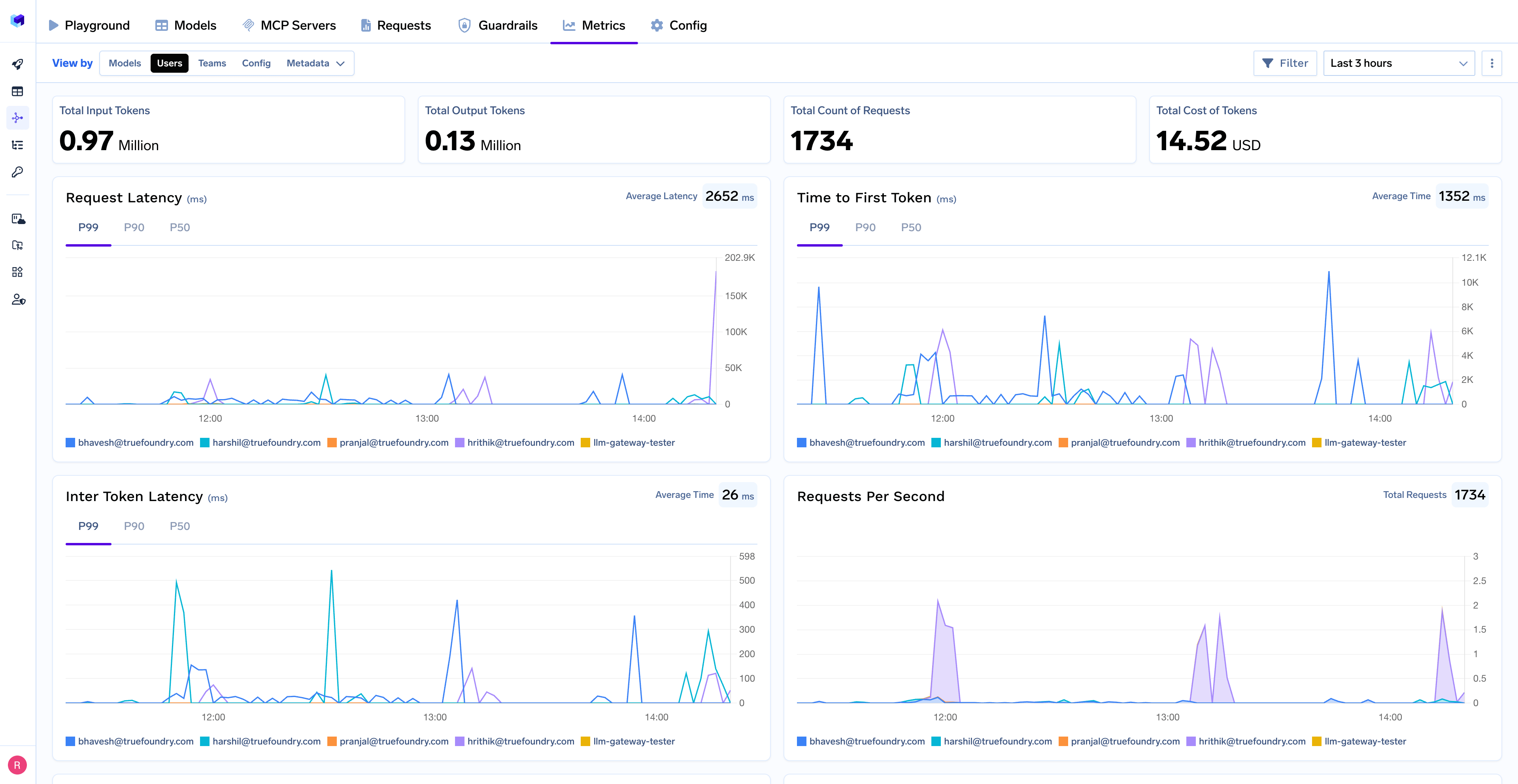
- Performance Metrics: Track key latency metrics like Request Latency, Time to First Token (TTFS), and Inter-Token Latency (ITL) with P99, P90, and P50 percentiles
- Cost and Token Usage: Gain visibility into your application’s costs with detailed breakdowns of input/output tokens and the associated expenses for each model
- Usage Patterns: Understand how your application is being used with detailed analytics on user activity, model distribution, and team-based usage
- Agent Execution Traces: Monitor individual agent runs with complete visibility into tool usage, handoffs, and state transitions
- Rate Limiting and Virtual Models: Set up rate limiting and configure Virtual Models for intelligent routing and fallback across your models