

TrueFoundry access control works at two levels:Documentation Index
Fetch the complete documentation index at: https://www.truefoundry.com/llms.txt
Use this file to discover all available pages before exploring further.
- Resource-level roles — assigned directly on a specific resource (cluster, workspace, model, MCP server, etc.) as collaborators. These roles control what a user, team, or virtual account can do on that particular resource.
- Tenant-level roles — assigned globally to a user or team within the tenant. These roles define what actions the identity can perform across all resources of that type in the tenant.
Resource-level roles (collaborators)
When you add a user, team, or virtual account as a collaborator on a resource, you pick a role that scopes their access to that resource only. Common resource-level roles include:| Resource type | Available roles |
|---|---|
| Cluster | Cluster Admin, Cluster Viewer |
| Workspace | Workspace Admin, Workspace Editor, Workspace Viewer |
| Model / Provider Account | Manager, User, Viewer |
| MCP Server | MCP Server Manager, MCP Server User, MCP Server Viewer |
| Agent | Agent Manager, Agent Viewer |
| Repository | Repository Manager, Repository Viewer |
| Secret Group | Secret Group Manager, Secret Group Viewer |
Tenant-level roles
Tenant-level roles apply across the entire tenant and are configured under Access > Roles. They control tenant-wide actions such as creating new resources, managing users, configuring settings, or listing all resources of a type. Tenant-level roles can be assigned to users or teams. When assigned to a team, every member of that team inherits the role’s permissions.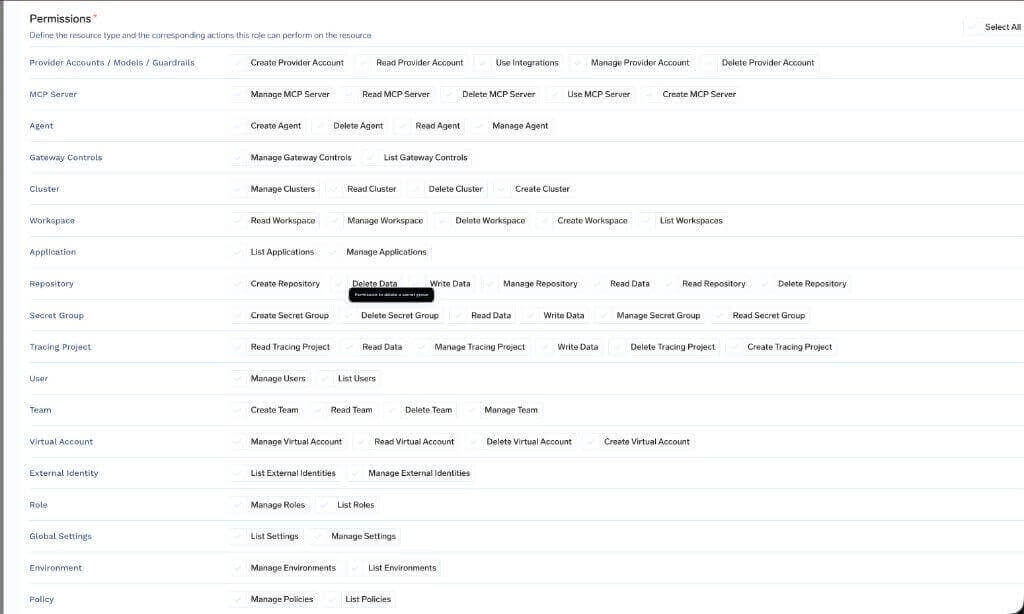
Assign a role to a user
Every user in the tenant has exactly one tenant-level role. By default, TrueFoundry ships with two roles:- Admin — Full control over the tenant, including users, teams, clusters, workspaces, models, MCP servers, and all other resources. Usually only a few admins per organization.
- Member — General platform user. By default, members do not have access to any resources and must be granted access explicitly through resource collaborators or team membership.
Assign a role from the UI
Navigate to Access > Users, select a user, and pick the role from the Edit User dialog.Assign a role through team membership
If a user is also a member of a team that has a tenant-level role assigned, the user’s effective permissions are the union of their direct role and every role inherited from their teams. This is the recommended way to manage roles for groups of users — assign the role once on the team and add or remove members as needed. For SCIM-managed organizations, IdP groups synced as TrueFoundry teams can be granted tenant-level roles directly inside TrueFoundry. See Provision teams via SCIM.Available platform permissions
The catalog below lists every permission that exists in the TrueFoundry platform. These are the building blocks you compose into a custom tenant-level role.AI Gateway
Provider Account (Model/Virtual Model/Guardrail Group)
Provider Account (Model/Virtual Model/Guardrail Group)
| Permission | Description |
|---|---|
| Create Provider Account | Allows creation of new provider accounts |
| Delete Provider Account | Allows deleting existing provider accounts |
| Manage Provider Account | Allows updating provider account configuration |
| Read Provider Account | Allows viewing provider account details |
| Use Integrations | Allows using integrations associated with provider accounts |
MCP/Virtual MCP Server
MCP/Virtual MCP Server
| Permission | Description |
|---|---|
| Create MCP Server | Allows creation of new MCP servers |
| Delete MCP Server | Allows deleting existing MCP servers |
| Manage MCP Server | Allows updating MCP server configuration |
| Read MCP Server | Allows viewing MCP server details |
| Use MCP Server | Allows using MCP server for operations |
Agent
Agent
| Permission | Description |
|---|---|
| Create Agent | Allows creation of new Agents |
| Delete Agents | Allows deleting existing Agents |
| Manage Agents | Allows updating Agents |
| Read Agents | Allows viewing Agents details |
Gateway Controls
Gateway Controls
| Permission | Description |
|---|---|
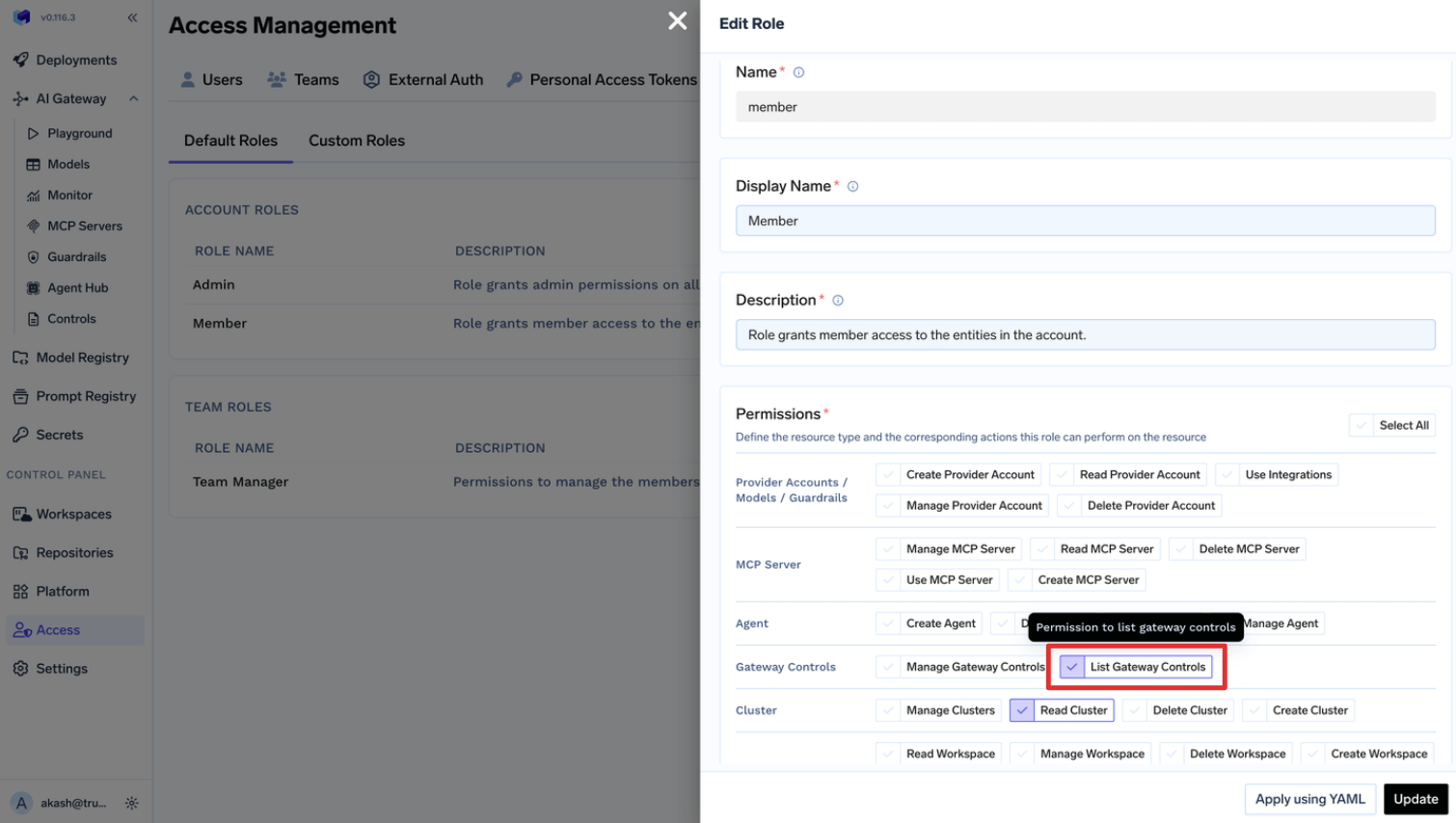
| List Gateway Controls | Allows listing and viewing gateway controls |
| Manage Gateway Controls | Allows creating, updating, and deleting gateway controls |
AI Engineering
Cluster
Cluster
| Permission | Description |
|---|---|
| Create Cluster | Allows creation of new clusters |
| Delete Cluster | Allows deleting existing clusters |
| Manage Clusters | Allows updating and configuring cluster settings |
| Read Cluster | Allows viewing cluster details and configuration |
Workspace
Workspace
| Permission | Description |
|---|---|
| Create Workspace | Allows creation of new workspaces |
| Delete Workspace | Allows deleting existing workspaces |
| Manage Workspace | Allows updating workspace configuration |
| Read Workspace | Allows viewing workspace details |
| List Workspaces | Allows listing and viewing all workspaces |
Application
Application
| Permission | Description |
|---|---|
| List Applications | Allows listing and viewing applications |
| Manage Applications | Allows creating, updating, and deleting applications |
Environment
Environment
| Permission | Description |
|---|---|
| List Environments | Allows listing and viewing environments |
| Manage Environments | Allows creating, updating, and deleting environments |
Policy
Policy
| Permission | Description |
|---|---|
| List Policies | Allows listing and viewing policies |
| Manage Policies | Allows creating, updating, and deleting policies |
Common
Role
Role
| Permission | Description |
|---|---|
| List Roles | Allows listing and viewing roles |
| Manage Roles | Allows creating, updating, and deleting roles |
User
User
| Permission | Description |
|---|---|
| List Users | Allows listing and viewing users |
| Manage Users | Allows creating, updating, and deleting users |
Team
Team
| Permission | Description |
|---|---|
| Create Team | Allows creation of new teams |
| Delete Team | Allows deleting existing teams |
| Manage Team | Allows updating team configuration and members |
| Read Team | Allows viewing team details and members |
Virtual Account
Virtual Account
| Permission | Description |
|---|---|
| Create Virtual Account | Allows creation of new virtual accounts |
| Read Virtual Account | Allows viewing virtual account details |
| Manage Virtual Account | Allows updating virtual account configuration and tokens |
| Delete Virtual Account | Allows deleting existing virtual accounts |
Identity Provider
Identity Provider
| Permission | Description |
|---|---|
| List Identity Providers | Allows listing and viewing identity provider settings |
| Manage Identity Providers | Allows creating, updating, and deleting identity providers |
Integrations
Integrations
| Permission | Description |
|---|---|
| Create Provider Account | Allows creation of new provider accounts |
| Delete Provider Account | Allows deleting existing provider accounts |
| Manage Provider Account | Allows updating provider account configuration |
| Read Provider Account | Allows viewing provider account details |
| Use Integrations | Allows using integrations associated with provider accounts |
Repository
Repository
| Permission | Description |
|---|---|
| Create Repository | Allows creation of new repositories |
| Delete Data | Allows deleting data within repositories |
| Delete Repository | Allows deleting existing repositories |
| Manage Repository | Allows updating repository configuration |
| Read Data | Allows reading data from repositories |
| Read Repository | Allows viewing repository details |
| Write Data | Allows writing data to repositories |
Secret Group
Secret Group
| Permission | Description |
|---|---|
| Create Secret Group | Allows creation of new secret groups |
| Delete Secret Group | Allows deleting existing secret groups |
| Manage Secret Group | Allows updating secret group configuration |
| Read Data | Allows reading secret values |
| Read Secret Group | Allows viewing secret group details |
| Write Data | Allows writing or updating secret values |
Global Settings
Global Settings
| Permission | Description |
|---|---|
| List Settings | Allows listing and viewing platform settings |
| Manage Settings | Allows updating platform settings |
Managing Default Roles
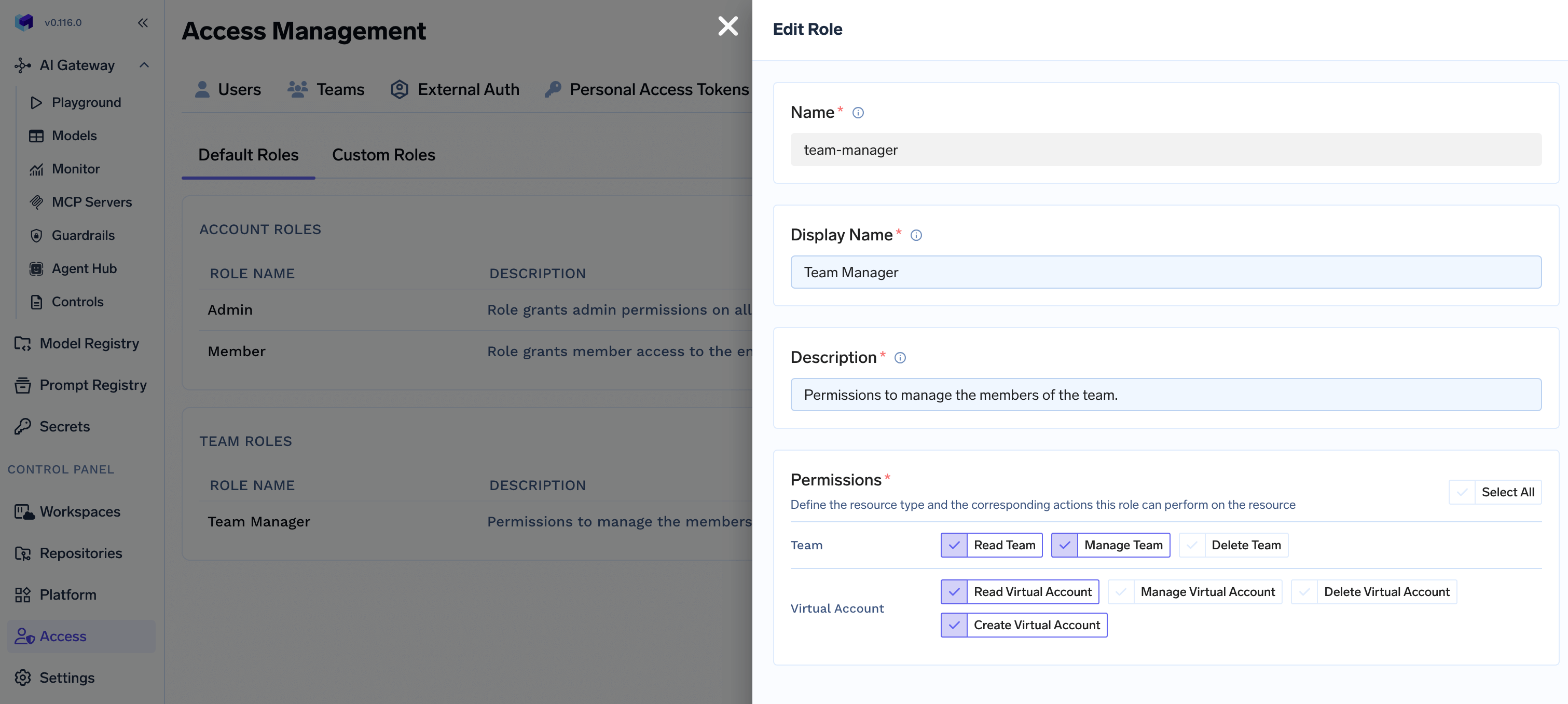
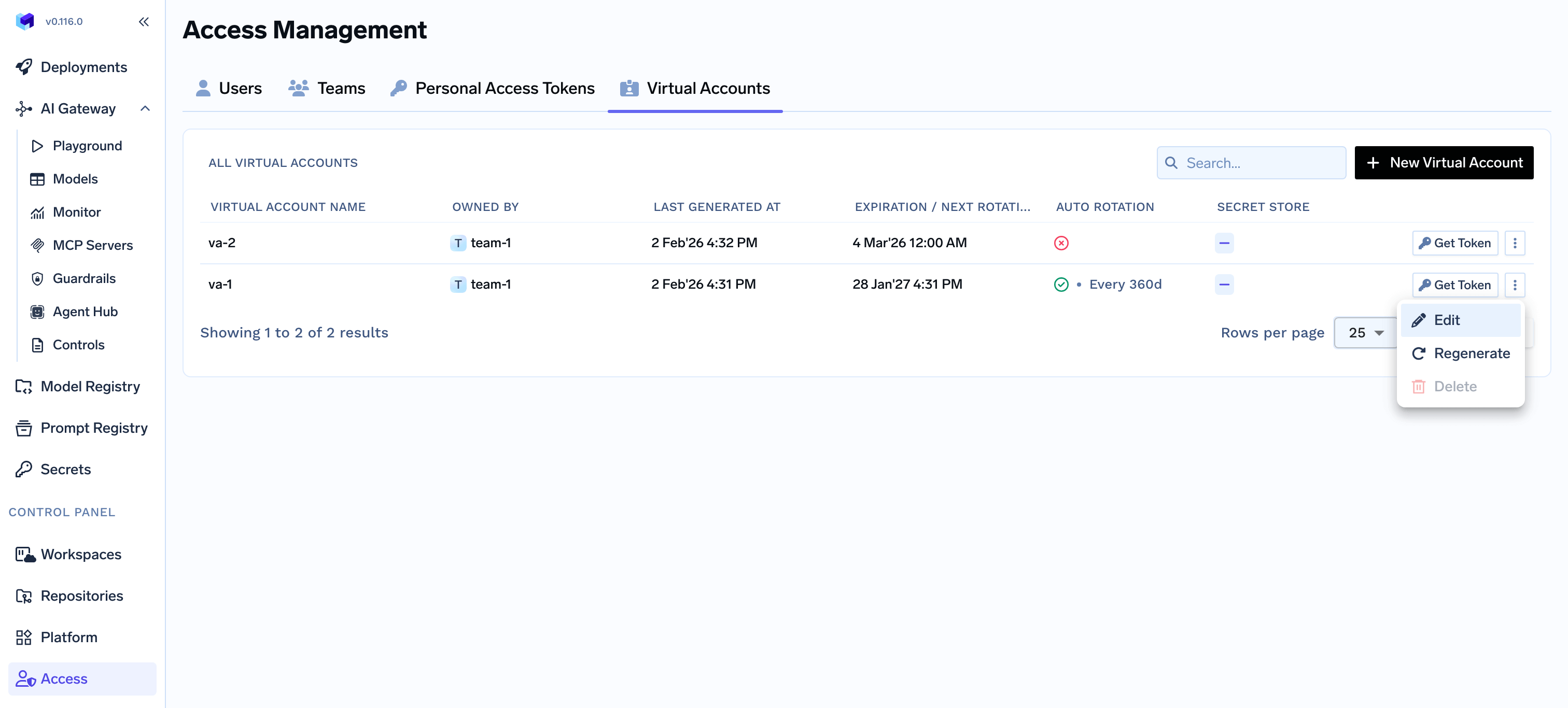
TrueFoundry allows customizing default roles for giving flexibility to Admins to decide. For example, we can update the Default team manager role to allow them manage their virtual accounts on their own.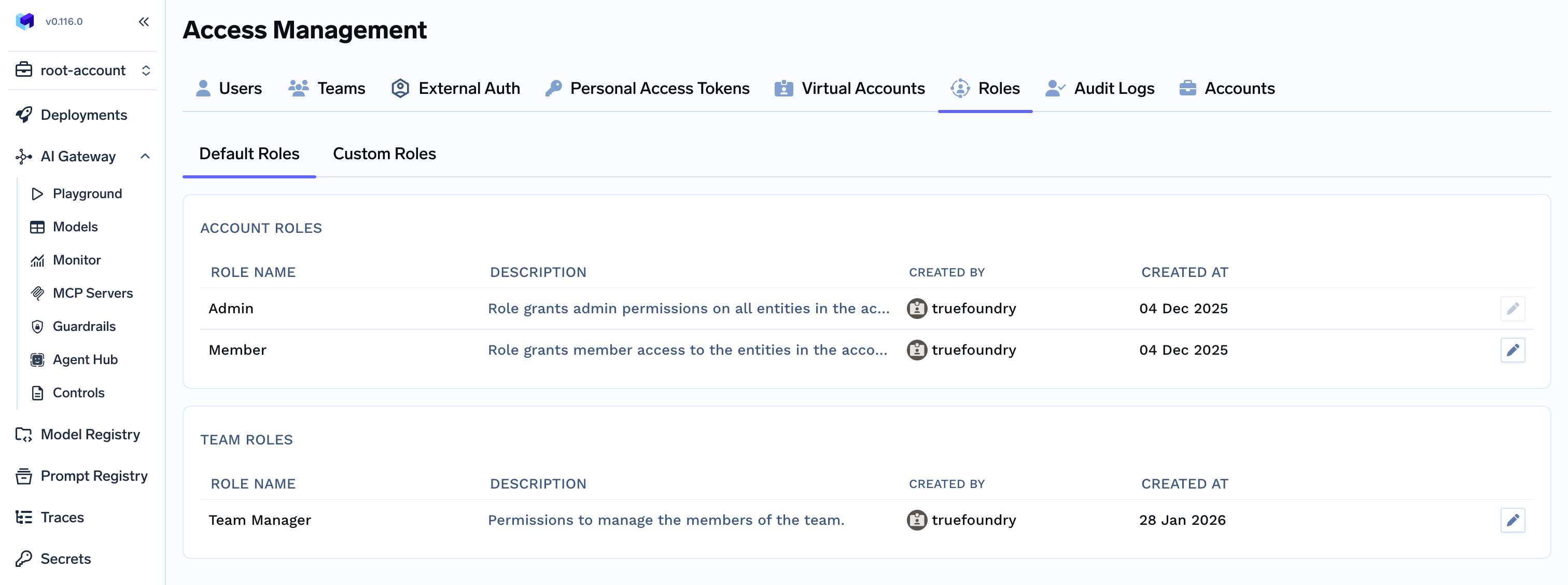
Managing Custom Roles
Custom roles let you define a specific set of tenant-level permissions and assign them to users or teams. This is useful when the default Admin and Member roles are too broad or too narrow for a particular group.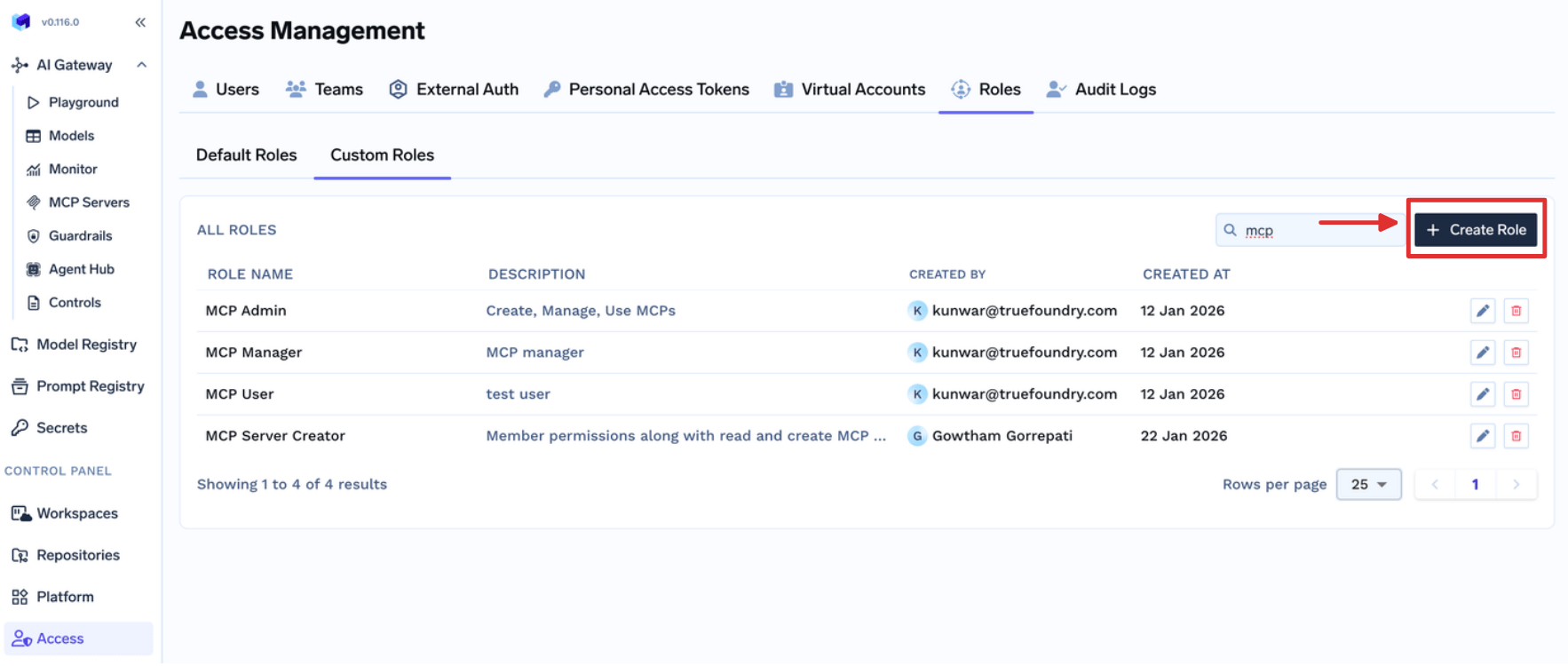
Fill the form
- Permissions are applied to all the resources in the tenant.
- Provider Account should be used to give permissions for Models, Guardrails, and Integrations.
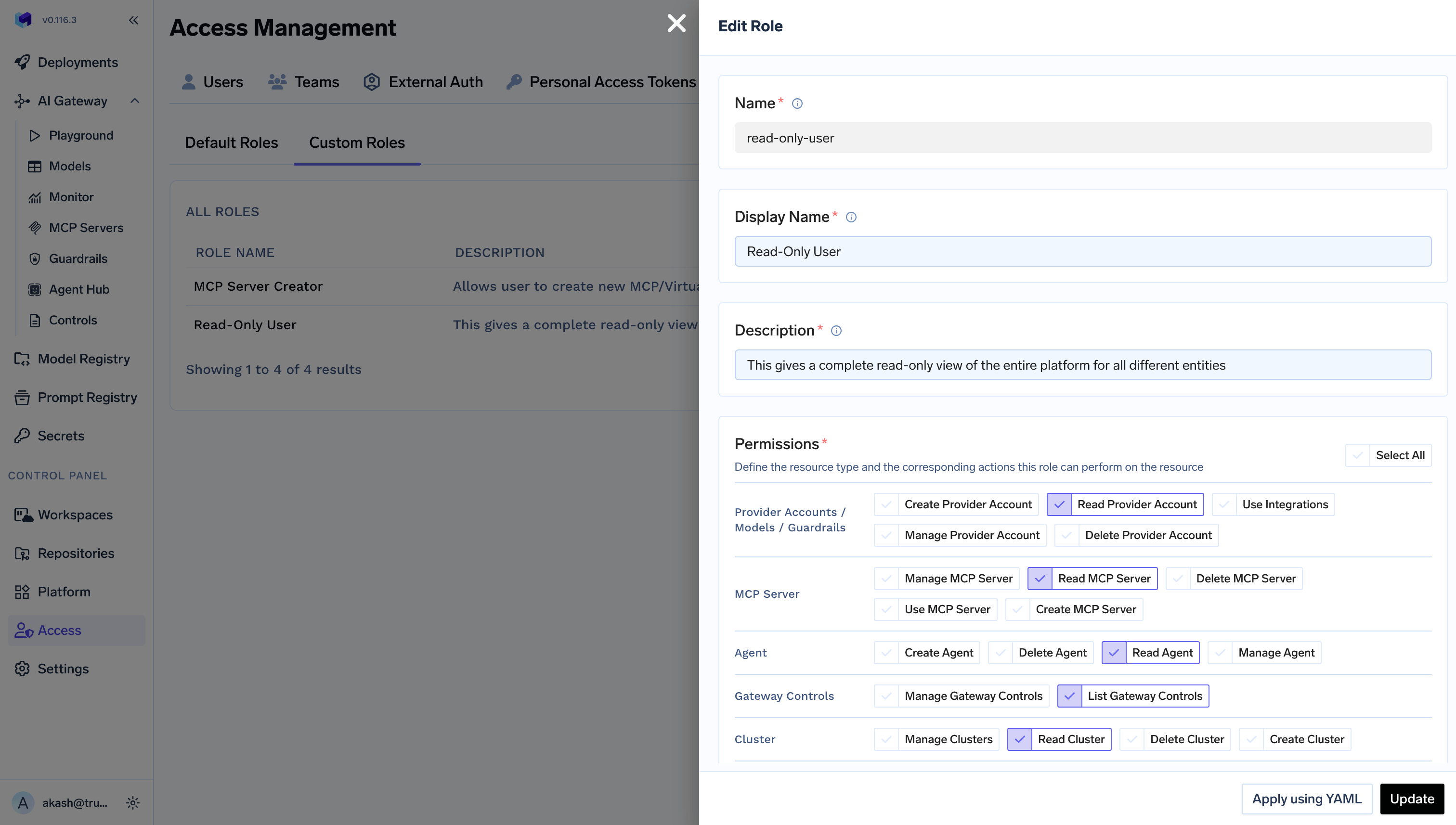
Example for read-only Platform User
Example for read-only Platform User
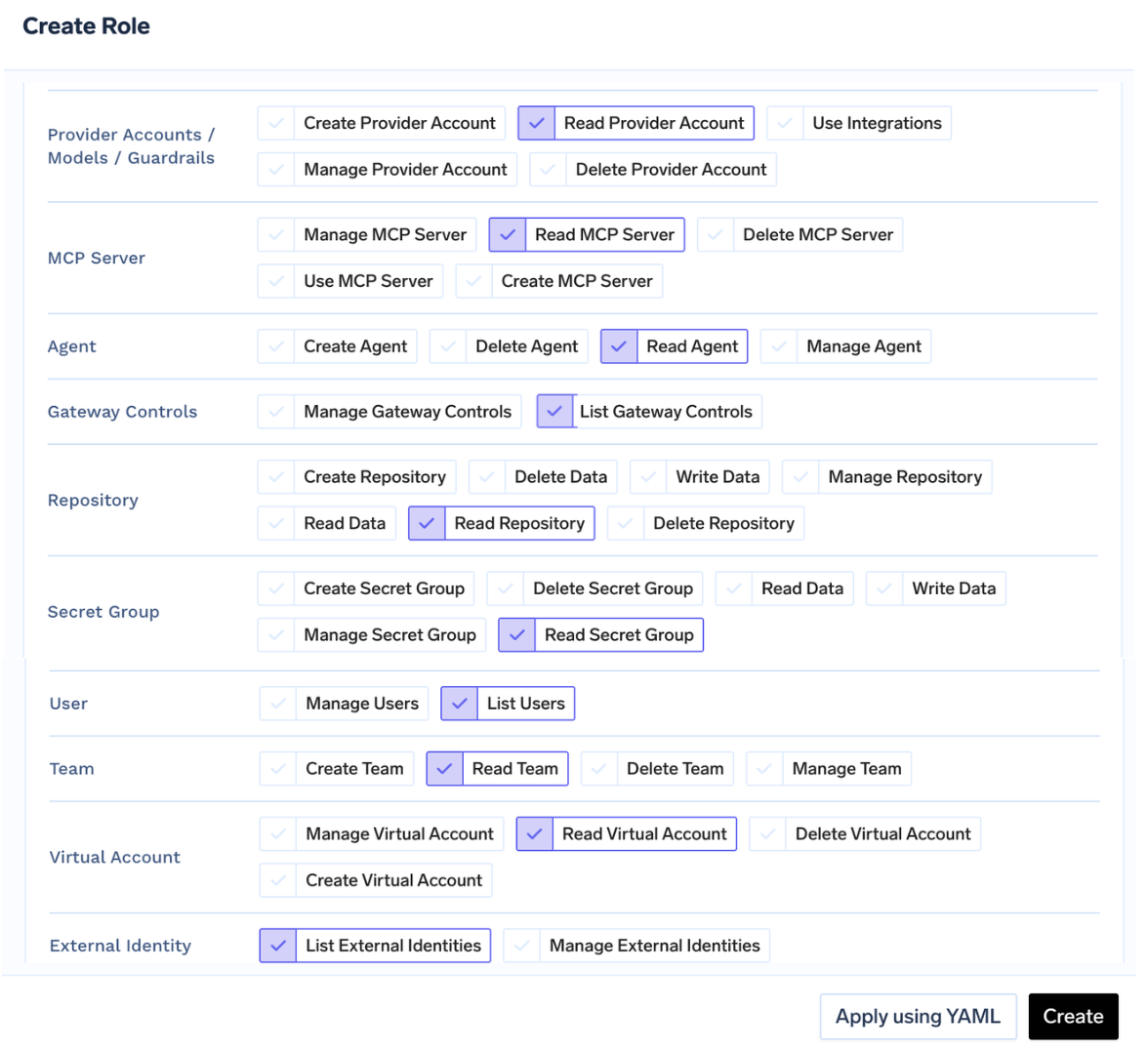
Assign the role to a user or team
Access > Users. Select the user, click Edit User, select the role, and save.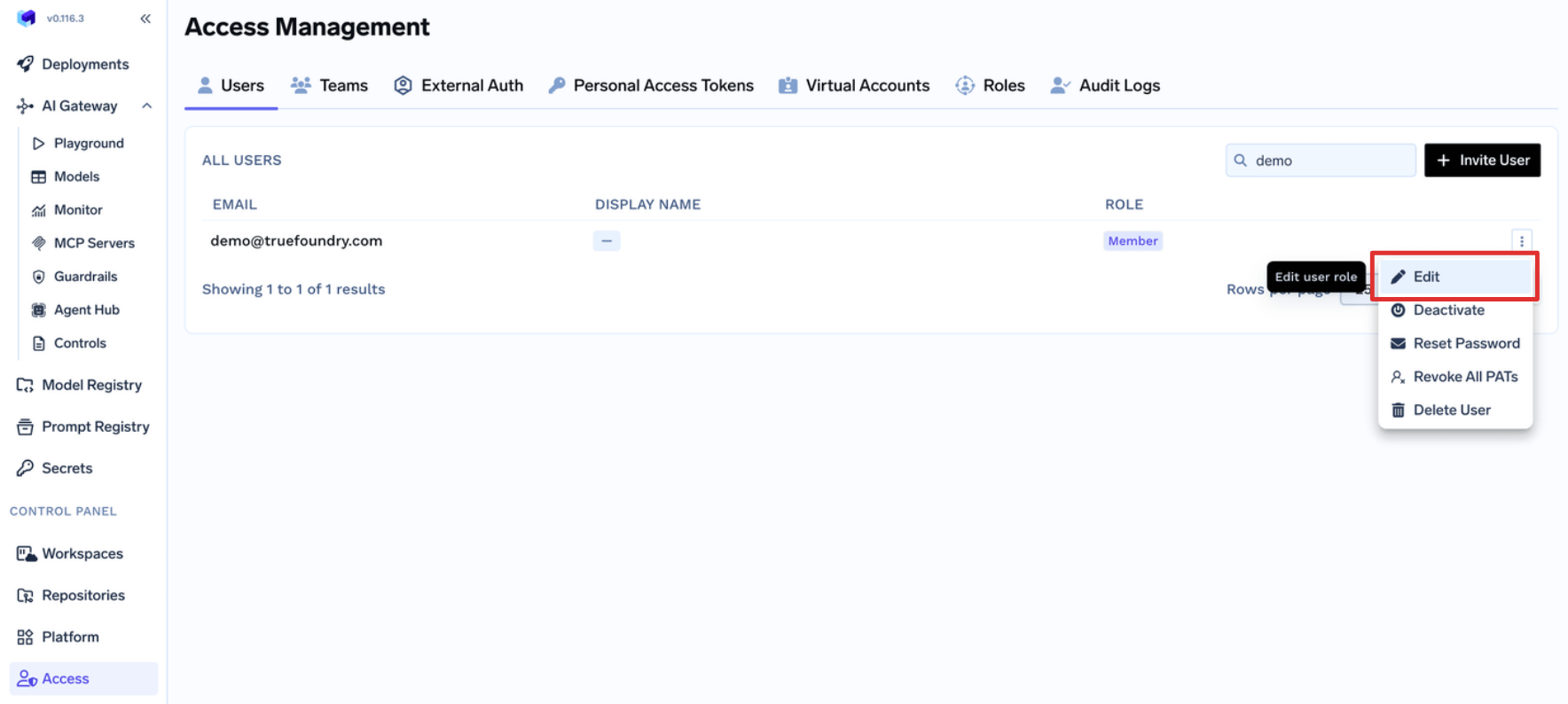
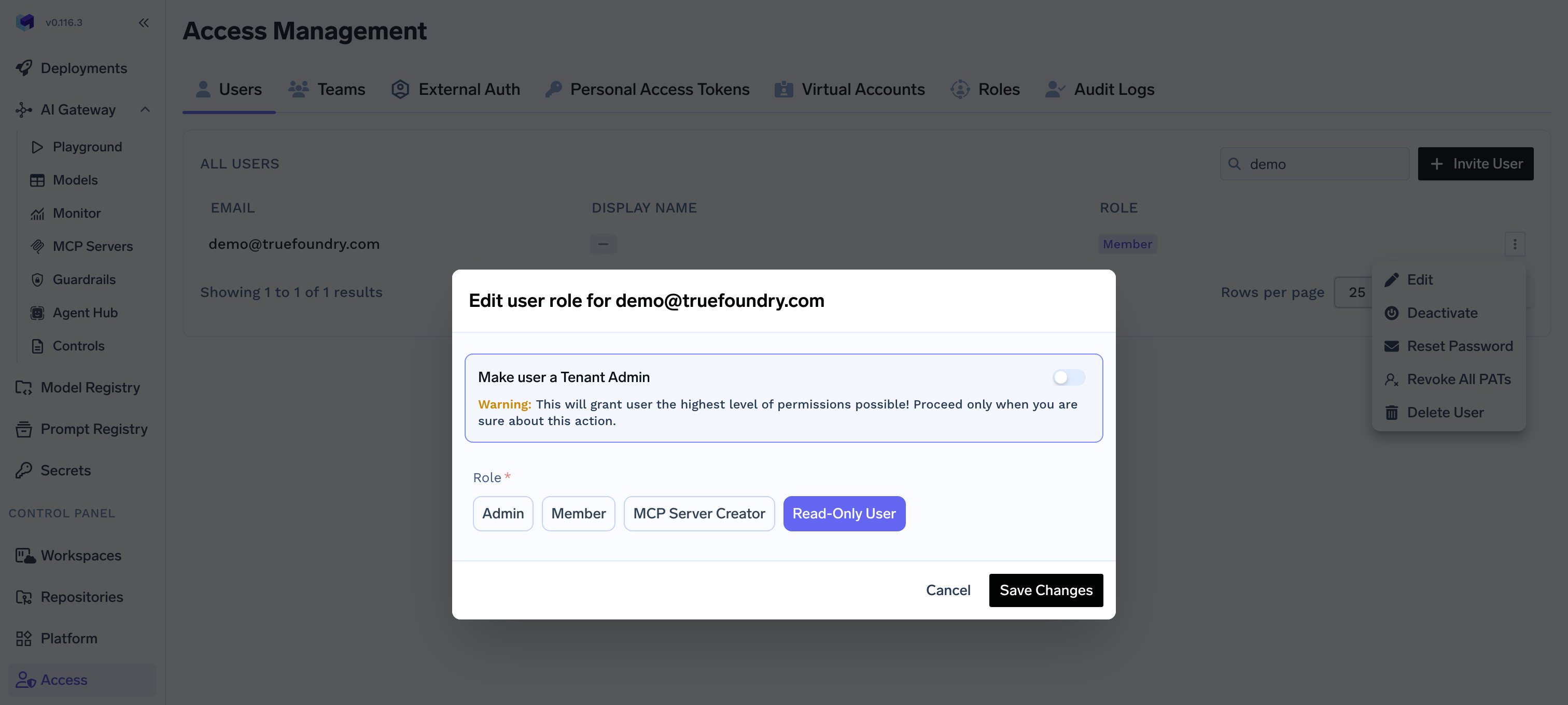
Access > Teams. Select the team, click Edit Team, select the role, and save. Every member of the team inherits the permissions from that role.FAQ
How to allow Teams create and manage their Virtual Accounts without making them Admin?
How to allow Teams create and manage their Virtual Accounts without making them Admin?
Team Manager to allow them to create or manage their Virtual Account.Edit default Team Manager Role
Access > Roles > Default Roles and click on Edit button for the default Team Manager role.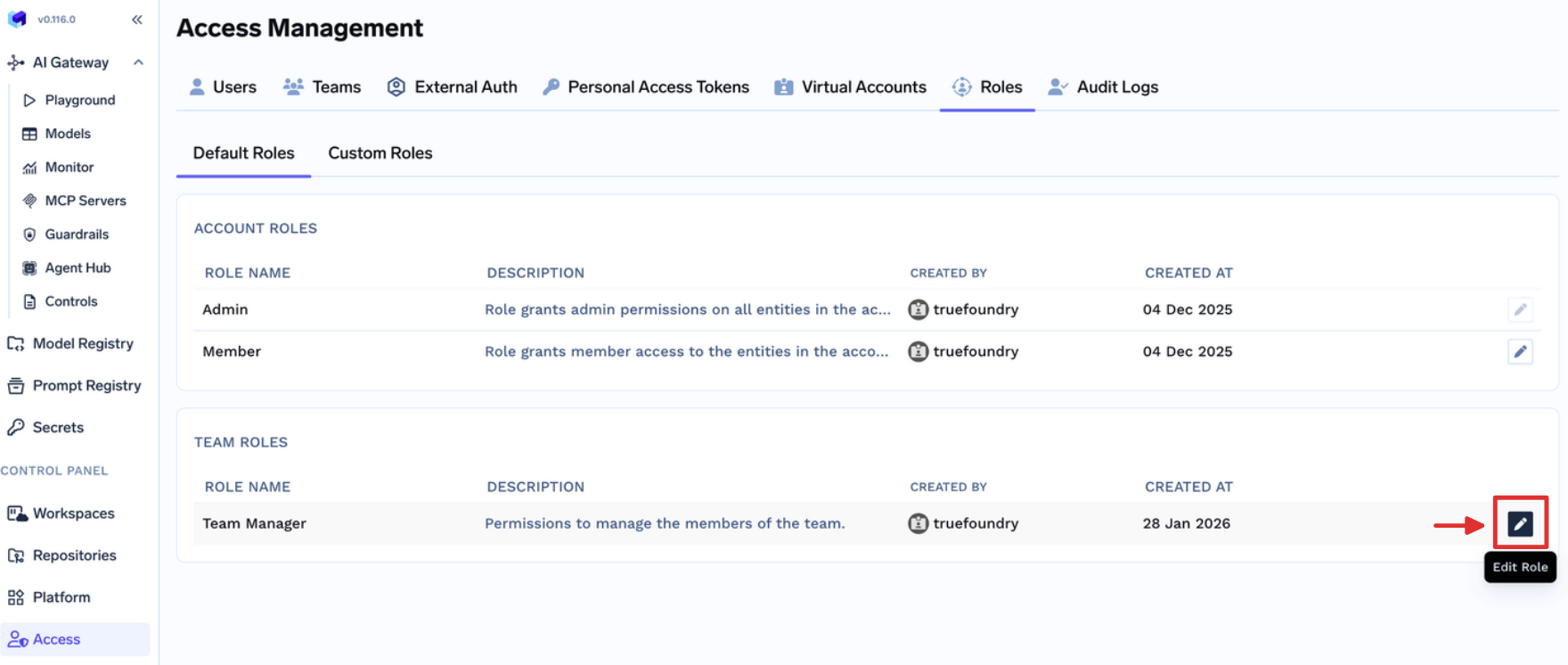
Update Team Manager role
- Read Virtual Account: If you want to allow Team Managers view Virtual Accounts owned by their teams.
- Create Virtual Account: If you want to allow Team Managers create new Virtual Accounts owned by their teams.
- Manage Virtual Account: If you want to allow Team Managers update Virtual Accounts owned by their teams. This also includes permission to get the token.
- Delete Virtual Account: If you want to allow Team Managers delete Virtual Accounts owned by their teams.
How to allow Users create and manage their Virtual MCP Servers without making them Admin?
How to allow Users create and manage their Virtual MCP Servers without making them Admin?
Users to allow them to create or manage their Virtual MCP Servers.Fill the form
Create MCP Server permission to allow just create a new MCP/Virtual MCP Server.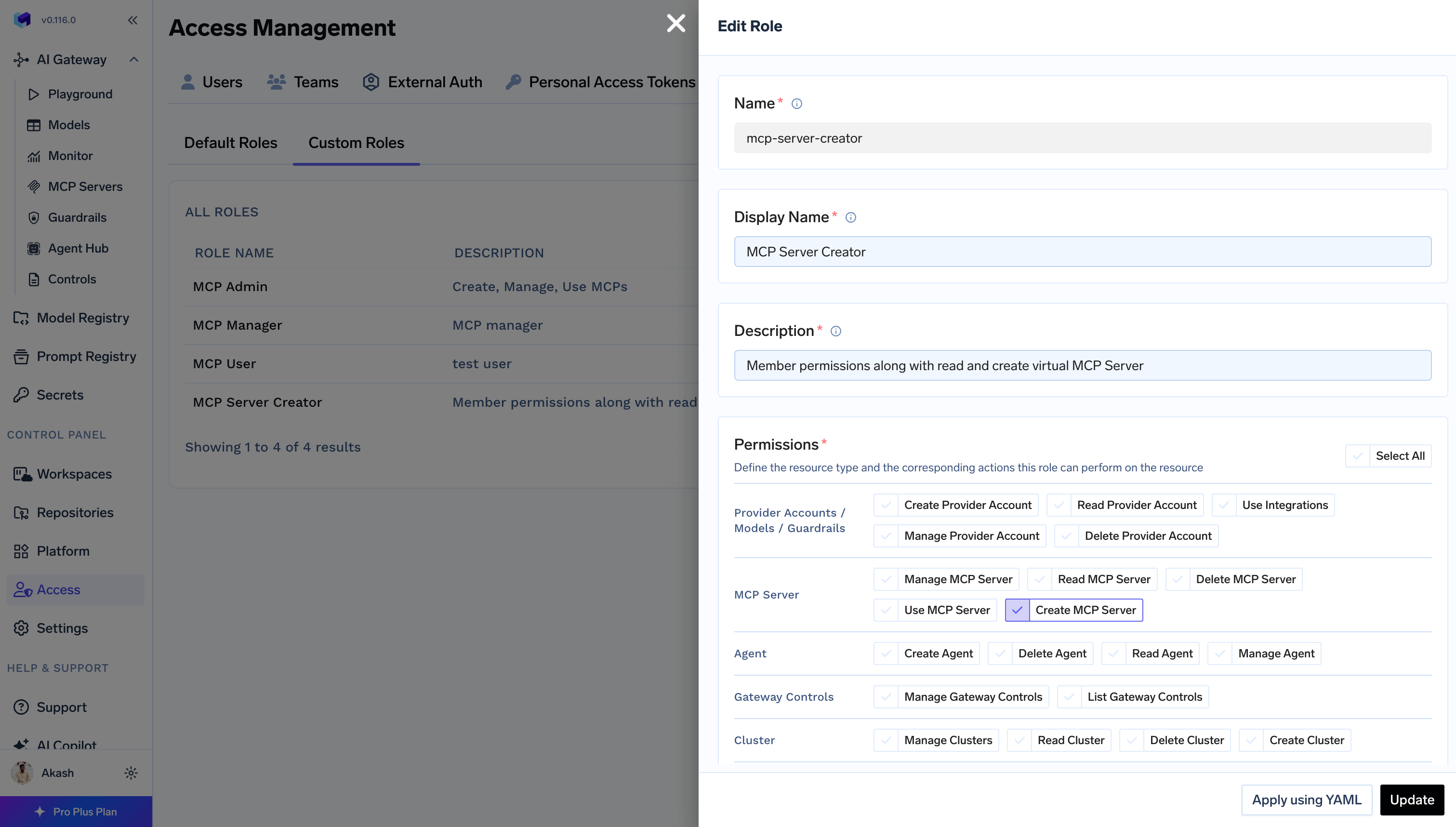
MCP Server Manager using collaborator to update and
access the MCP Server while creating it first time.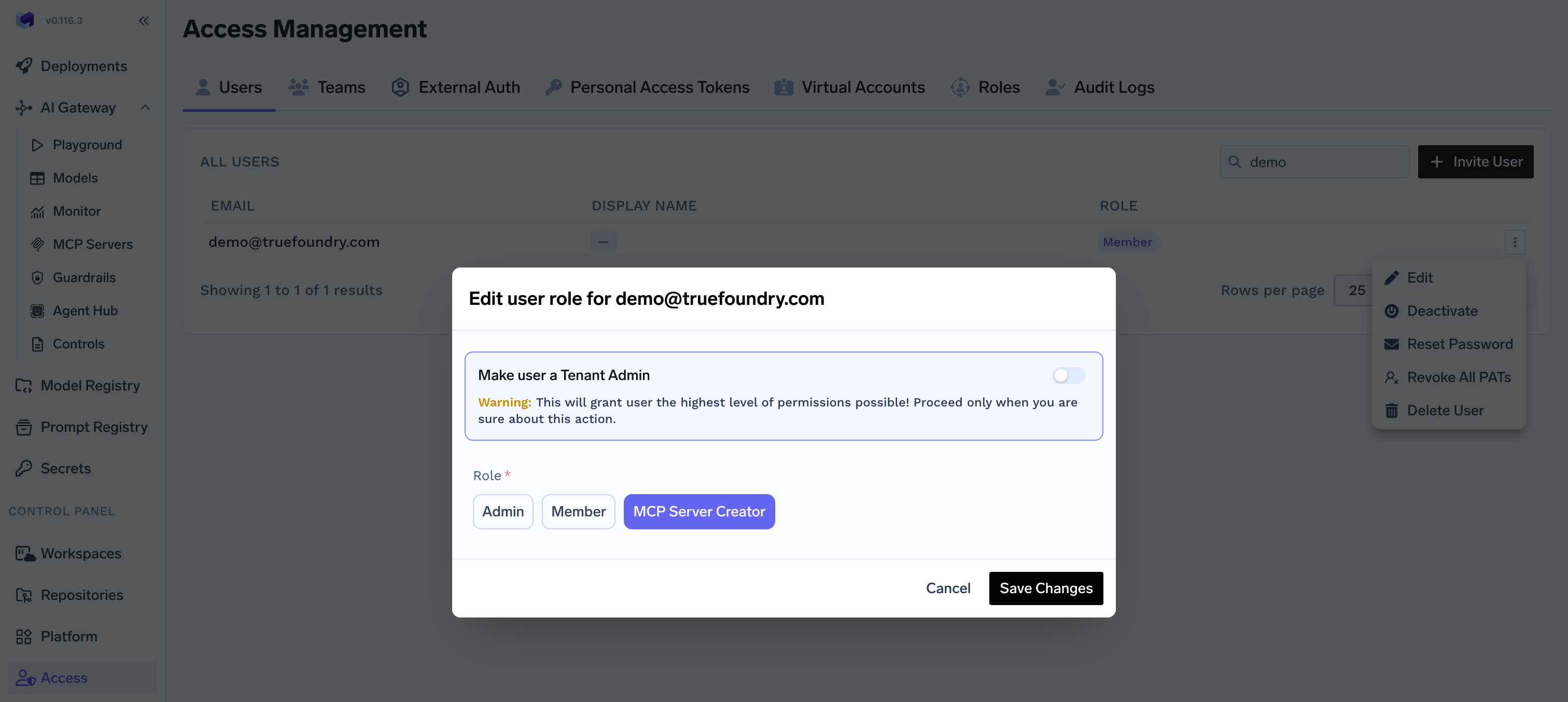
How to allow all Users to view Gateway Controls like Rate limit, Routing config, etc without making them Admin?
How to allow all Users to view Gateway Controls like Rate limit, Routing config, etc without making them Admin?
Member role to allow them to view Gateway Controls.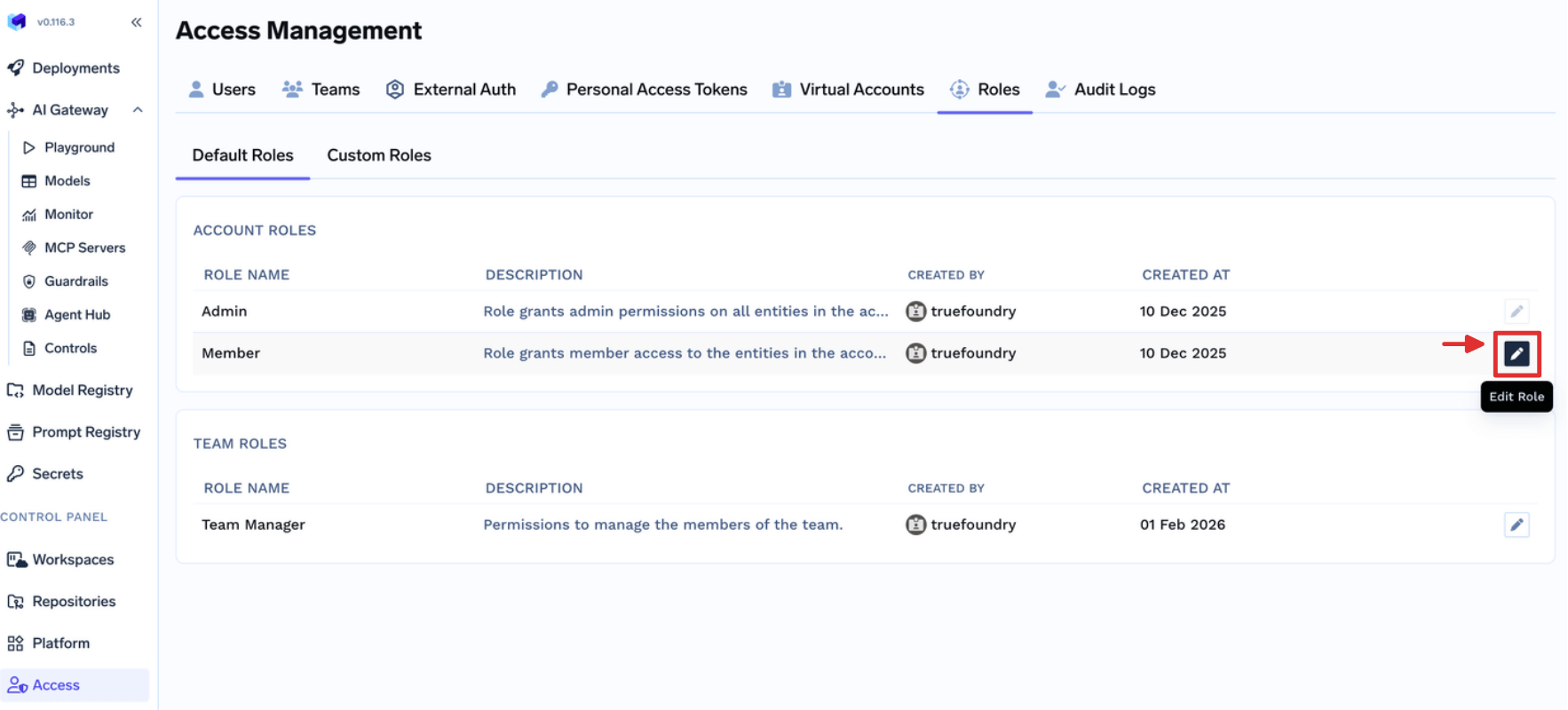
What are the permissions given to a Member role by default?
What are the permissions given to a Member role by default?
Member role comes with following permissions:- settings:ListSettings
- repository:CreateRepository
- secret-group:CreateSecretGroup
- user:ListUsers