

SKILL.md
How to Write a Skill
Every skill is a directory rooted at aSKILL.md file. SKILL.md itself has two parts:
- YAML frontmatter with
nameanddescription— the only text the agent sees about your skill upfront. Keep thedescriptionaction-oriented (“Use when…”) so the model picks the right skill at the right time. - A Markdown body — the procedure the agent follows once it picks your skill.
SKILL.md. The model can read these on demand once the skill is in scope:
| Field | Rules |
|---|---|
name | 1–64 characters. Lowercase letters, digits, hyphens. Cannot start/end with hyphen. Cannot contain anthropic or claude. Unique per Repository. |
description | 1–1024 characters. Short, action-oriented — this is the only text the agent sees about the skill upfront. |
The full
SKILL.md (frontmatter + body) is capped at 20 KB / 20,000 characters.Claude Skills Documentation
Anthropic’s reference for the Skill format —
SKILL.md structure, supporting files, and progressive disclosure.Skill Authoring Best Practices
Anthropic’s guidelines for writing skills that the model picks up reliably and follows accurately.
Complete Guide to Building Skills
Long-form PDF guide from Anthropic covering skill design, structure, and operational patterns end-to-end.
Agent Skills Directory
Community catalog of open-source Skills you can adapt and publish into your own Skills Registry.
TrueFoundry Skills Registry
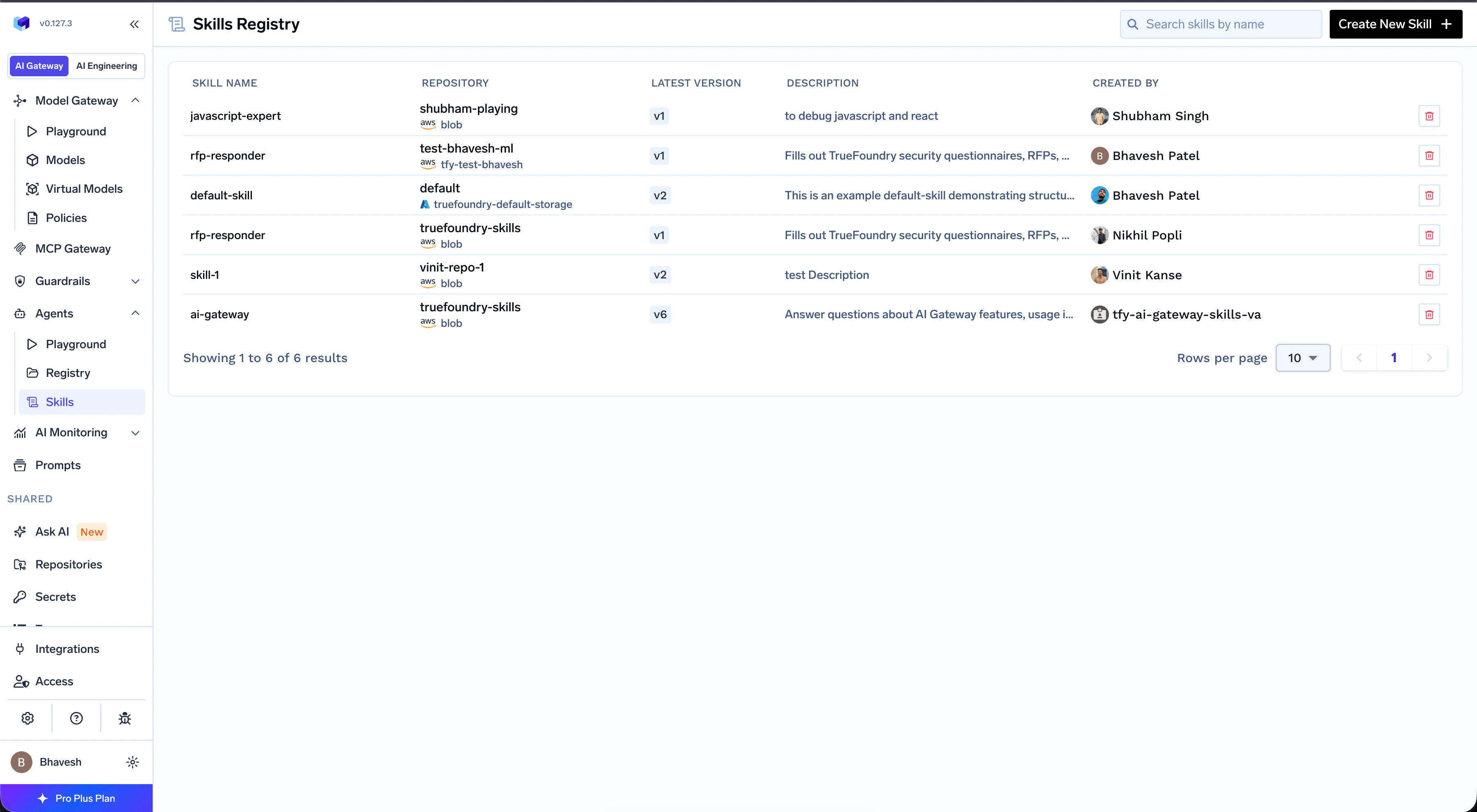
Authoring aSKILL.md is the easy part. Operating skills across teams — keeping versions consistent, controlling who can use them, knowing what’s deployed where — is the hard part. The Skills Registry is the single place every Skill in your organization is published, versioned, and discovered.
Every Skill lives inside a Repository — TrueFoundry’s container for related artifacts, similar to a Git repo. A Repository can hold a mix of Skills, Prompts, and Models, and carries its own RBAC, versioning, and audit log. A Skill automatically inherits the access controls and version history of its parent Repository — no extra configuration per skill.
To control who can discover, edit, or use a Skill, manage access on the parent Repository. See Repositories for the shared repository concept, storage backing, and access control.
SKILL.md files around manually:
Discover and reuse
A single shared catalog across teams. Browse, search, and pin existing skills instead of re-authoring the same
SKILL.md in three different repos.Govern with versions and RBAC
Repositories carry RBAC, versioning, and audit logs — and every Skill inside one inherits them automatically. Same model you already use for Prompts and Models.
Next Steps
Create, Manage, and Use Skills
Publish your first skill from the UI, CLI, or GitOps — and use it in TrueFoundry Agents, Claude Code, or Cursor.
Mount Skills in TrueFoundry Agents
Attach skills to an agent from the Playground, pin versions, and configure preload behavior.