

Why Enterprises Need an MCP Gateway
As AI agents become central to enterprise workflows, organizations face critical challenges when scaling MCP server adoption:Fragmented Infrastructure
Fragmented Infrastructure
Without a centralized gateway, each developer manages their own MCP server connections. Teams configure VS Code, Cursor, and Claude Code individually, leading to inconsistent setups and duplicated effort across the organization.
Security & Credential Sprawl
Security & Credential Sprawl
API keys and credentials scatter across developer machines and tools. There’s no standard authentication flow for enterprise tools, making it impossible to enforce security policies or audit who has access to what.
Zero Visibility
Zero Visibility
IT and security teams have no insight into which tools are being used, by whom, or how frequently. Without observability, you can’t detect misuse, optimize costs, or meet compliance requirements.
No Governance
No Governance
Sensitive tools and data sources get exposed without proper access controls. There’s no way to require approvals for high-risk operations or enforce policies before tools execute.
Before vs After: The MCP Gateway Difference
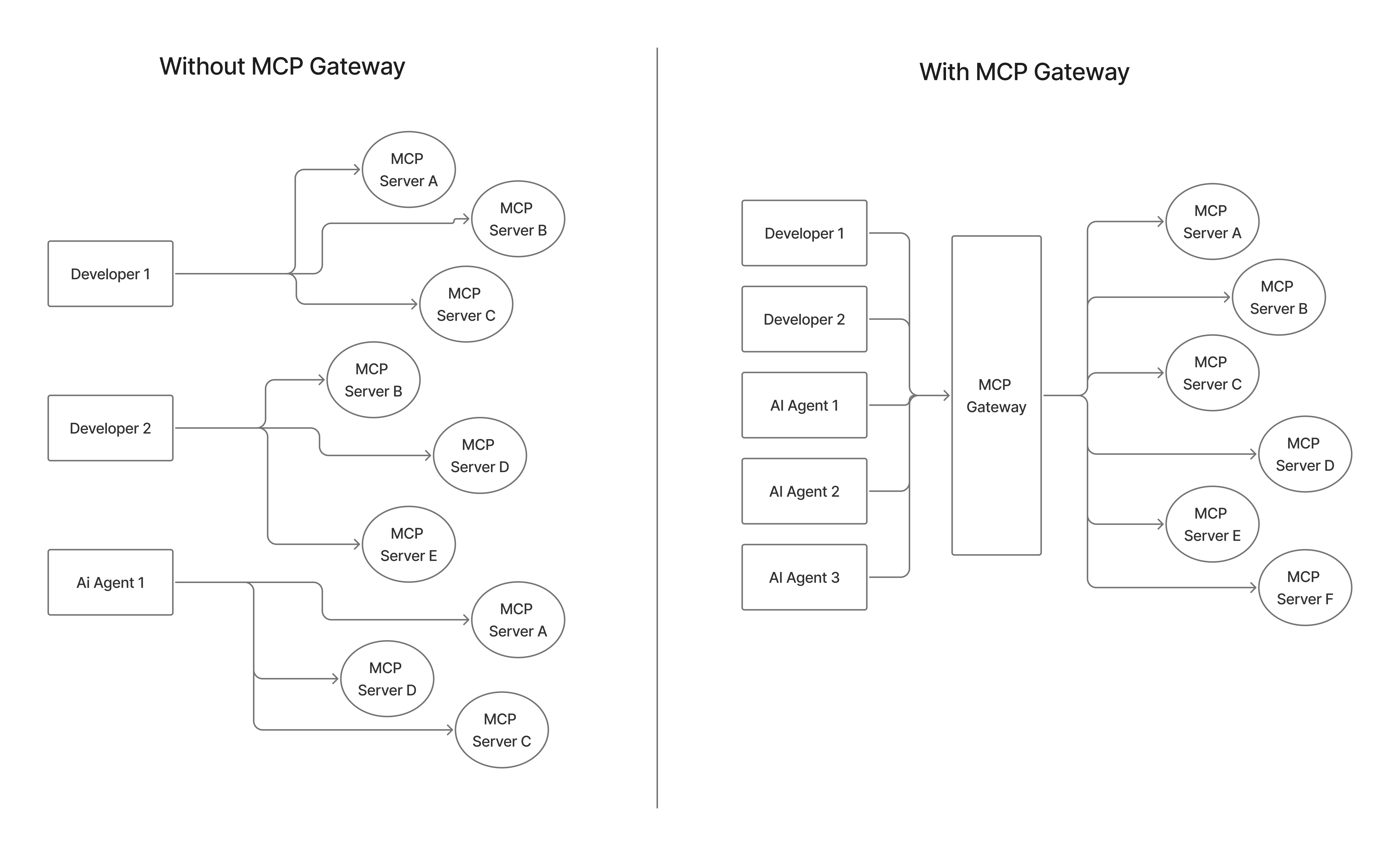
TrueFoundry MCP Gateway
TrueFoundry MCP Gateway is an enterprise-ready platform that centralizes access to AI development tools using the Model Context Protocol. Instead of managing hundreds of individual tool configurations across your development teams, provide secure, governed access to curated AI tools through a single platform.Architecture
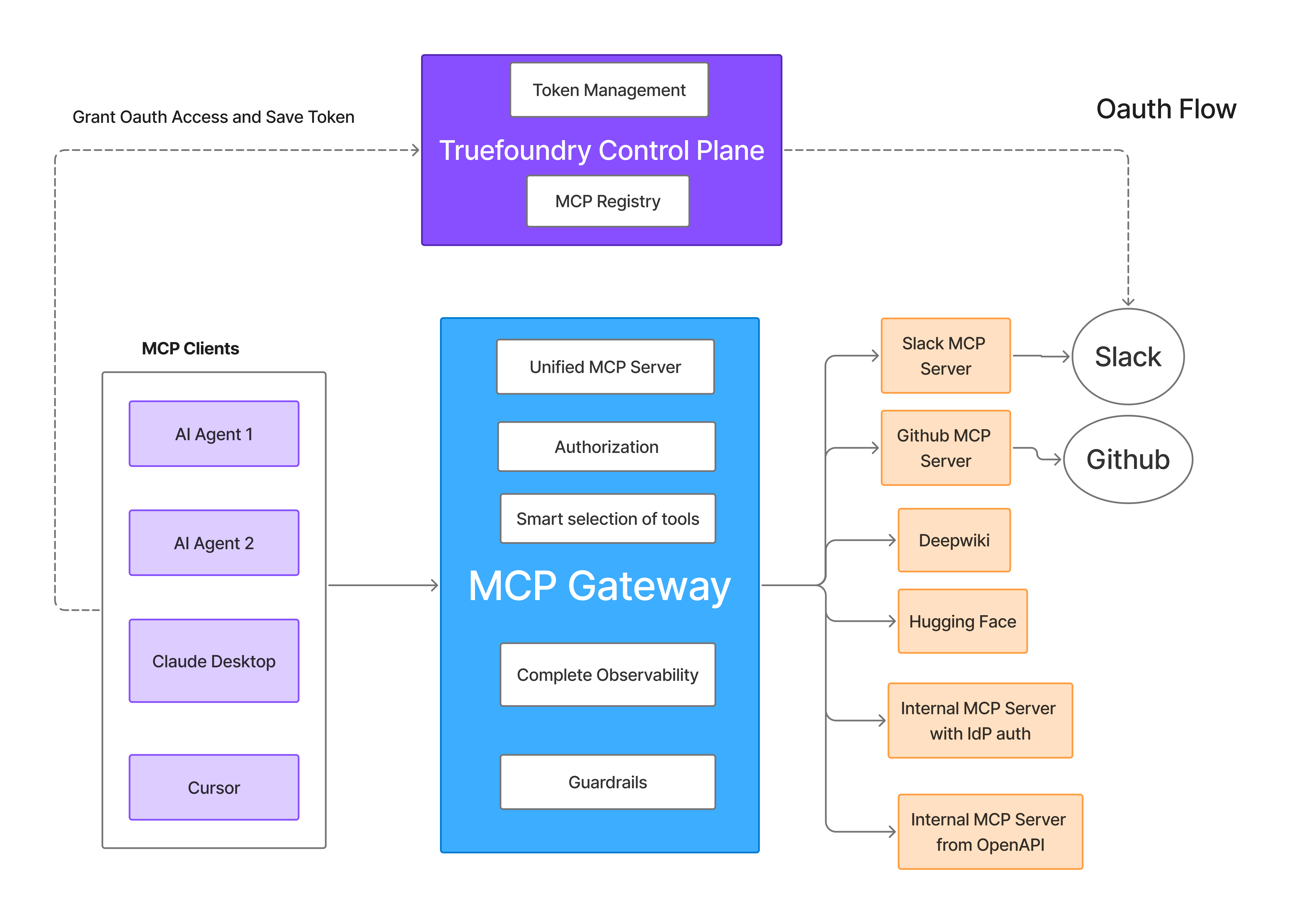
Key Features
Use these guides to configure the MCP Gateway features that centralize server registration, authentication, access control, and tool consumption.Get started with MCP Gateway
Register MCP servers, configure collaborators, and make servers available through the Gateway.
Authentication and security
Configure inbound authentication, outbound authentication, access control, and token management.
Auth overrides
Let users or virtual accounts supply their own upstream credentials for per-user server access.
Connect from your IDE
Add Gateway-hosted MCP servers to Cursor, Claude Code, VS Code, and other MCP clients.
Virtual MCP servers
Curate tools from multiple MCP servers into one server for a team, workflow, or application.
OpenAPI to MCP server
Convert existing OpenAPI specifications into MCP tools without writing a custom server.
Hosted stdio MCP servers
Run CLI-style MCP servers with managed commands, arguments, environment variables, and credentials.
MCP guardrails
Apply pre-tool and post-tool checks to enforce policies before and after MCP tool calls.
MCP metrics
Monitor MCP server and tool-level request rates, latency, failures, and usage patterns.