

For Options A and B below, secrets are synced from your secret manager to
TrueFoundry every hour by default. This lets secret rotation in your external
secret manager get picked up automatically.
Connect Your Secret Store to TrueFoundry for Options A and B
Integrate your secret store with TrueFoundry (for example AWS SSM, GCP
Secret Manager, HashiCorp Vault, or Azure Key Vault) if you want to use
Option A or Option B below.To connect your secret store, navigate to 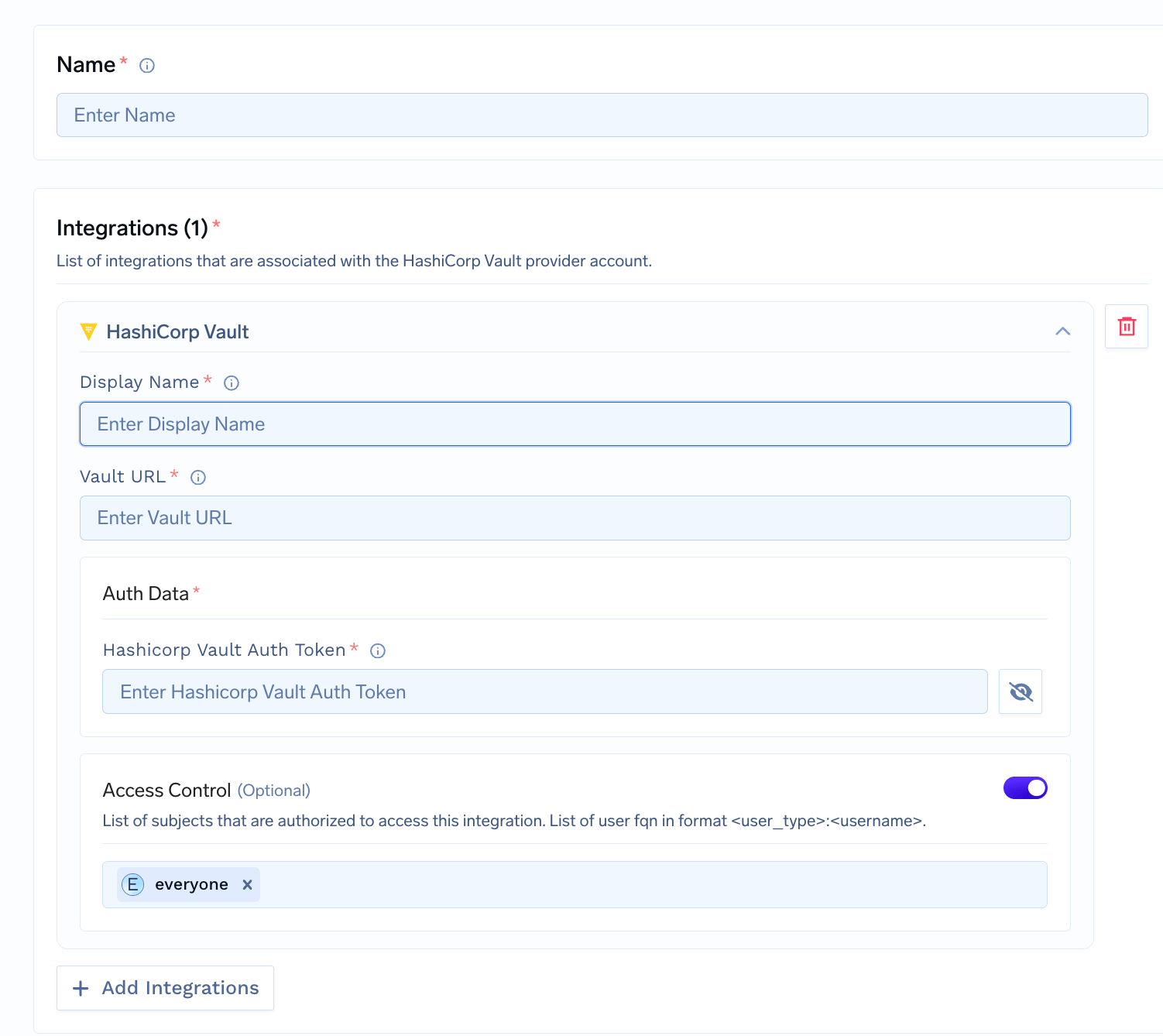
Platform > Integrations and add
the integration for your provider. We support
AWS SSM,
GCP Secrets Manager,
Azure Key Vault,
and HashiCorp Vault.TrueFoundry does not store the secret values; they live in your secret
manager. You get a reference to use in deployments and integrations. See
integrate a secret manager for setup.
Use the Secret in an Integration
When adding or editing an integration, such as a
Model provider, an
MCP server, or a
Guardrail, use one of the three
options below in any API key or other sensitive field instead of pasting
the raw value.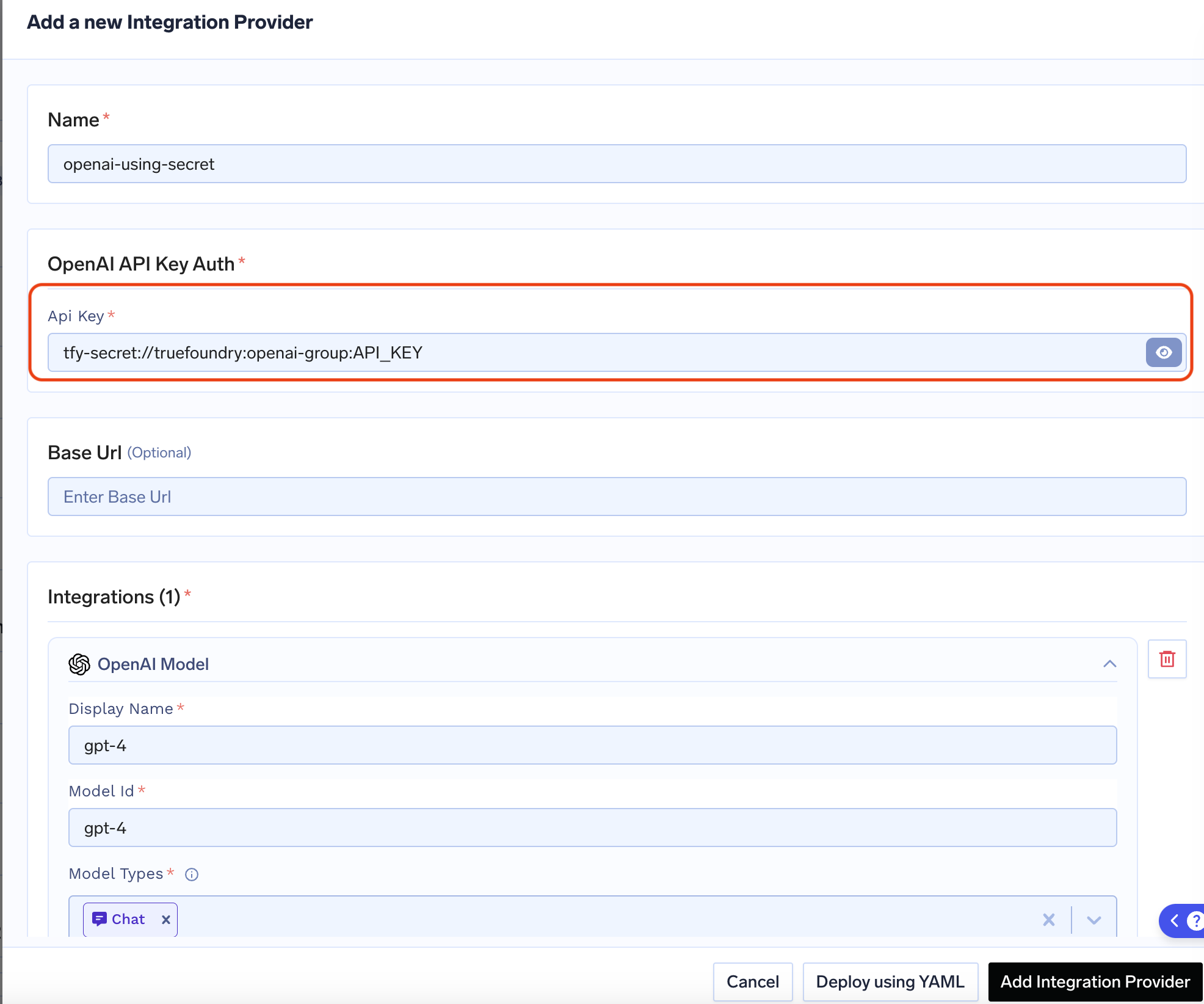
Option A: Create the secret in TrueFoundry, then add the secret FQN
Option A: Create the secret in TrueFoundry, then add the secret FQN
Create the secret in a secret group in TrueFoundry, then use its fully-qualified name (FQN) in the integration.Format: 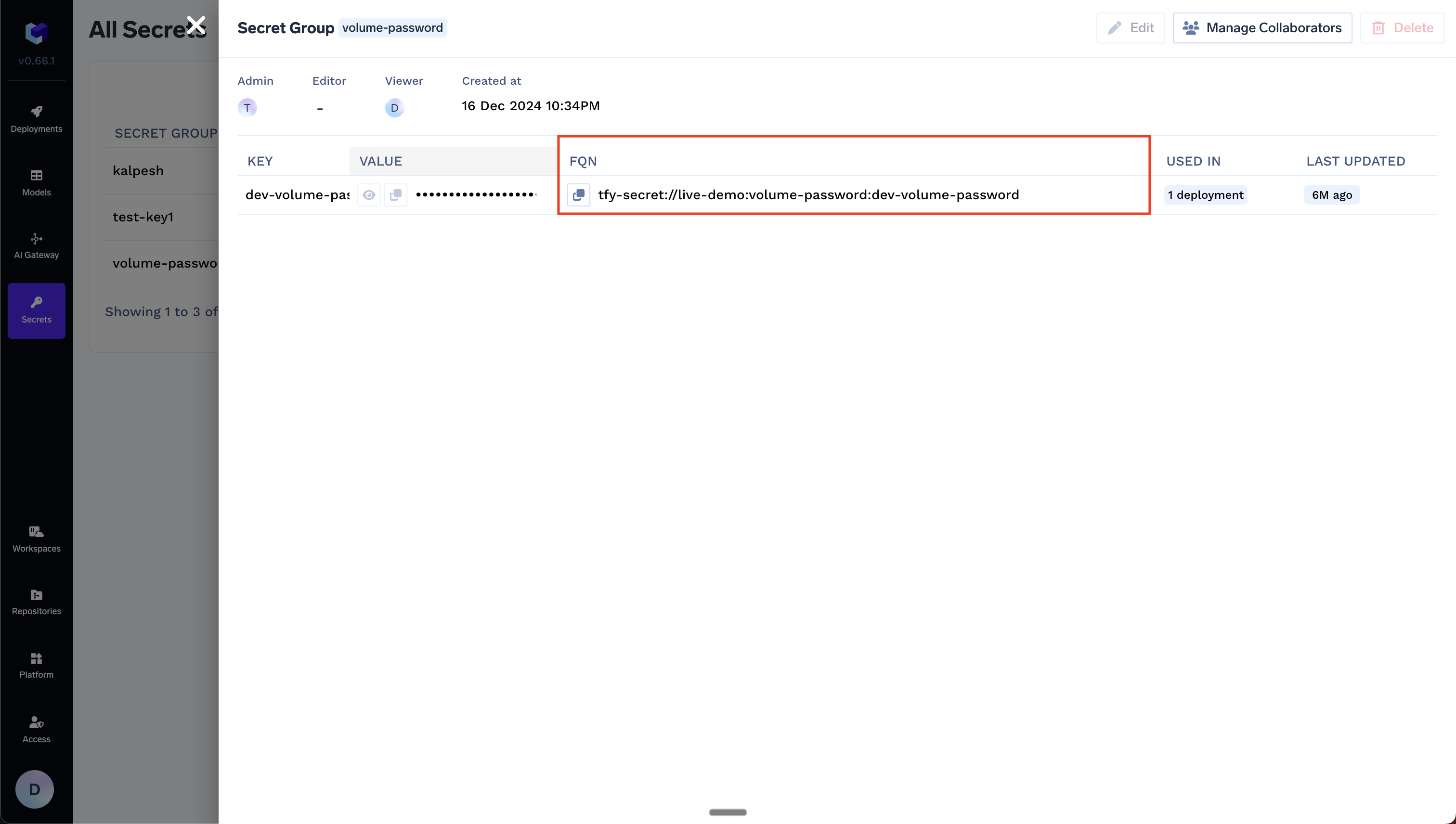
tfy-secret://<tenant>:<secret-group>:<secret-key>Example: For tenant my-tenant, secret group openai-keys, and key OPENAI_API_KEY:Option B: Use any existing secret in your secret manager directly
Option B: Use any existing secret in your secret manager directly
Use a secret that already exists in your secret manager. You do not create the secret in TrueFoundry—reference it by your secret store FQN and the path in your store.Format: You can find the Secret Store FQN on Platform → Integrations, as shown below: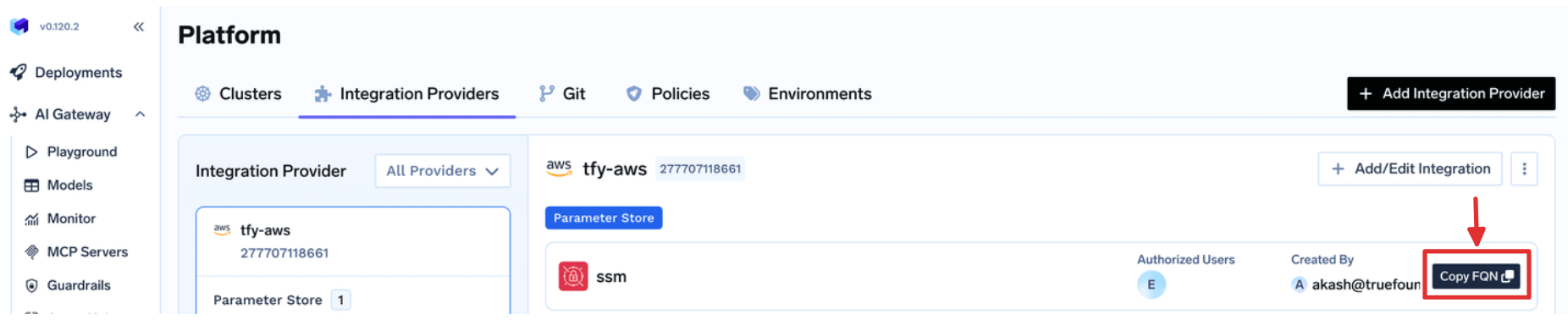
<secret-store-fqn>::<path-to-secret-in-secret-manager>Example: If your secret store FQN is my-tenant:aws:my-aws-provider:secret-store:aws-ssm and the secret path is /tfy-secret/openai/api-key:Option C: Use a Kubernetes secret for integrations auth data
Option C: Use a Kubernetes secret for integrations auth data
Use a Kubernetes secret when you want the integration auth value to come
from a secret mounted into the How it works:When this value is set, the secret is mounted into the
Replace Replace The value after then in the HashiCorp Vault integration form you can enter: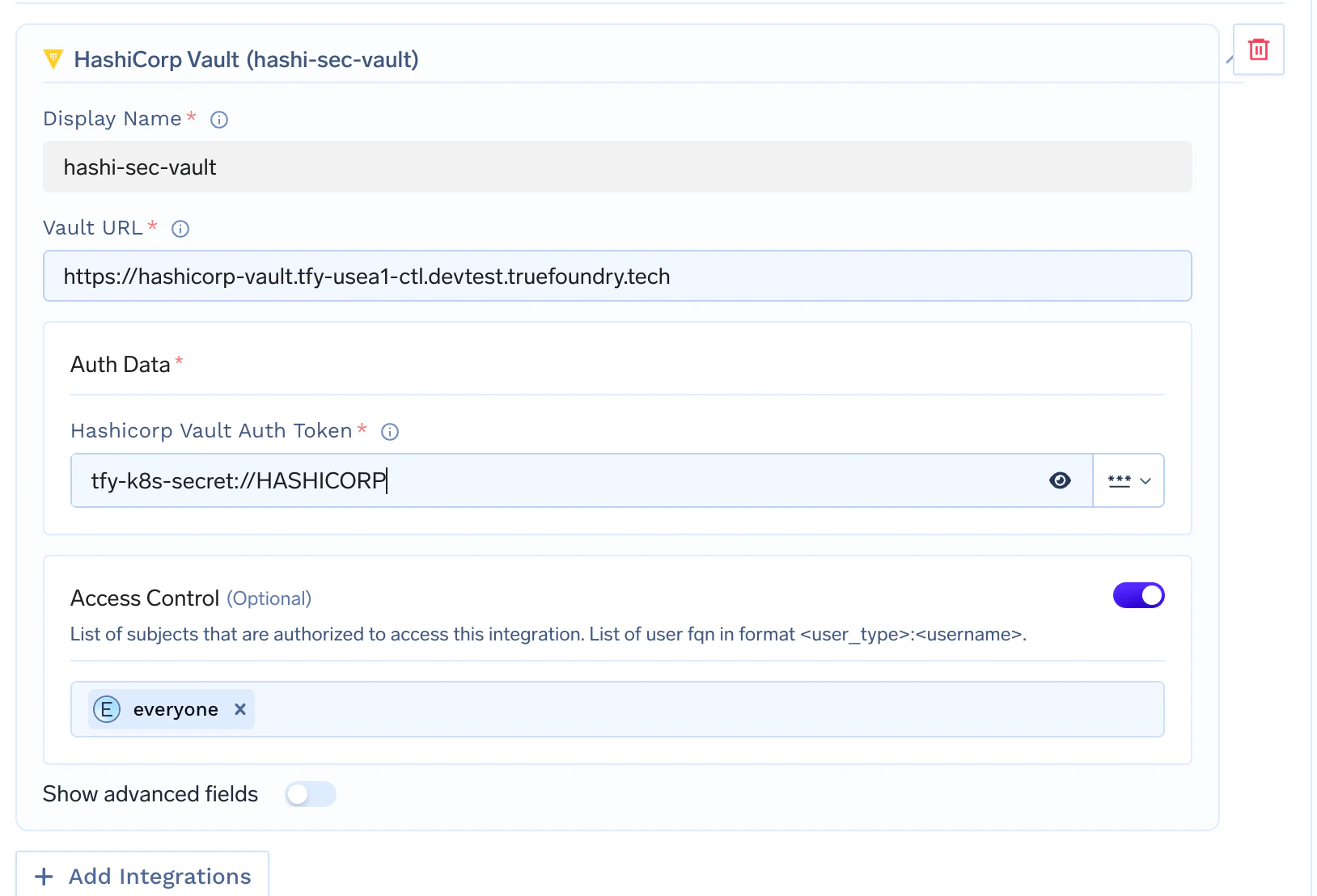
servicefoundry-server pod.Self-hosted control plane only. This option is available only when
you host your own control plane. It is not available on the TrueFoundry
managed control plane.
- Create a Kubernetes secret in the namespace where your TrueFoundry control plane is installed.
- Set
servicefoundryServer.tfyK8sSecretNamein your Helm values to that secret name. - Upgrade your TrueFoundry Helm release.
- In the integration field, reference a key from that secret using
tfy-k8s-secret://<KEY_NAME>.
values.yaml.servicefoundry-server pod at /opt/truefoundry/tfy-k8s-secrets.Create the Kubernetes secretsecrets.yaml
truefoundry with the namespace where your TrueFoundry control
plane is installed.Apply it with:<namespace> with the namespace where your TrueFoundry control plane is installed.Reference a secret key in the integration
Format: tfy-k8s-secret://<KEY_NAME>
Example:tfy-k8s-secret:// must exactly match the key inside
the Kubernetes secret.For example, if your secret contains:- Vault URL:
https://vault.example.com - HashiCorp Vault Auth Token:
tfy-k8s-secret://HASHICORP