Setting Up Cost Tracking
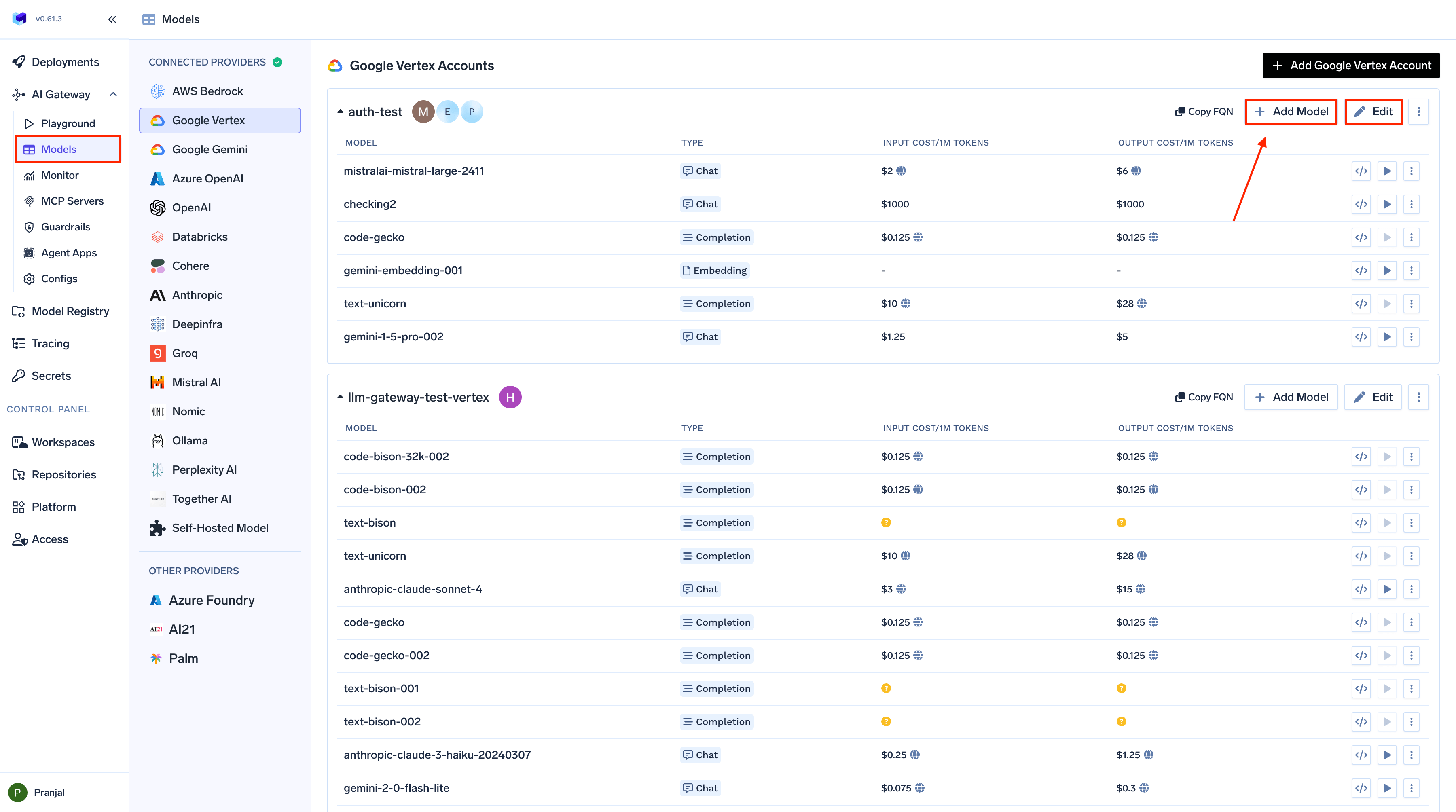
To set up cost tracking for your AI models:- From the TrueFoundry dashboard, navigate to
AI Gateway>Models - Select any Provider Account
- Click on the
Editbutton for an existing model or+ Add Modelto create a new one - In the model configuration screen, you’ll find cost options
- Public Cost — Uses provider-published rates from our open-source pricing catalog. Cost per token is auto-populated and updated; ideal for most popular models.
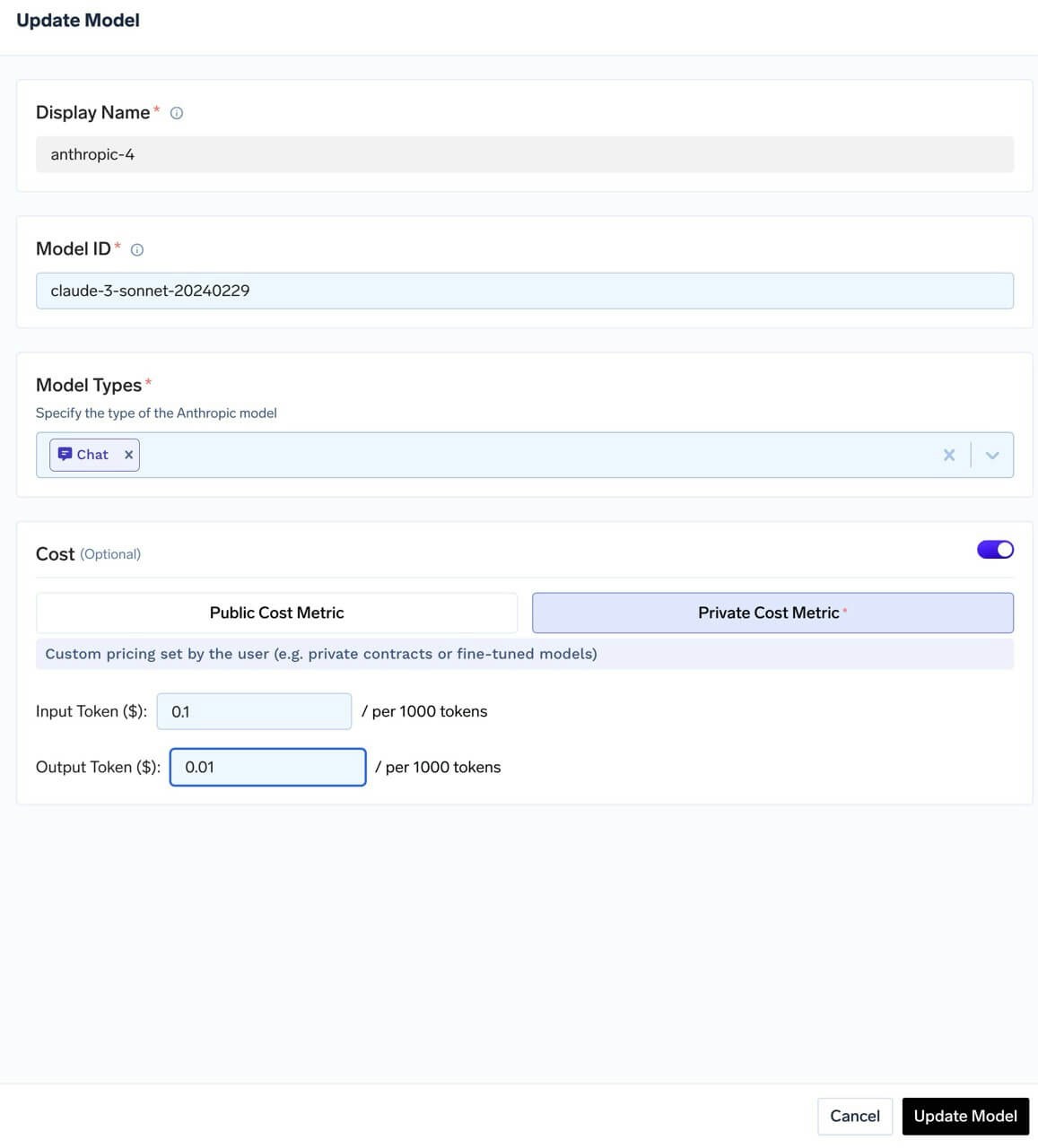
- Private Cost — Lets you set custom pricing for models without public rates, custom contracts, or fine-tuned models.
- Public Cost – Automatic Pricing
- Private Cost – Custom Pricing
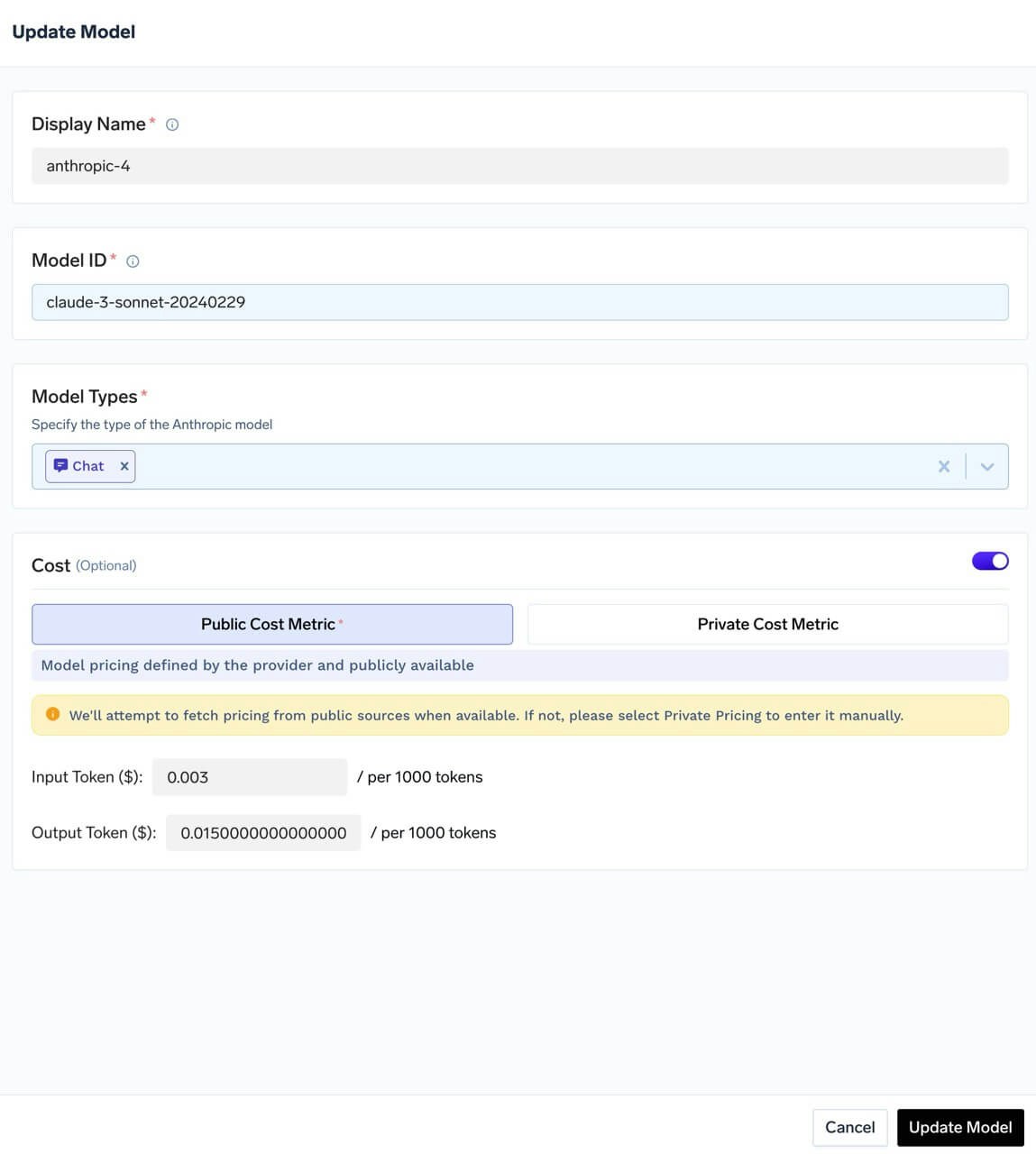
- Automatically populated cost per token
- Continuously updated using provider-published rates
- Available for most popular models
How we get public pricing of models
How we get public pricing of models
TrueFoundry maintains an open-source pricing catalog in the truefoundry/models GitHub repository. This repository acts as the pricing database used by AI Gateway for public cost tracking.The same pricing data is also viewable on the public TrueFoundry Models dashboard, so you can inspect model pricing outside of your workspace as well.When AI Gateway calculates cost using public pricing, it considers:
- Region-wise pricing: If a model has different rates by deployment region, the matching regional rate is used. For example, AWS Bedrock’s Nova Lite uses different input/output costs per token in
us-west-2,us-west-1,eu-central-1, andeu-west-1. - Tiered pricing: If a provider defines usage tiers (e.g. different rates at different volume thresholds), the applicable tier is selected. For example, Gemini 2.5 Pro has base rates and higher rates from 200K tokens; Gemini 1.5 Flash has tiers starting at 128K tokens.
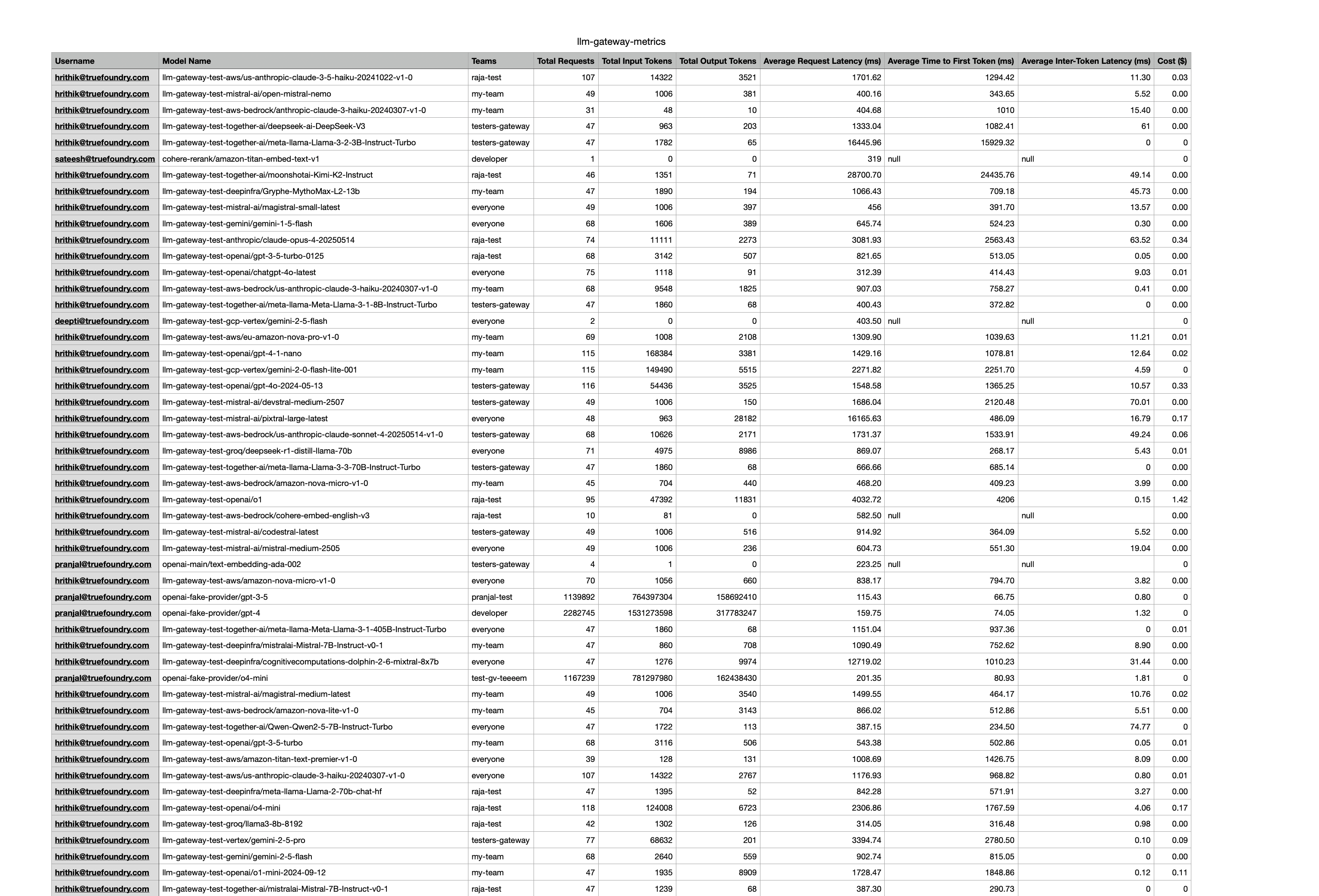
Viewing Your Costs
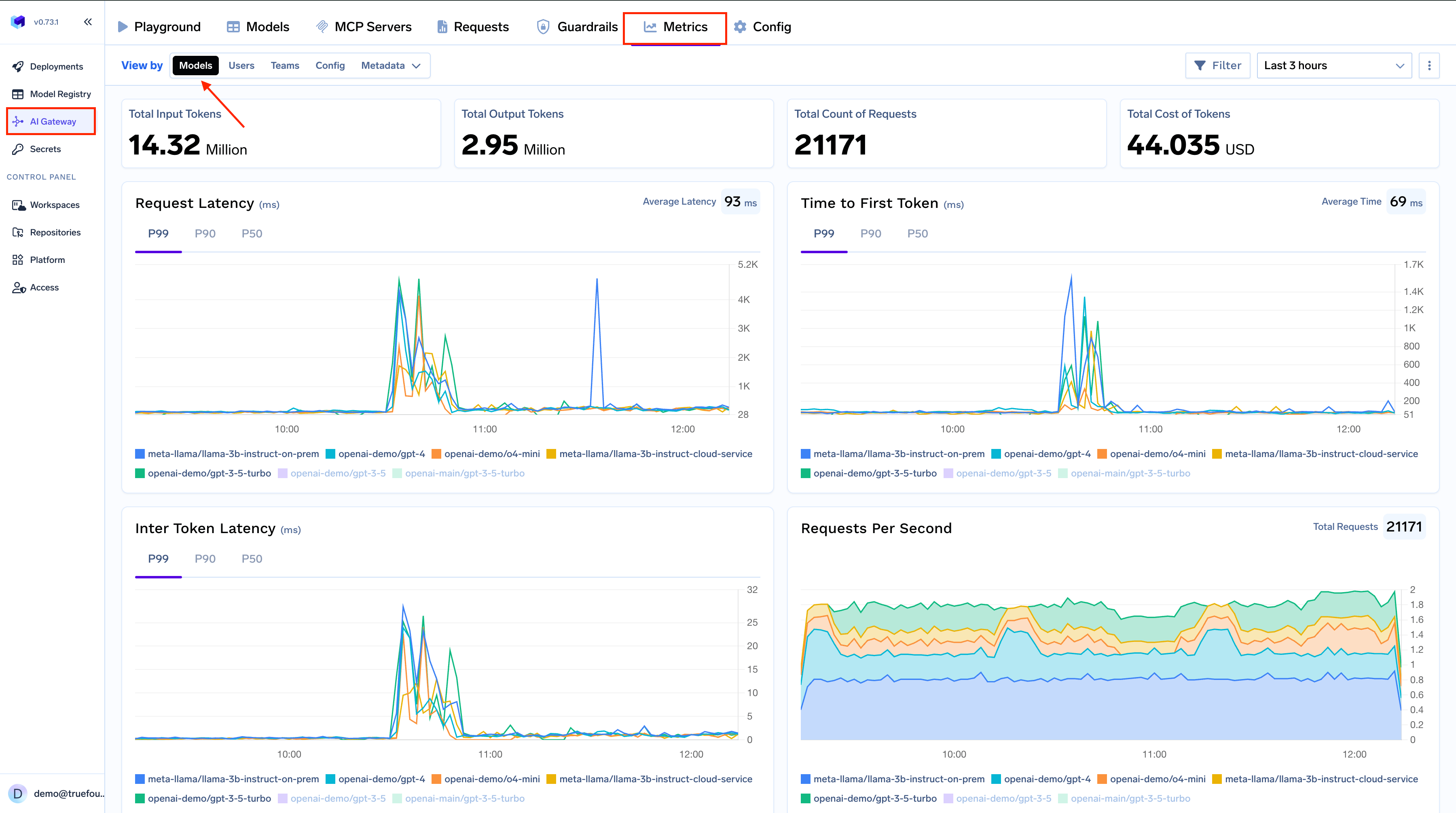
Once set up, you can easily view and analyze your costs in the Metrics section. Go toAI Gateway > Metrics.
Cost Breakdowns
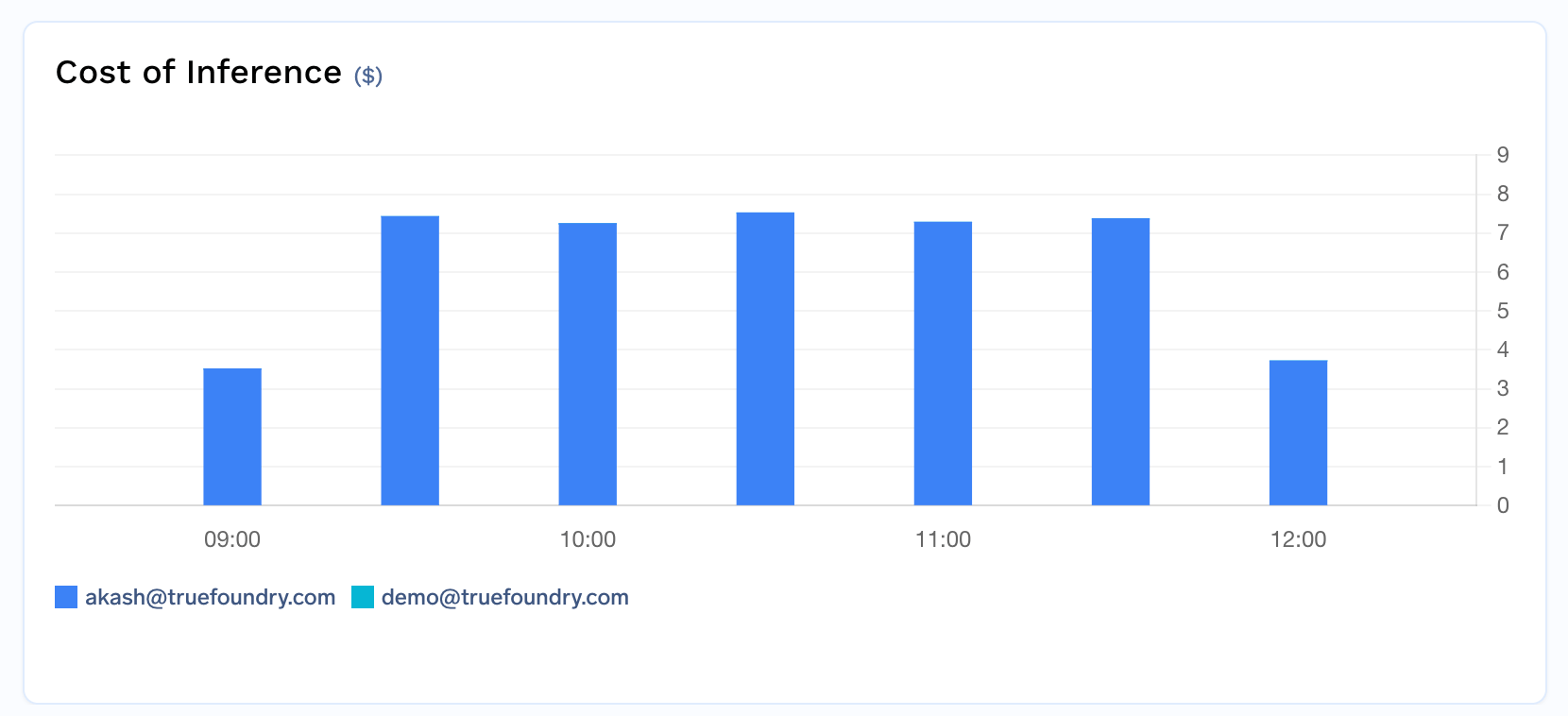
View your costs from different perspectives with a single click:Cost by user
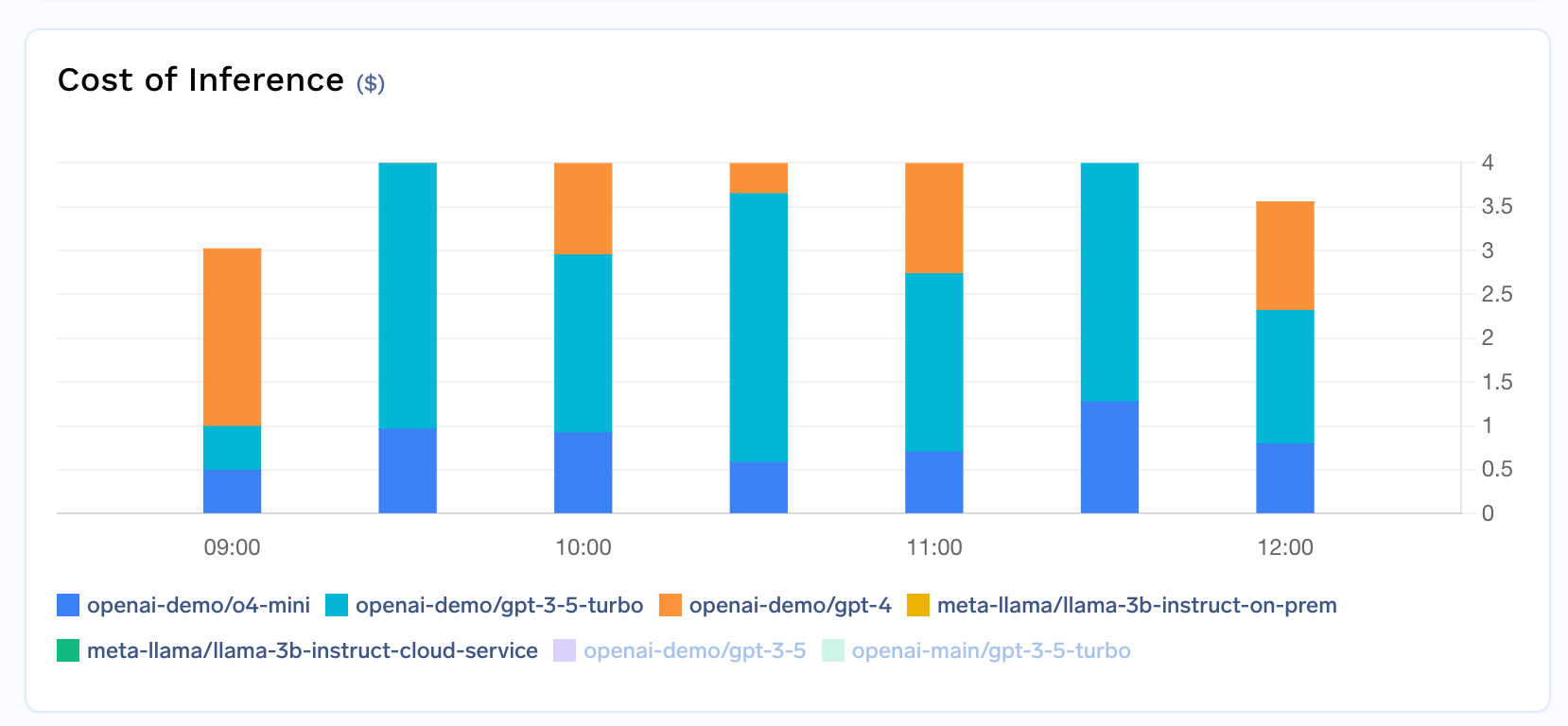
Cost by model
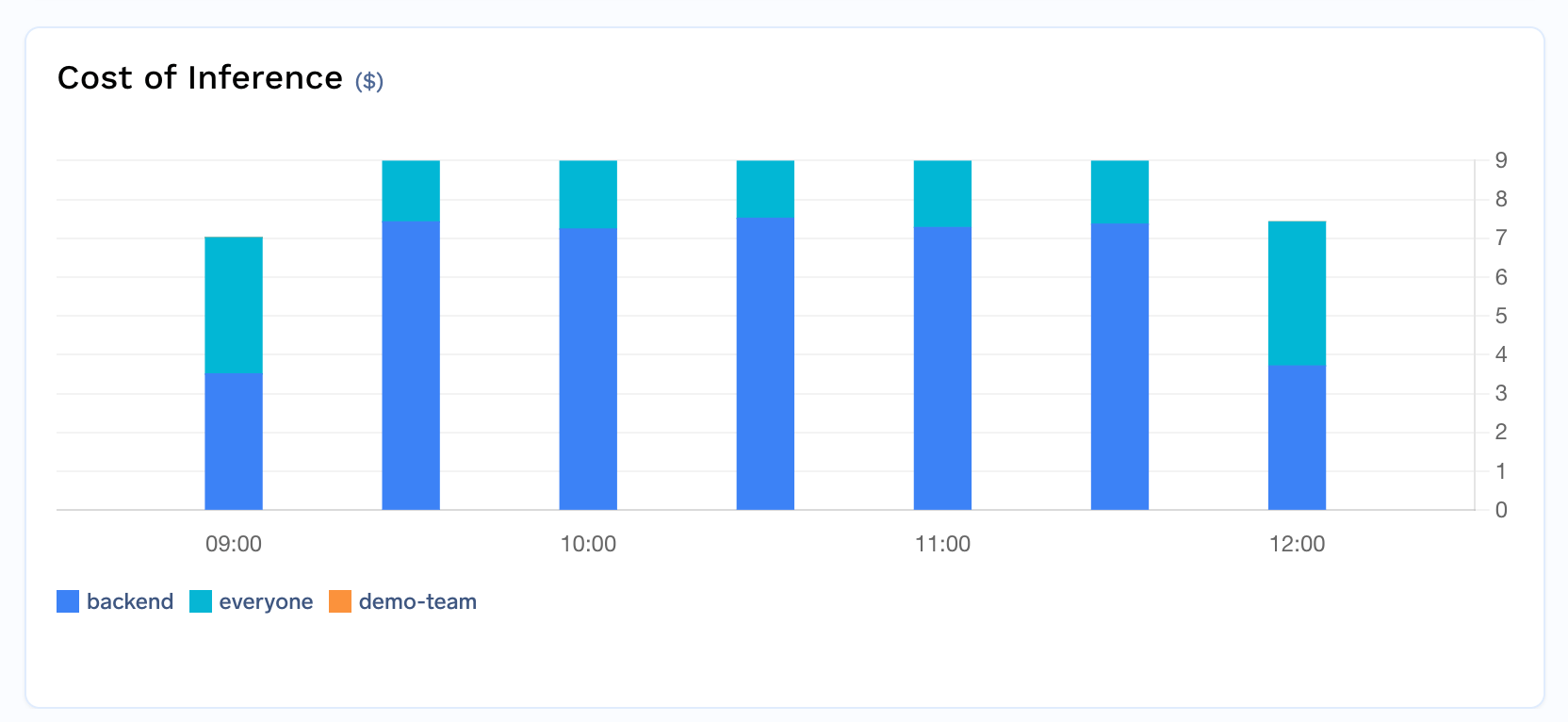
Cost by team
- User view: Identify high-usage individuals
- Model view: See which models cost the most
- Team view: Track department or project spending
Cost Attribution with Metadata
Beyond the built-in user, model, and team breakdowns, you can use custom metadata to build fine-grained cost attribution tailored to your organization’s structure — by application, environment, customer, cost center, or any other dimension.Automatic Metadata for Cost Attribution
TrueFoundry can automatically inject metadata into requests, enabling cost attribution without any client-side changes:Tag virtual accounts
Assign tags to your virtual accounts (e.g.,
application, environment, cost_center). These tags are automatically injected as metadata on every request made with that account’s token, giving you per-application and per-environment cost breakdowns without modifying any code.Associate PATs with teams
When a PAT is associated with a team, and that team has tags configured, those tags are automatically added to every request. This provides automatic team-level cost attribution for individual users. Admins can mandate team selection to ensure every PAT is tied to a team.
Enforce metadata with validation
Use the Metadata Validation guardrail to require specific metadata keys on every request. For example, mandate that every request includes a
cost_center or project_id key — requests missing required metadata are rejected before reaching the model, ensuring complete cost attribution across your organization.Viewing Costs by Metadata
Once metadata is attached to requests (either manually or via automatic injection), you can filter and group cost data by any metadata key in the Metrics dashboard. For example:- Group by
applicationto see cost per service - Group by
environmentto compare staging vs. production spend - Group by
customer_idto track per-customer costs for chargeback
groupBy fields to get detailed breakdowns in your exported reports.
Exporting Cost Data
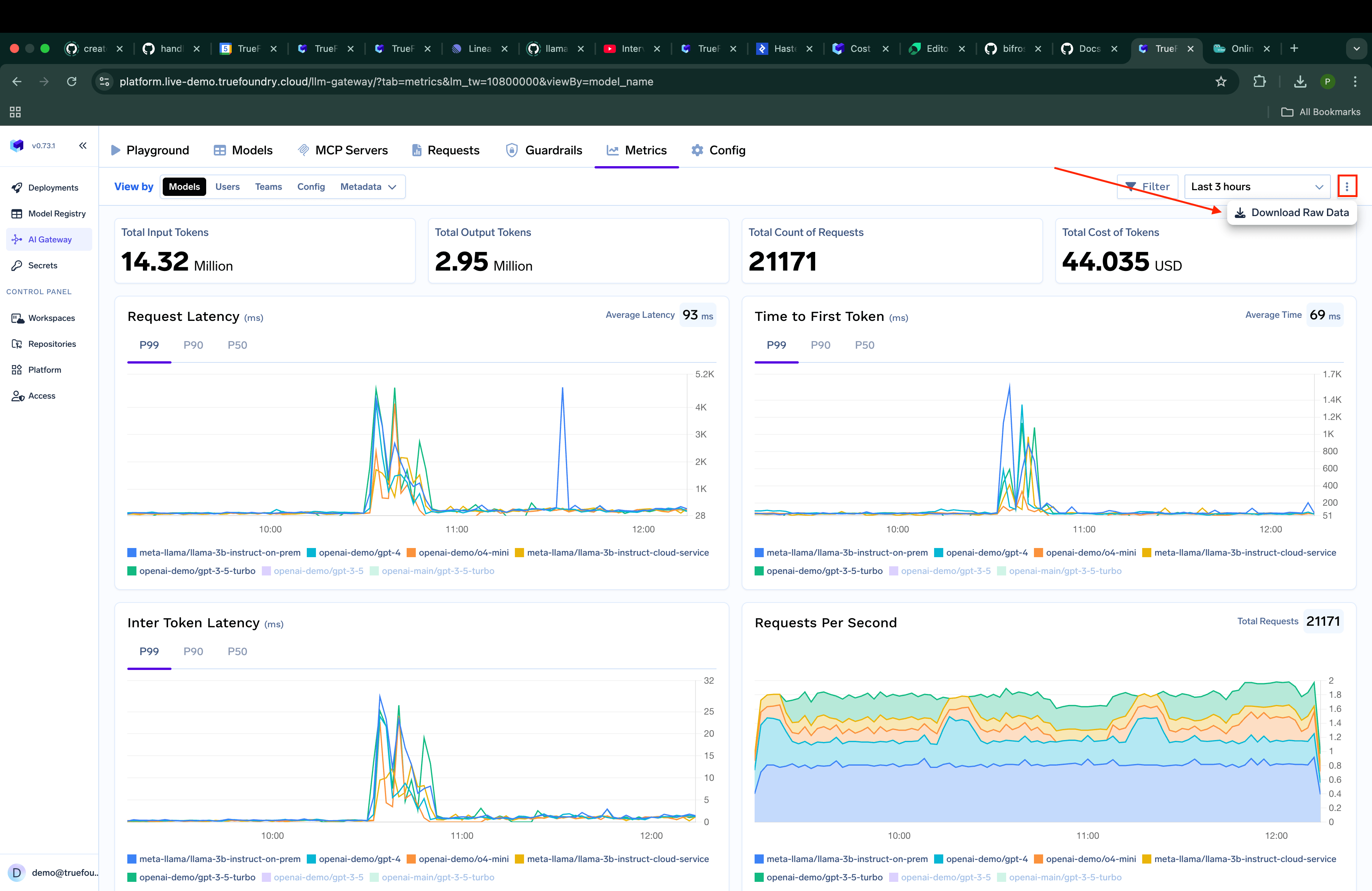
- Go to the
Metricssection - Click on the
3 dotsbutton and then click onDownload Raw Data - Choose the fields you want to
groupBythe data
Custom Grouping Options
You can customize how data is grouped in your exports. Simply select the fields you want to group by, such as username, model_name, or teams, to get exactly the data organization you need for your analysis.