

Why use the TrueFoundry Gateway
Routing IDE connections through the Gateway gives you:- Observability — every tool call is logged and traceable to the developer who made it.
- Governance — access is controlled by TrueFoundry identity and server-level permissions; admins decide who can reach which servers.
- Security — no API keys or provider tokens are stored in IDE config files, shell history, or anywhere on the developer machine. The developer signs in with TrueFoundry (using SSO if configured) and the Gateway handles the rest.
How the connection flow works
When a developer connects from the IDE, the Gateway uses Sign in with TrueFoundry (OAuth). The IDE receives a temporary TrueFoundry token to talk to the Gateway. If the MCP server requires a per-user provider token (for example, a GitHub or Slack OAuth token), the Gateway stores that token at the gateway layer — it never reaches the developer’s machine. Key points:- The developer only interacts with TrueFoundry sign-in (steps 2–3). No keys to copy or paste.
- Provider tokens are stored at the Gateway layer (step 7), not on the developer machine.
- Every subsequent tool call (step 8) goes through the Gateway, where it is logged, authorized, and rate-limited.
This maps to the TrueFoundry OAuth inbound method in Authentication and Security.
Prerequisites
- An MCP server registered in TrueFoundry that you have access to. If you don’t have one yet, see Getting Started.
- A Gateway URL for the MCP server. Copy it from the server’s How To Use tab in TrueFoundry.
- For outbound auth — only if the server uses “your own API key” (per-user): your own upstream API key for that provider. You will be prompted to enter it during the connection flow from your IDE. Other outbound methods (shared key, OAuth, token passthrough, no auth) need no key from you.
The examples below use the tenant-scoped URL form
https://<gateway>/<tenant>/mcp/<server>/server. Always copy the exact URL shown on the How To Use tab for your server — that is the source of truth.Connect the server
Adding the server differs per IDE, but every step after that is the same. Follow the steps below in order.Add the server in your IDE
Open the MCP server page in TrueFoundry. Click Add to Client or go to the How To Use tab to see the Gateway URL and connection instructions for your IDE.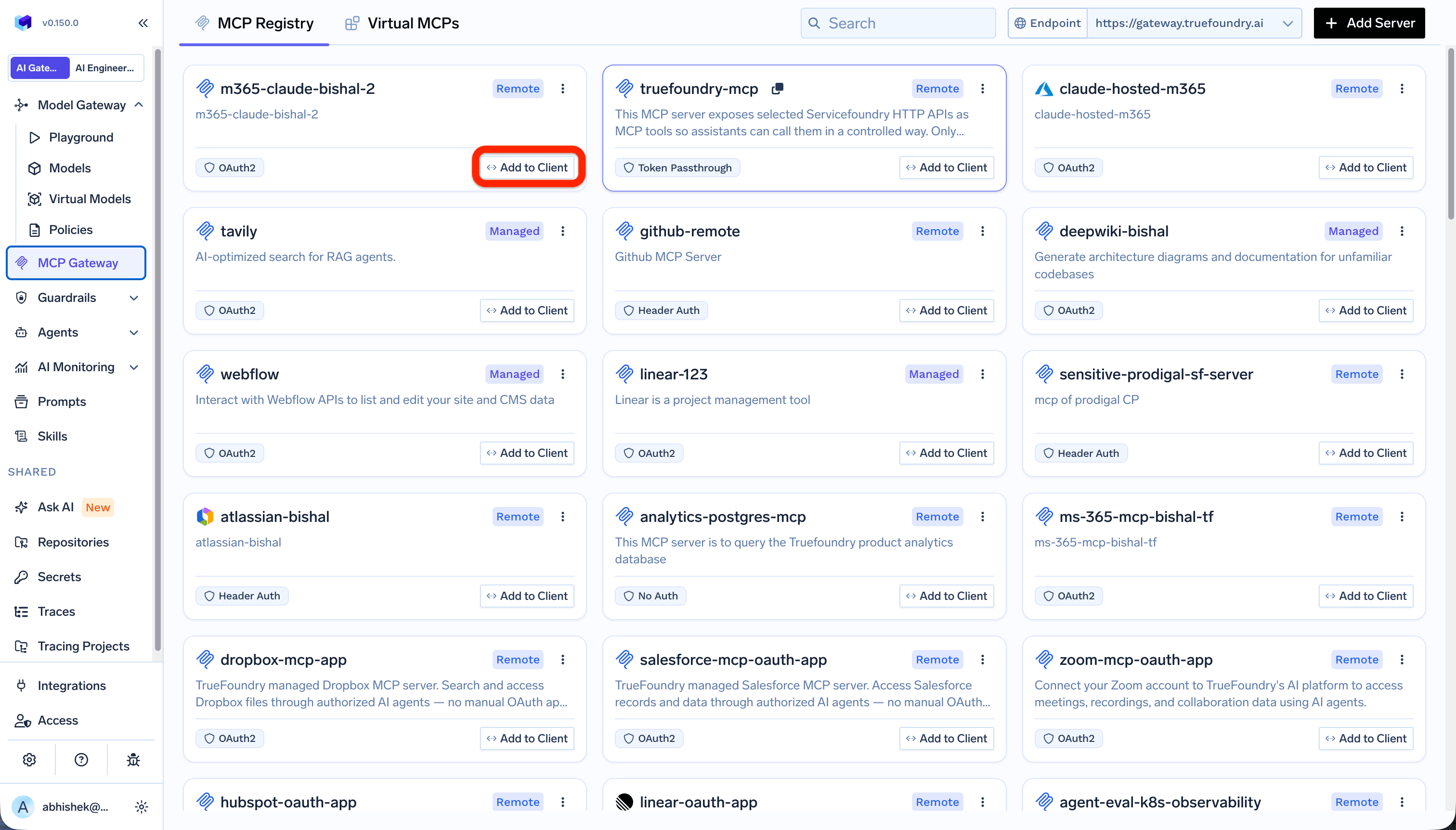
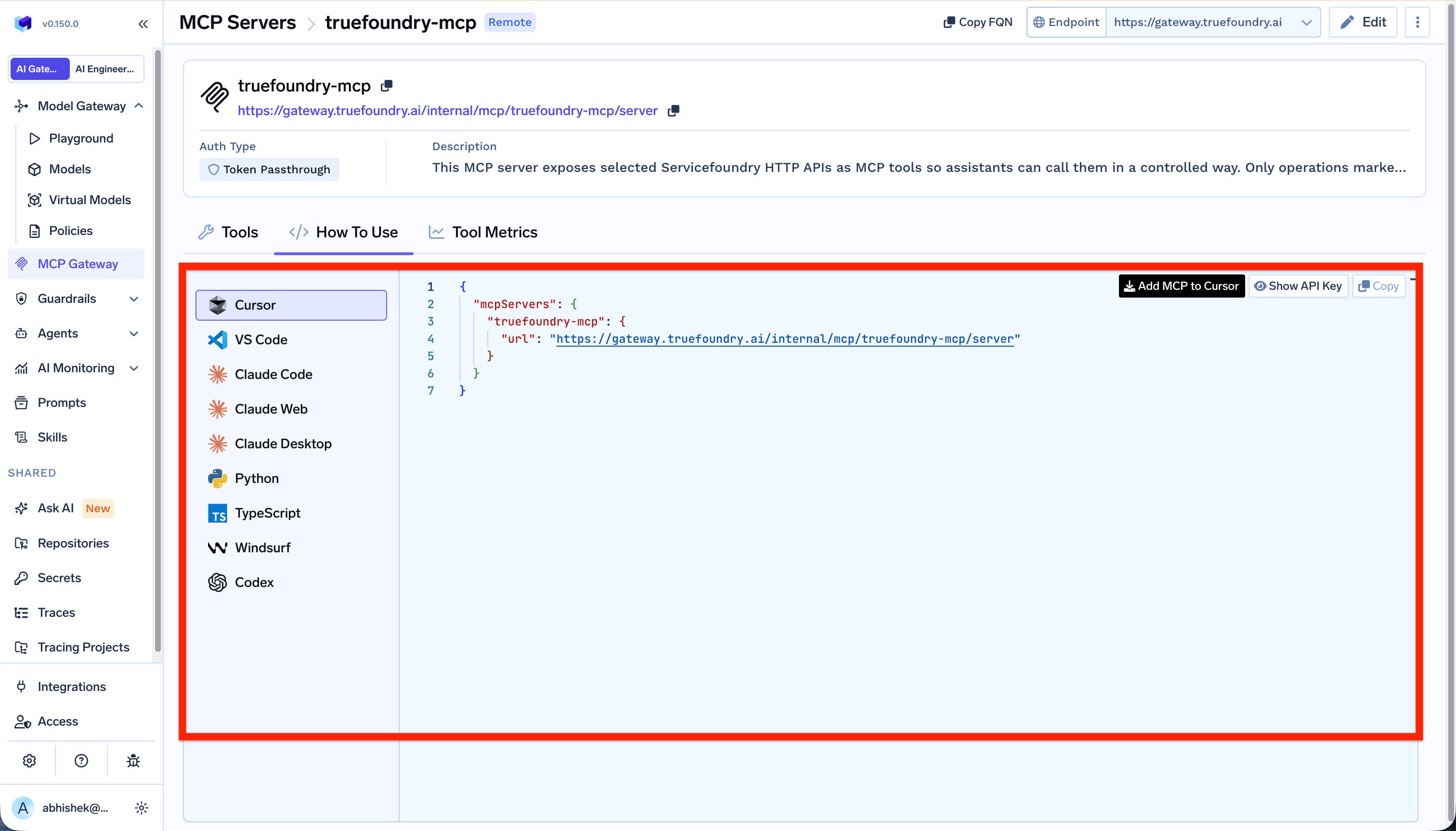
- Cursor
- Claude Code
- VS Code
Add the server to your After adding it, Cursor prompts you to install the server: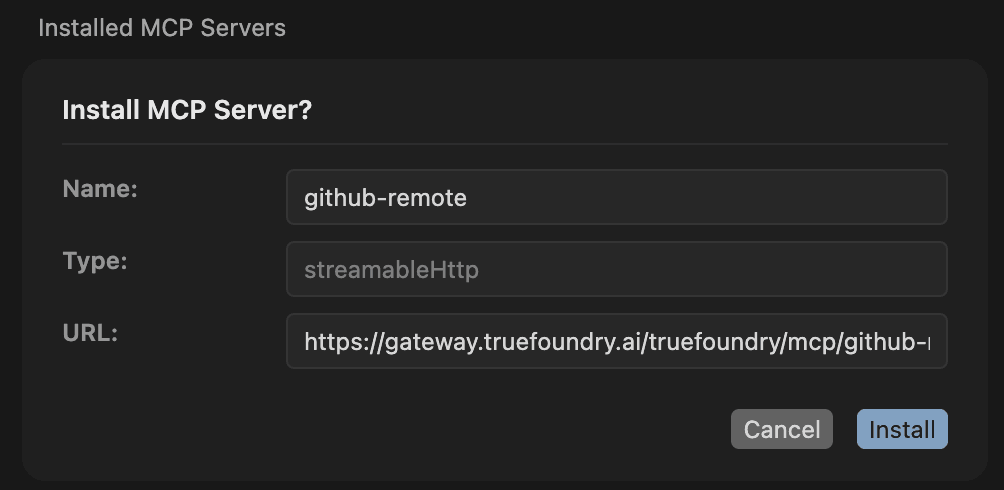

mcp.json: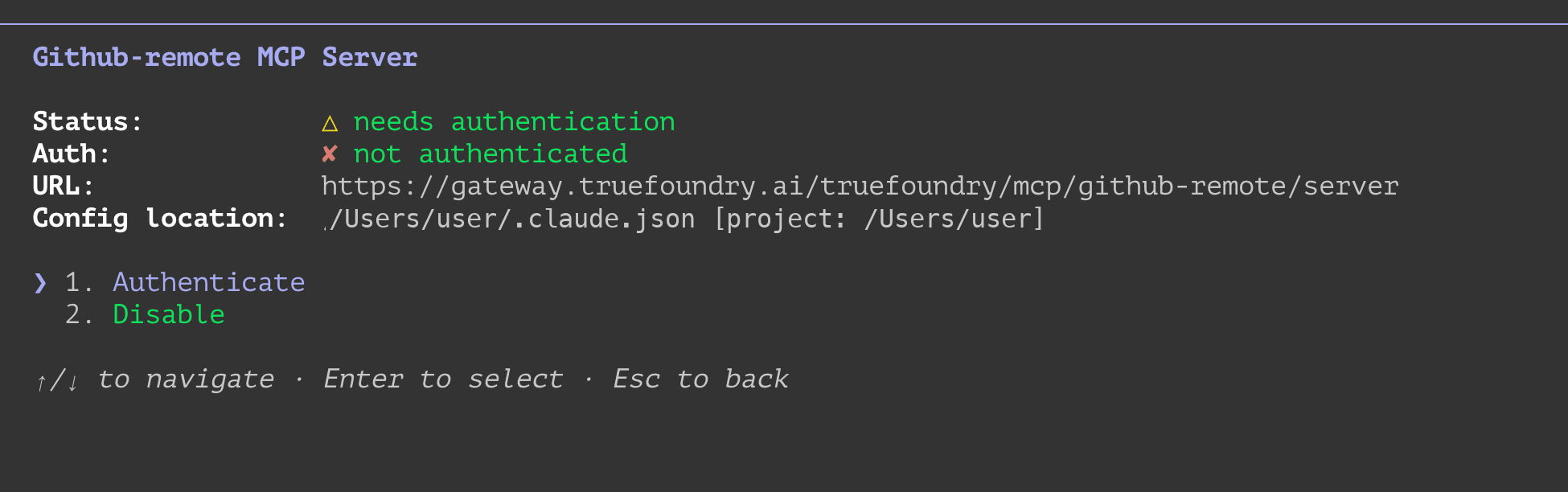
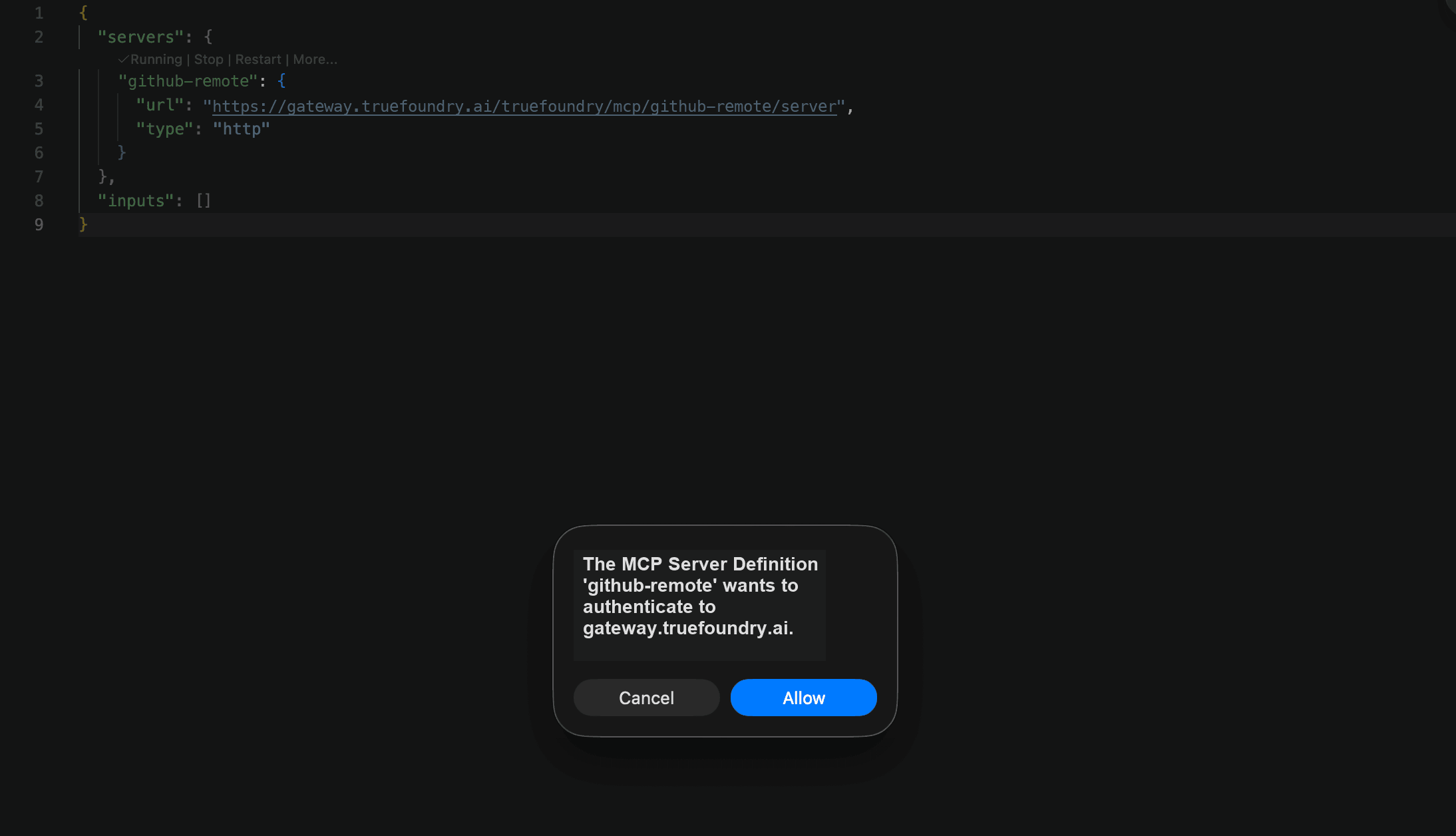
Sign in and approve the access request
The first time you use the server, your IDE opens the browser to TrueFoundry. Sign in (using SSO if your organization has it configured), then review what’s requesting access — your IDE and the MCP Gateway URL it’s connecting to — and click Approve.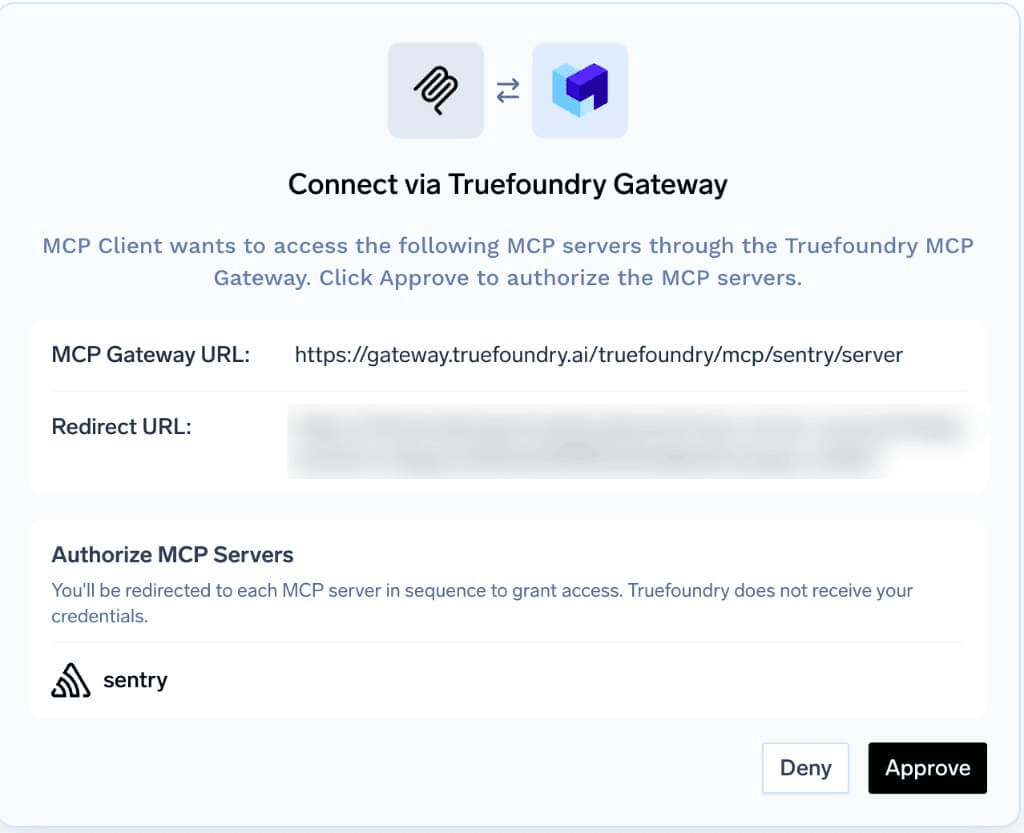
Authorize access to the upstream provider (if needed)
After signing in with TrueFoundry, the Gateway checks how the MCP server authenticates with its upstream provider. What happens next depends on the outbound authentication method configured for the server:
For OAuth (per-user), the provider’s authorization screen looks like this: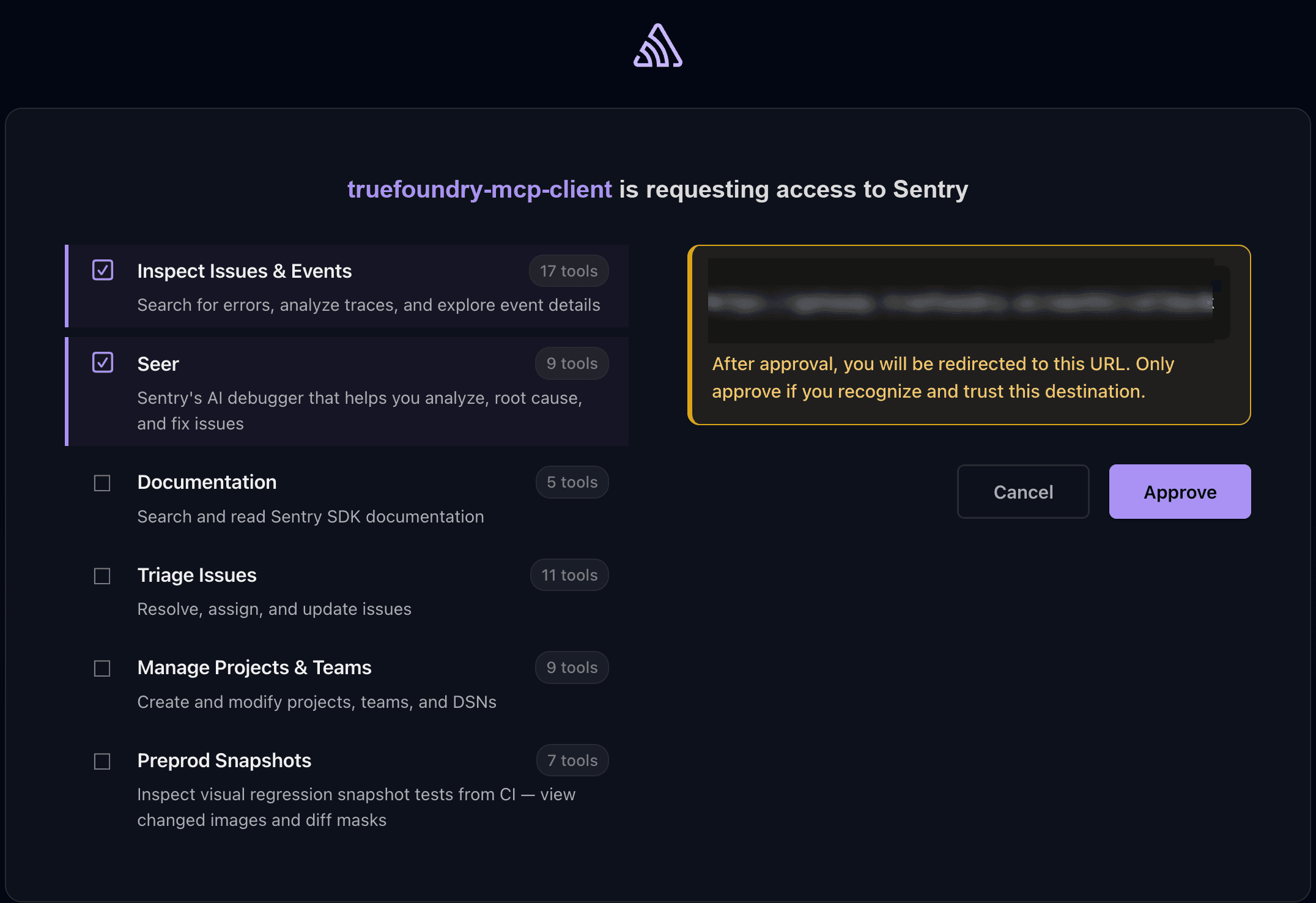
| Outbound method | What happens |
|---|---|
| Shared key | Nothing — the admin has already configured a shared key for the server. You go straight to your IDE. |
| Client credentials | Nothing — the Gateway exchanges credentials with the provider automatically. |
| Token passthrough | Nothing — the Gateway forwards your TrueFoundry token to the provider. |
| No auth | Nothing — the provider does not require authentication. |
| OAuth (per-user) | The provider’s authorization screen opens (for example, GitHub or Slack). Sign in with your own account and approve access. This is a one-time step — skipped on future connections if you have already authorized this provider. |
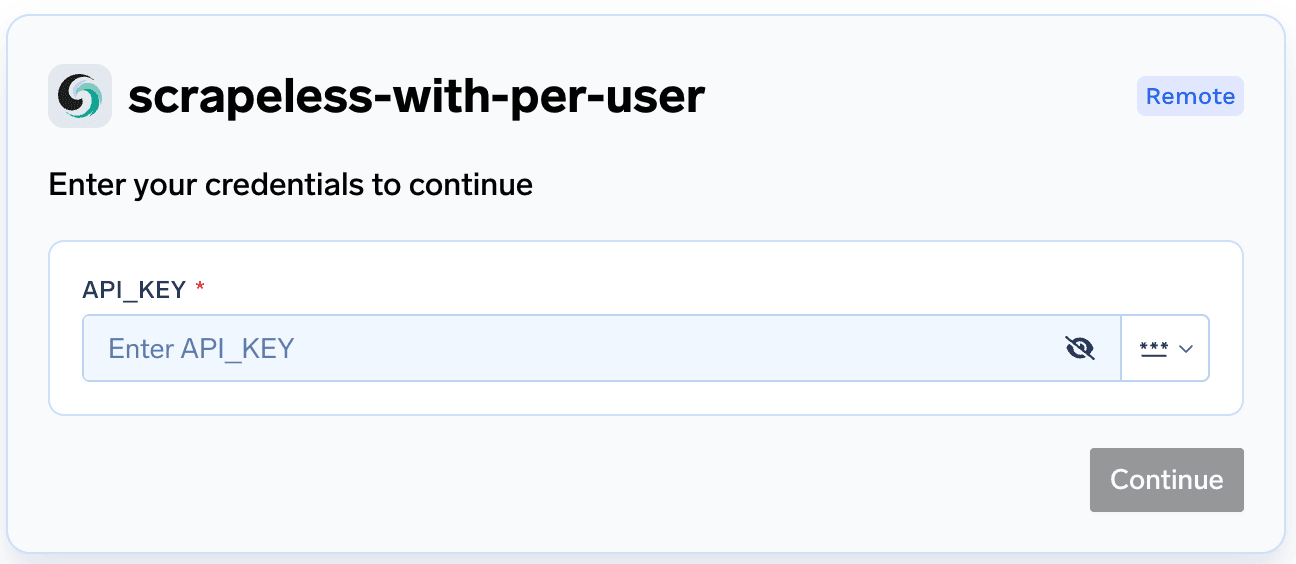
| Your own API key (per-user) | You are prompted to enter your upstream API key for the provider. This is also a one-time step. |
A virtual MCP server bundles tools from several servers, so you may see more than one authorization prompt — for example, an OAuth screen for one provider and an API key prompt for another.
Return to your IDE
After you approve, the browser redirects automatically back to your IDE — there’s no confirmation page to act on. You can close the browser tab.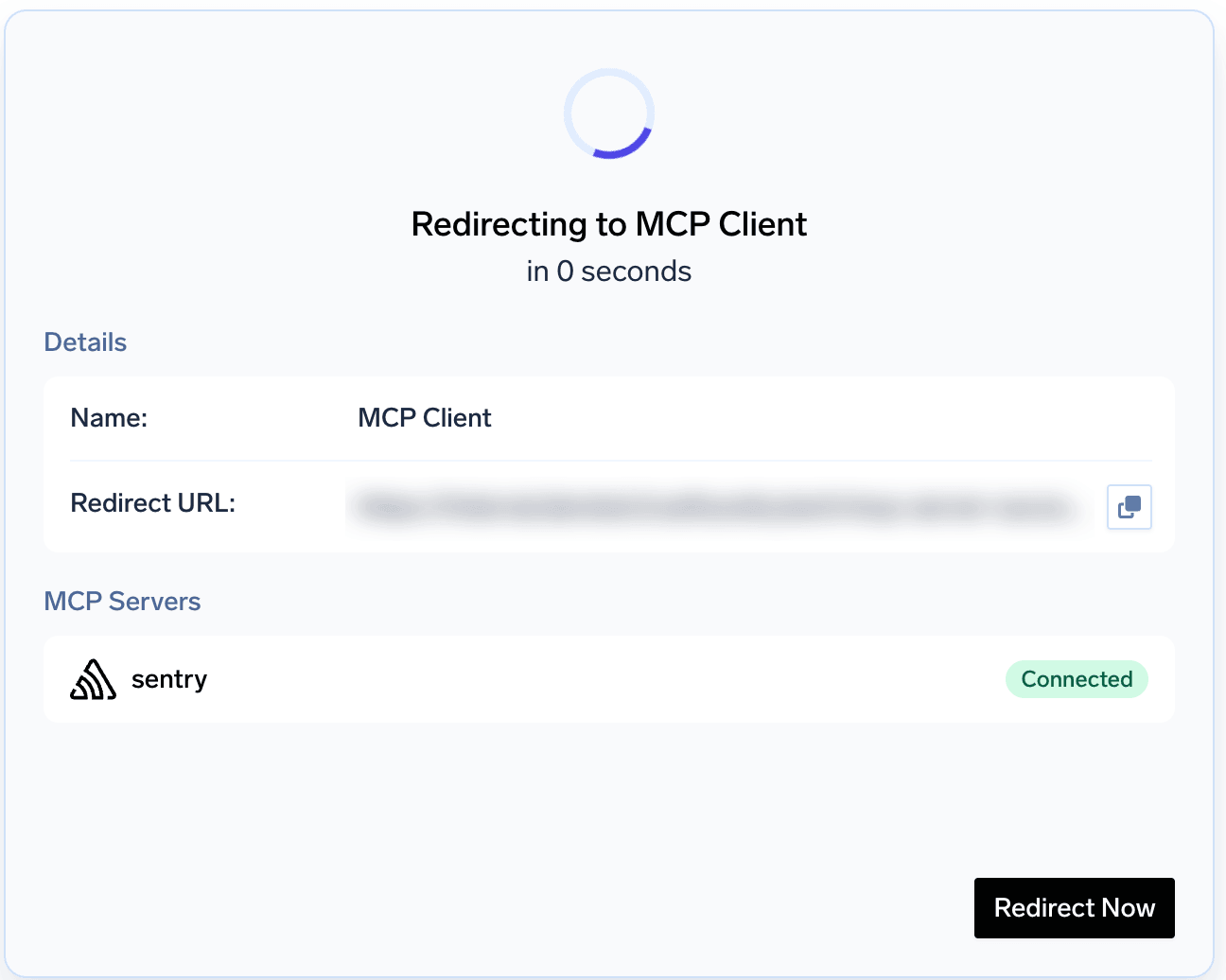
FAQ and troubleshooting
Does every user need a TrueFoundry account to connect?
Does every user need a TrueFoundry account to connect?
Yes. The Gateway needs to identify each user so it can track per-user metrics and apply access control and governance policies.That said, users do not need to visit the TrueFoundry portal or create an account manually. The recommended setup:
- Configure SSO in TrueFoundry with your identity provider (Okta, Azure AD, or your own IDP) — see Identity Providers.
- Grant access to the group of developers or users who should be able to reach MCP servers.
- The IDE opens the browser to the TrueFoundry sign-in page.
- The user signs in through SSO (Okta, Azure AD, etc.).
- The user gives consent on the TrueFoundry approval screen.
- TrueFoundry creates their account automatically on first sign-in.
- The flow continues to the MCP provider’s OAuth screen (if needed) and then redirects back to the IDE.
Can I use a TrueFoundry API key instead of the browser sign-in?
Can I use a TrueFoundry API key instead of the browser sign-in?
Yes, but it is not recommended. With a static API key you lose the security benefit of keeping credentials off the developer machine — the key lives in an IDE config file or shell history, and anyone with access to that file can impersonate the user.Use a TrueFoundry API key (PAT) only when:
If you still need to use an API key, add an
- Your IDE or platform version does not support the browser-based OAuth flow.
- You are running a headless or CI environment where a browser sign-in is not possible.
| Sign in with TrueFoundry | API key in headers | |
|---|---|---|
| Credentials on developer machine | None | API key stored in config file or shell history |
| Token lifetime | Short-lived, auto-refreshed | Long-lived, manually rotated |
| Setup | Add the Gateway URL only | Add the Gateway URL + Authorization header |
Authorization header with the key to your IDE config. Pick your IDE below for the exact format.- Cursor
- Claude Code
- VS Code
Can I supply my upstream API key ahead of time instead of during the connection flow?
Can I supply my upstream API key ahead of time instead of during the connection flow?
If the MCP server uses the “your own API key” outbound method, you can pre-supply the key through Auth Overrides in TrueFoundry instead of entering it when your IDE prompts you. This is useful when you manage keys centrally or want to avoid the interactive prompt.
How do I pass custom headers to the MCP server from my IDE?
How do I pass custom headers to the MCP server from my IDE?
Some MCP servers require specific headers — for example, a custom auth token or metadata that differs from your Gateway authentication. You can pass these using the In your IDE config, add this as a header alongside the Gateway URL:The Gateway validates your inbound authentication as usual and then forwards the custom headers to the MCP server. These headers override any default outbound authentication configured for the server.For more details, see Token Forwarding and the x-tfy-mcp-headers reference.
x-tfy-mcp-headers header in your IDE configuration.Set x-tfy-mcp-headers to a JSON string where the key is the MCP server name and the value is an object of headers to forward:- Cursor
- Claude Code
- VS Code
The connection stopped working or I'm asked to sign in again
The connection stopped working or I'm asked to sign in again
TrueFoundry sessions expire periodically. When that happens, your IDE opens the browser again for you to sign in. If the server uses a third-party provider (GitHub, Slack, etc.), you may also need to re-authorize that provider. If the problem persists, check that you still have access to the server under its Collaborators tab in TrueFoundry.