Adding Databricks Models
1. Navigate to Model Creation
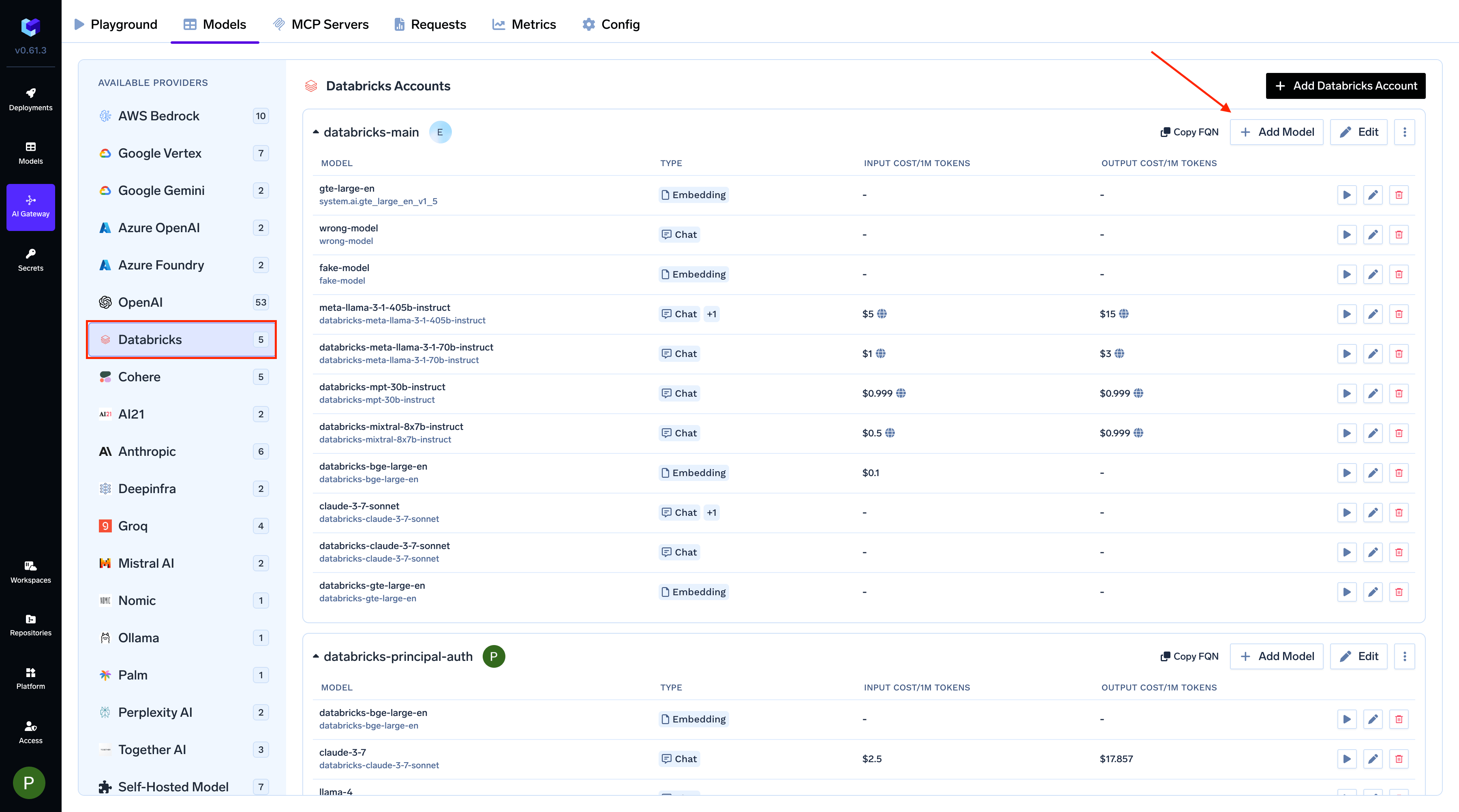
- In the TrueFoundry Dashboard, go to AI Gateway → Models
-
Select Databricks as your model provider
2. Configure Provider Account
- Choose an existing Databricks Provider Account, or click Create New to set up a new one
- This account will be used to access and manage your Databricks models
3. Add Model Configuration
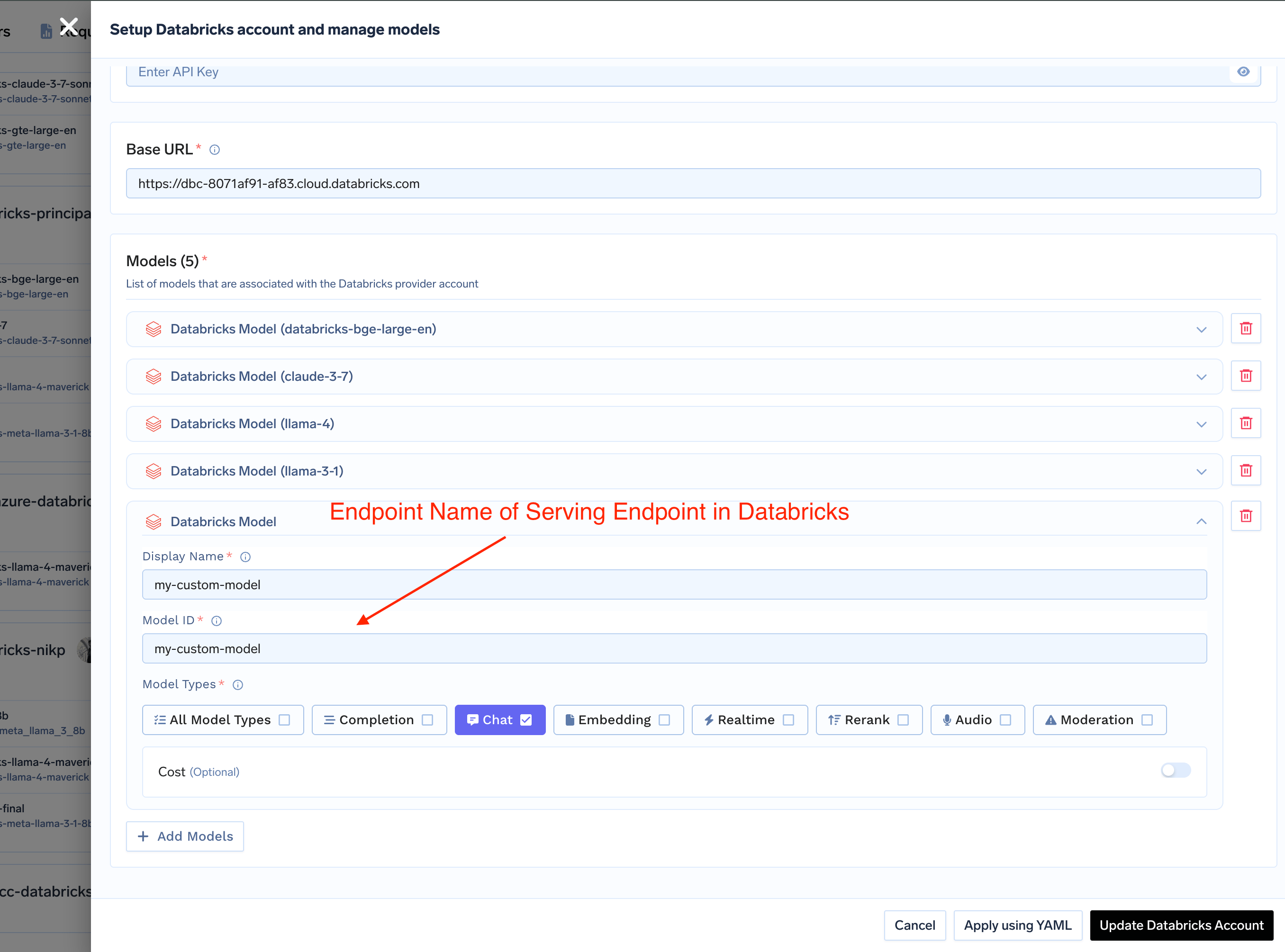
- Display Name: Enter a user-friendly name for your model
-
Model ID: Enter the exact endpoint name from your Databricks serving endpoint
The Model ID must exactly match the endpoint name you created in Databricks. This is case-sensitive and must be identical.