

Adding Models
This section explains the steps to add OpenAI models and configure the required access controls.Navigate to OpenAI Models in AI Gateway
From the TrueFoundry dashboard, navigate to AI Gateway > Models and select OpenAI.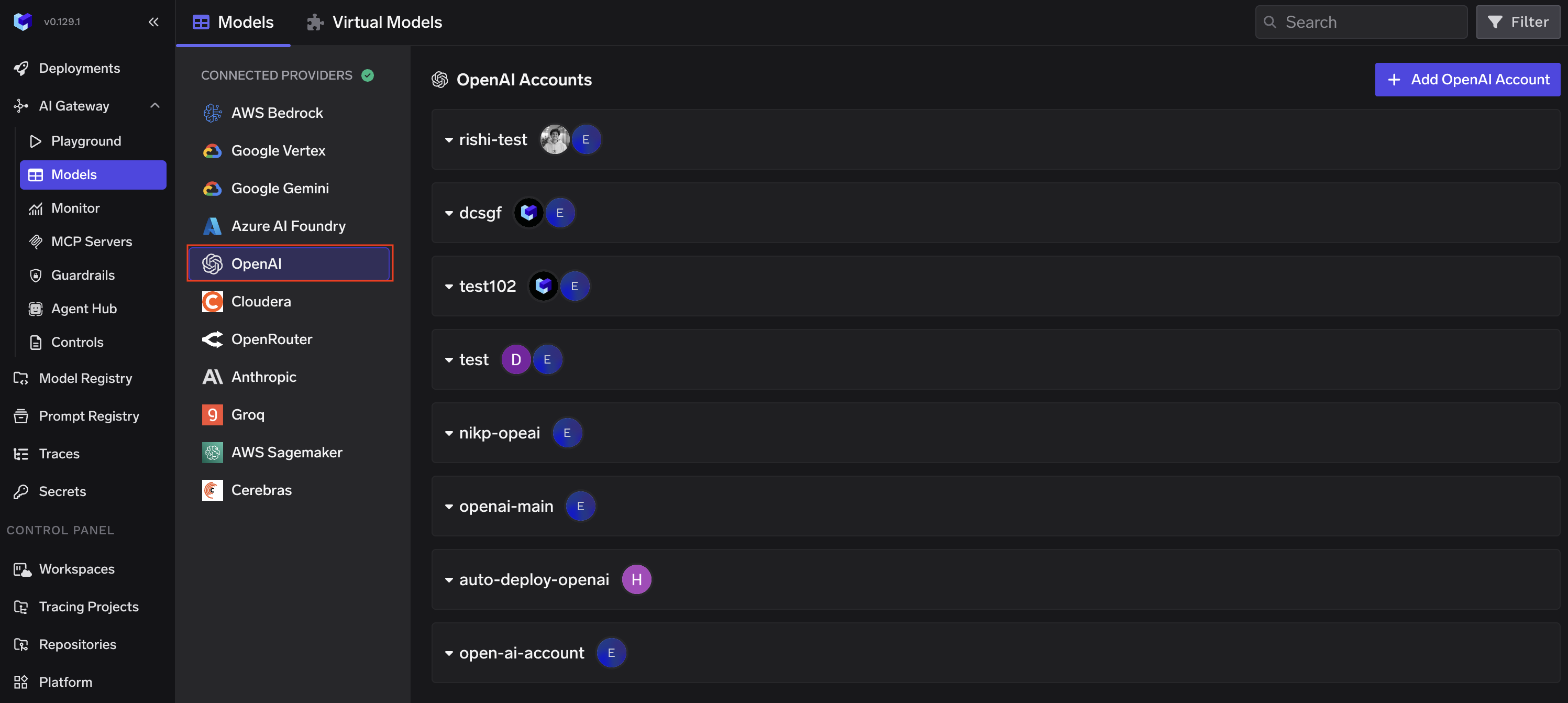
Configure Account
Click Add OpenAI Account. Give a unique name to your OpenAI account and provide your API Key.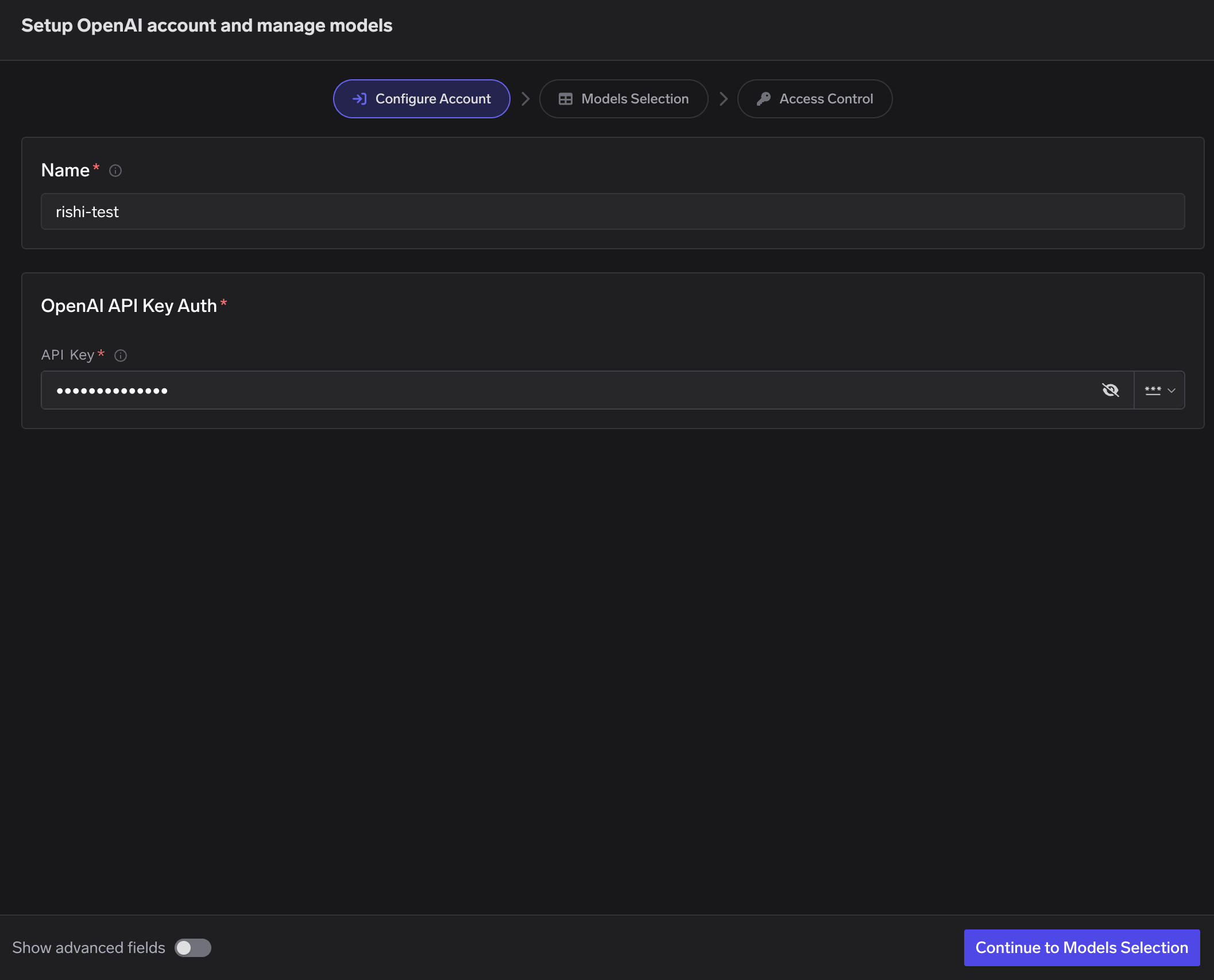
Select Models
Select the models you want to enable from the list. Pricing per million tokens is shown for each model.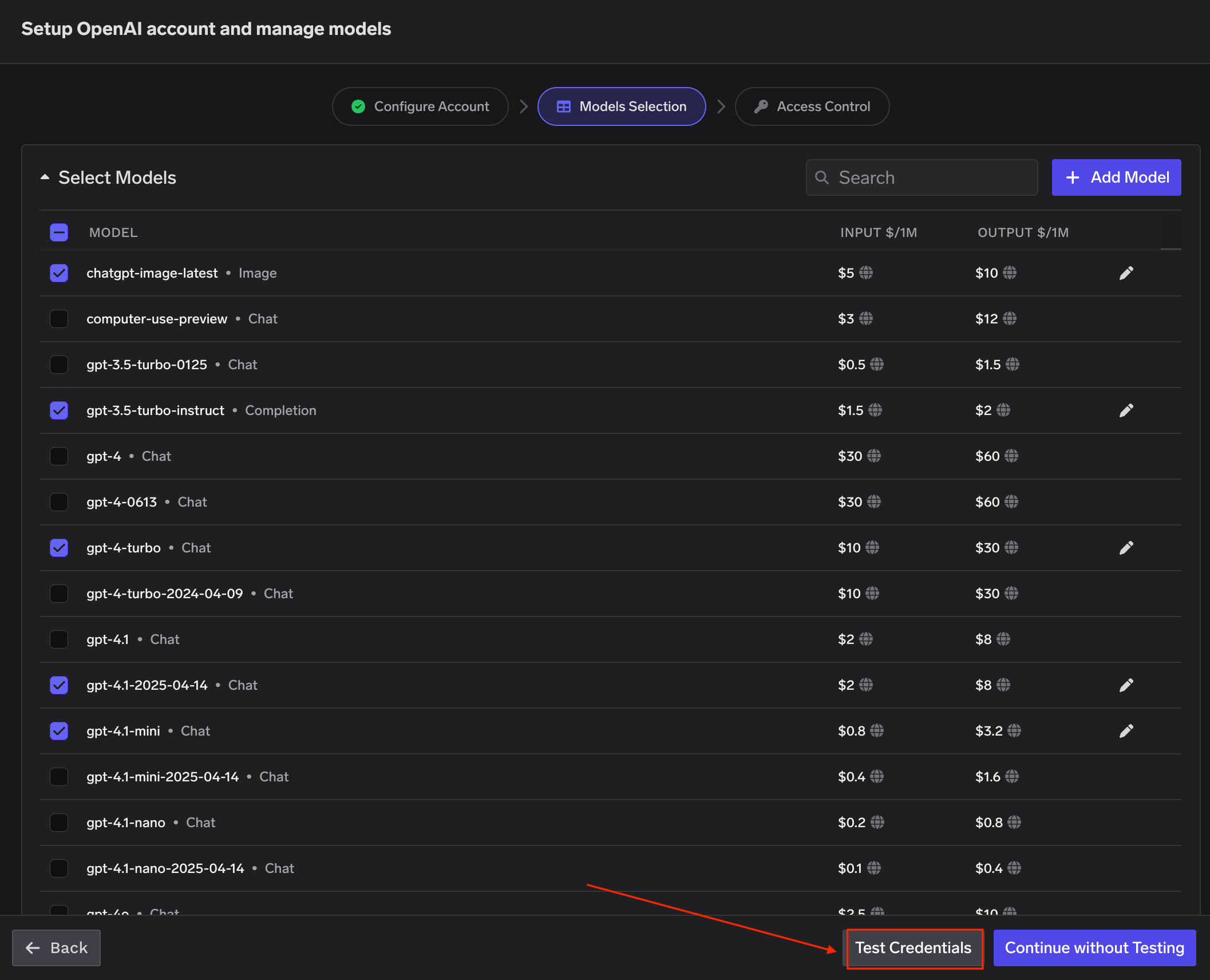
If the model you are looking for is not listed, click + Add Model at the bottom to add it manually.
TrueFoundry AI Gateway supports all text and image models in OpenAI. The complete list of models supported by OpenAI can be found here.
Set Access Control
Configure who can manage and access the models in this provider account. Learn more about access control here.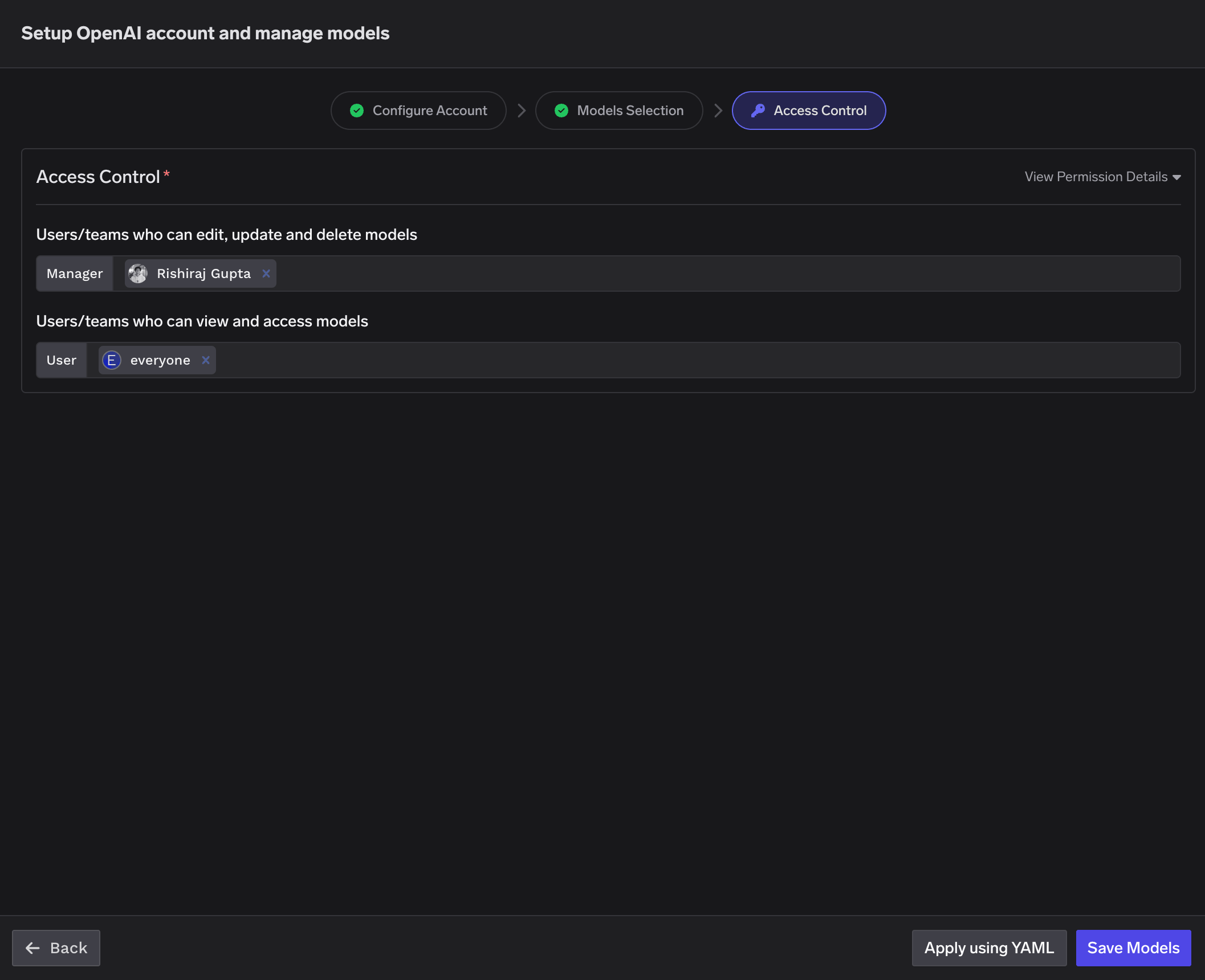
Inference
After adding the models, you can perform inference using an OpenAI-compatible API via the Playground or by integrating with your own application.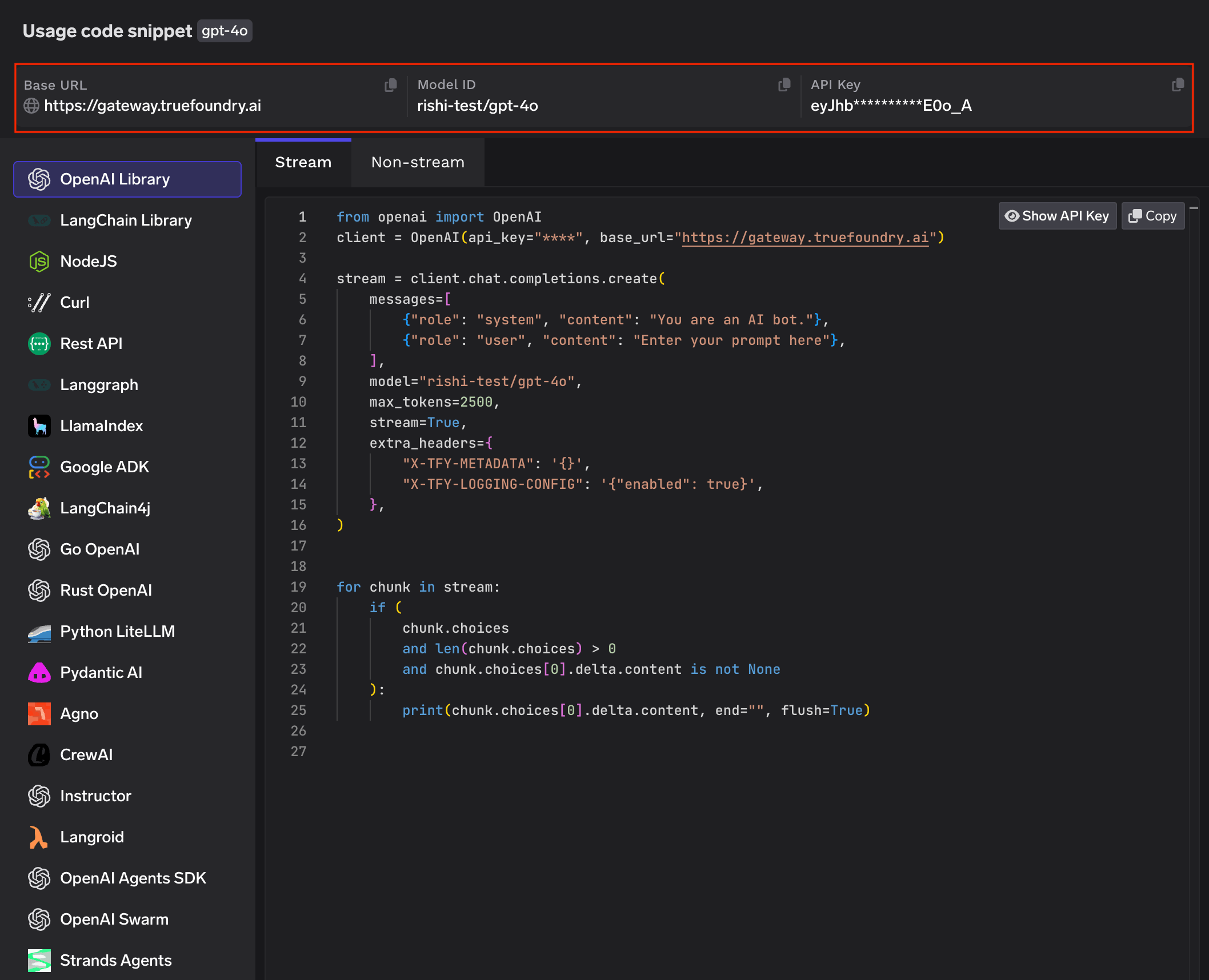
Regional Endpoints
OpenAI offers data residency controls that let you configure the region where your data is stored and, in some regions, processed. When data residency is enabled on your OpenAI account, you must use a region-specific domain prefix for API requests instead of the defaultapi.openai.com.
When adding an OpenAI account in TrueFoundry AI Gateway, set the Base URL to the appropriate regional endpoint for your OpenAI project.
| Region | Domain Prefix | Base URL |
|---|---|---|
| US | us.api.openai.com (required) | https://us.api.openai.com/v1 |
| Europe (EEA + Switzerland) | eu.api.openai.com (required) | https://eu.api.openai.com/v1 |
| Australia | au.api.openai.com (optional) | https://au.api.openai.com/v1 |
| Canada | ca.api.openai.com (optional) | https://ca.api.openai.com/v1 |
| Japan | jp.api.openai.com (optional) | https://jp.api.openai.com/v1 |
| India | in.api.openai.com (optional) | https://in.api.openai.com/v1 |
| Singapore | sg.api.openai.com (optional) | https://sg.api.openai.com/v1 |
| South Korea | kr.api.openai.com (optional) | https://kr.api.openai.com/v1 |
| United Kingdom | gb.api.openai.com (required) | https://gb.api.openai.com/v1 |
| United Arab Emirates | ae.api.openai.com (required) | https://ae.api.openai.com/v1 |
Regions marked as (required) must use the regional domain prefix for all requests. Regions marked as (optional) can use the prefix to improve latency, but it is not mandatory.
Non-US regions require approval for Modified Abuse Monitoring or Zero Data Retention on your OpenAI account. For full details on data residency, supported models, and endpoint limitations, refer to the OpenAI data controls documentation.