

Author your skill once, publish a versioned bundle to the Skills Registry, and re-use it across surfaces. Pick the publish path that matches your workflow:Documentation Index
Fetch the complete documentation index at: https://www.truefoundry.com/llms.txt
Use this file to discover all available pages before exploring further.
| Path | Use when |
|---|---|
| From UI | Single-file SKILL.md. Quickest, no CLI setup needed. |
tfy upload skill (CLI) | Multi-file skills (supporting references/, scripts/, assets/) — one-shot imperative upload. Works on a dev machine or in CI. |
tfy apply (CLI, GitOps) | Multi-file skills defined declaratively as a YAML manifest — best fit for GitOps where the skill lives alongside its source. |
UI uploads currently support a single
SKILL.md file only. Multi-file support from the UI is on the roadmap — for now, if your skill ships supporting files (references/, scripts/, assets/), use one of the two CLI paths below.agent-skill:my-tenant/my-skills/analytics-helper:1).
Prerequisites
- A Repository with at least one storage integration configured. The skill bundle is stored in this repository’s blob storage. See Repositories for setup.
- For the CLI / GitOps paths — the TrueFoundry CLI installed and authenticated. See CLI Setup.
Publish
- From UI
- `tfy upload skill`
- `tfy apply` (GitOps)
The UI flow is the fastest way to publish a single-file skill. The Gateway uses the
SKILL.md content you author here as the entire skill bundle.The UI flow currently supports a single
SKILL.md only — supporting files are not uploaded. Multi-file support from the UI is on the roadmap. If your skill needs references/, scripts/, or assets/, use the tfy upload skill or tfy apply tab instead.Open the Skills Registry
Navigate to Agents → Skills in the left sidebar and click Create New Skill → Create from UI.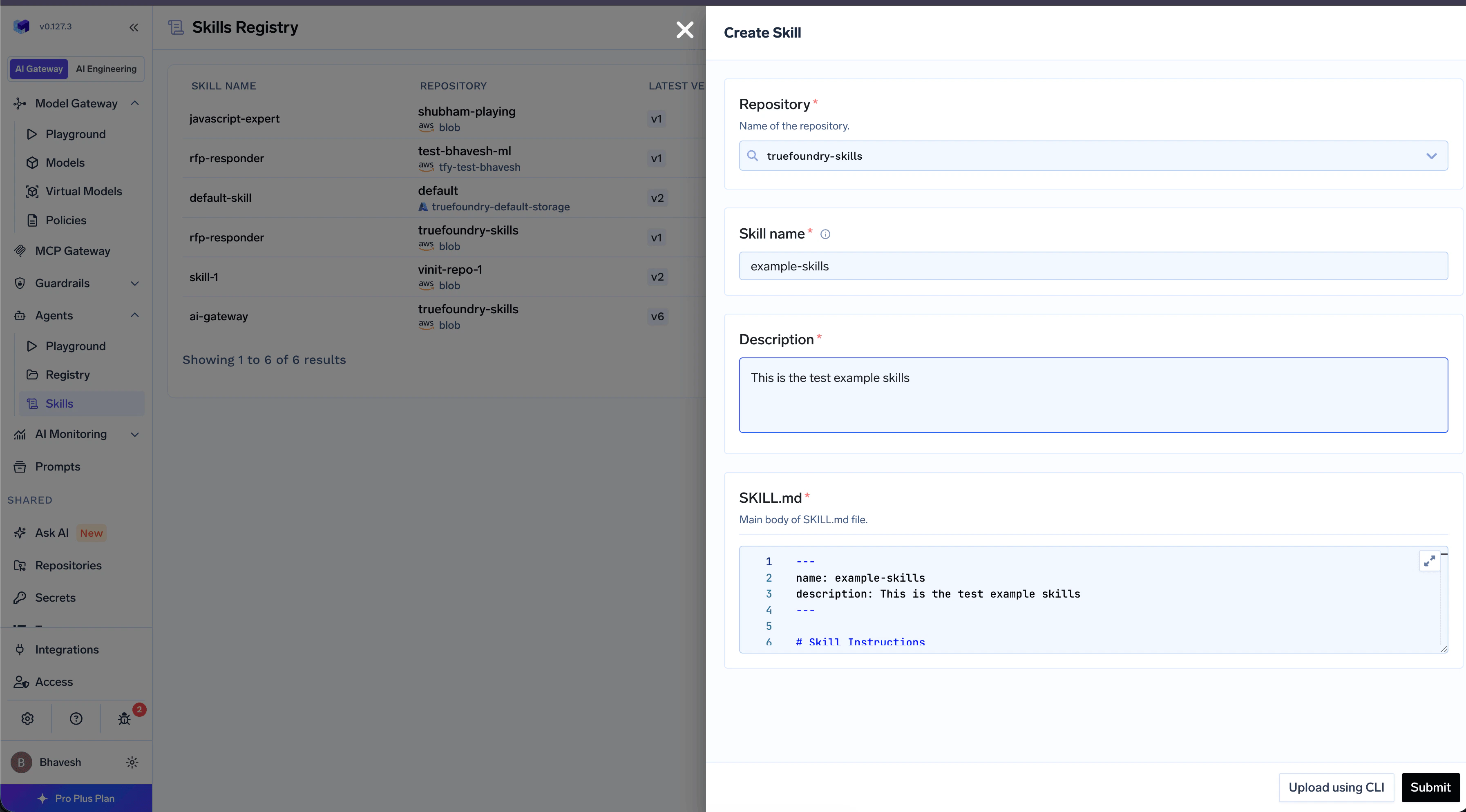
Fill in the basic fields
| Field | Description |
|---|---|
| Name | Lowercase letters, digits, hyphens. 1–64 chars. Cannot contain anthropic or claude. |
| Repository | The Repository where this skill version is stored. |
| Description | Short, action-oriented description. The agent uses this to decide whether the skill is relevant. 1–1024 chars. |
Author the SKILL.md body, save the version
The editor is a Markdown editor. The Gateway automatically prepends the YAML frontmatter from the fields above, so you only write the body — the procedure the agent should follow. Click Save to create v1.To create a new version later, open the skill and click New Version in the version list.
Use the Skill
Once a skill version exists, you can use it from any of three surfaces. Open the Usage tab on the Skill Detail page in the UI to copy the exact command pre-filled with your skill’s FQN.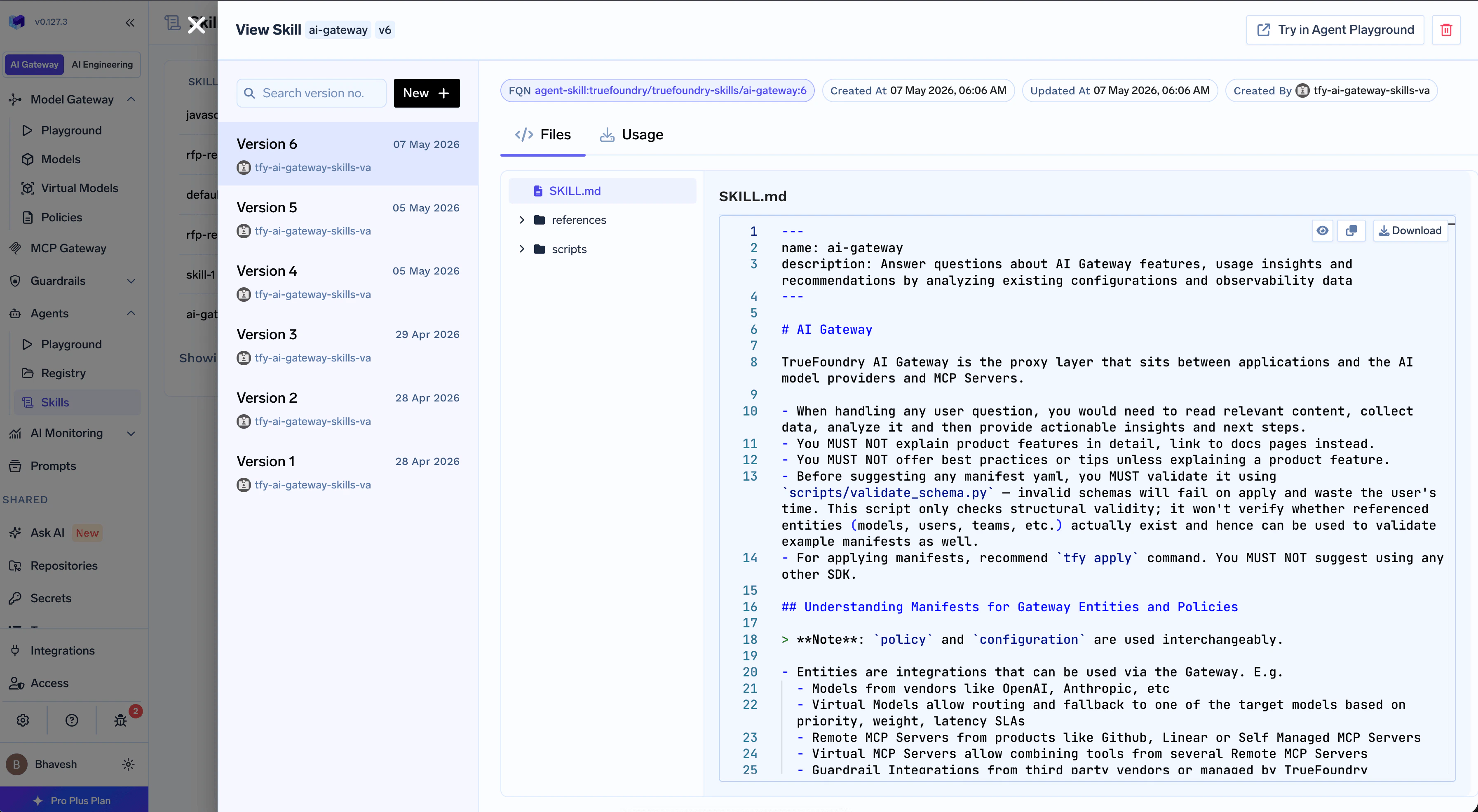
- TrueFoundry Agent
- Claude Code
- Cursor
Mount the skill into a TrueFoundry Agent from the Agent Playground. The Gateway loads the skill alongside the agent’s tools and runs it inside a sandbox.See Mounting Skills in TrueFoundry Agents for the full flow — selector, version pinning, and the Preload SKILL.md toggle.
CLI Reference
tfy upload skill — full flag reference
tfy upload skill — full flag reference
Publish a new version of an agent skill from a local directory.
| Flag | Required | Default | Description |
|---|---|---|---|
--repository | yes | — | Name of the Repository where the skill version will be published. Must already exist. |
--dir / -d | no | . | Path to the local skill root directory. Must contain SKILL.md at the root. |
tfy download skill — full flag reference
tfy download skill — full flag reference
Download a committed skill version’s files to disk.
| Flag | Required | Default | Description |
|---|---|---|---|
--fqn | yes | — | Skill version FQN. Version must be a positive integer; :latest is not supported. |
--dir / -d | no | . | Local destination directory. Created if missing. Skill files land inside a sub-directory named after the skill. |
--overwrite | no | false | When set, existing files in the destination are overwritten. |
--progress / --no-progress | no | auto | Show a progress bar while downloading. |
tfy apply — agent-skill manifest reference
tfy apply — agent-skill manifest reference
| Field | Required | Description |
|---|---|---|
type | yes | Must be agent-skill. |
name | yes | Skill name. Must match the name in SKILL.md frontmatter. |
ml_repo | yes | Name of the target Repository. (The field is named ml_repo for consistency with other TrueFoundry manifests.) |
metadata | yes | Free-form key/value metadata. Use {} if you don’t need any. |
source.type | yes | local for GitOps. Other source types exist but are server-managed. |
source.skill_dir | yes | Path to the local skill folder, relative to your tfy apply working directory — typically the root of your Git repo. The folder must contain SKILL.md. |