

This guide explains how to use TrueFoundry’s built-in Code Safety Linter guardrail to detect and block potentially dangerous code patterns in LLM outputs.Documentation Index
Fetch the complete documentation index at: https://www.truefoundry.com/llms.txt
Use this file to discover all available pages before exploring further.
What is Code Safety Linter?
Code Safety Linter is a built-in TrueFoundry guardrail that analyzes code in LLM responses to detect unsafe patterns that could pose security risks when executed. It runs directly within the AI Gateway without requiring external API calls.Key Features
-
Dangerous Function Detection: Identifies potentially dangerous code patterns including:
eval()andexec()calls that execute arbitrary codeos.system()andsubprocesscalls (Popen, call, run) for shell command executionrm -rfand recursive delete commandscurl | bashandwget | bashremote code execution patterns- File system operations like
unlink(),rmdir(), andshutil.rmtree()
-
Multi-Language Support: Detects unsafe patterns across common programming languages:
- Python: eval, exec, os.system, subprocess, shutil.rmtree, unlink, rmdir
- JavaScript/Node.js: child_process.exec, child_process.spawn, require(‘child_process’)
- Shell/Bash: rm -rf, rm -r, curl | bash, wget | sh
- SQL: DROP TABLE, DELETE FROM, TRUNCATE TABLE
- Validation-Only Mode: Code Safety Linter operates in validation mode, detecting and blocking unsafe code rather than modifying it—ensuring code integrity while maintaining security.
Adding Code Safety Linter Guardrail
To add Code Safety Linter to your TrueFoundry setup, follow these steps:Create or Select a Guardrails Group
Create a new guardrails group or select an existing one where you want to add the Code Safety Linter guardrail.
Add Code Safety Linter Integration
Click on Add Guardrail and select Code Safety Linter from the TrueFoundry Guardrails section.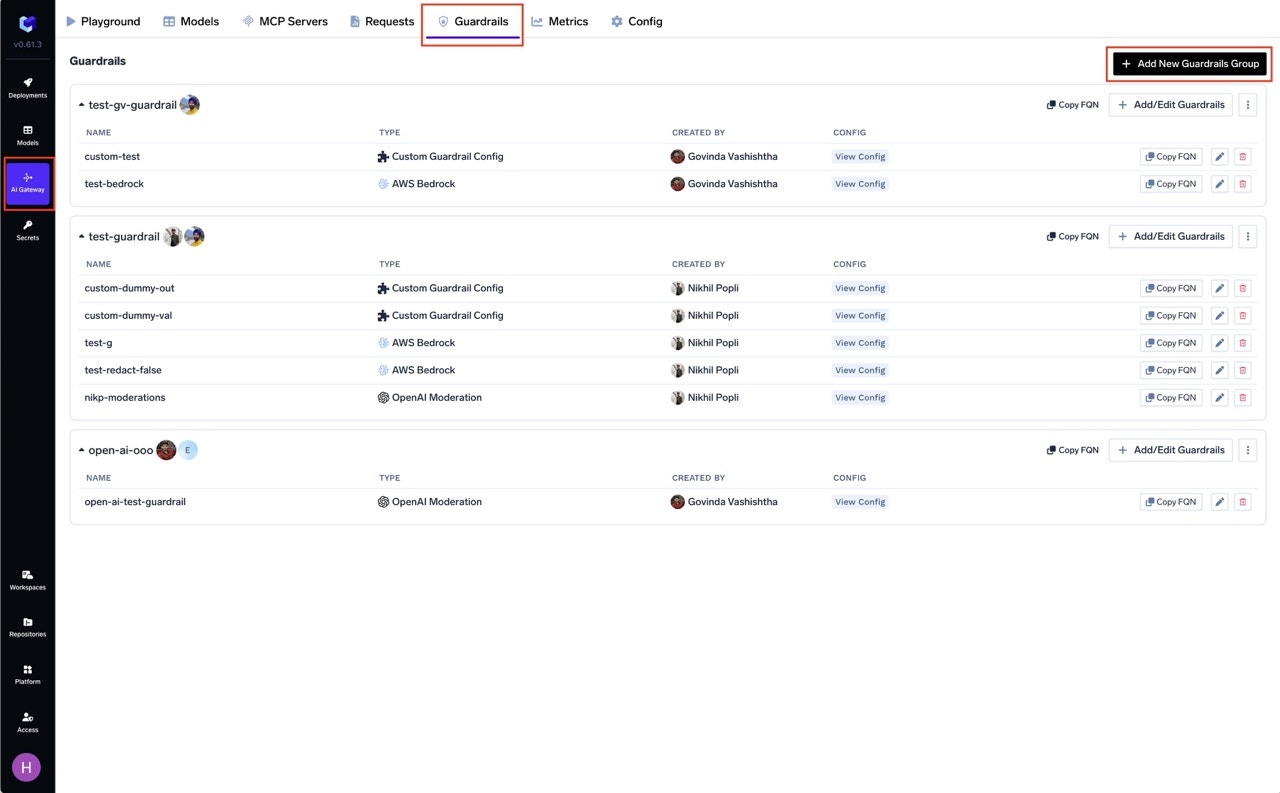
Configure the Guardrail
Fill in the configuration form:
- Name: Enter a unique name for this guardrail configuration (e.g.,
code-safety-linter) - Description: Optional description for this guardrail (default: “Detects unsafe code patterns in tool outputs (eval, exec, os.system, subprocess, rm -rf)”)
- Operation:
validate(Code Safety Linter only supports validation mode)
Configuration Options
| Parameter | Description | Default |
|---|---|---|
| Name | Unique identifier | Required |
| Operation | validate only (does not modify code) | validate |
| Enforcing Strategy | enforce, enforce_but_ignore_on_error, or audit | enforce |
Code Safety Linter only supports validate mode—modifying code could break functionality. See Guardrails Overview for details on Enforcing Strategy.
Detected Unsafe Patterns
The Code Safety Linter detects the following categories of unsafe code patterns. Each pattern is designed to identify potentially dangerous code constructs that could pose security risks.Python Dangerous Functions
| Pattern | Detection | Risk Level | Description |
|---|---|---|---|
eval() | eval( | Critical | Executes arbitrary Python expressions from strings |
exec() | exec( | Critical | Executes arbitrary Python code from strings |
os.system() | os.system( | High | Executes shell commands directly |
subprocess.Popen() | subprocess.Popen( | High | Spawns new processes with full control |
subprocess.call() | subprocess.call( | High | Spawns new processes and waits for completion |
subprocess.run() | subprocess.run( | High | Runs commands in subprocess (Python 3.5+) |
Python File System Operations
| Pattern | Detection | Risk Level | Description |
|---|---|---|---|
unlink() | unlink( | Medium | Deletes files (os.unlink or pathlib) |
rmdir() | rmdir( | Medium | Removes directories |
shutil.rmtree() | shutil.rmtree( | High | Recursively deletes directory trees |
Shell/Bash Dangerous Commands
| Pattern | Detection | Risk Level | Description |
|---|---|---|---|
rm -rf | rm -rf | Critical | Recursive force delete - can destroy entire filesystems |
rm -r | rm ... -r | High | Recursive delete with any flags |
curl | bash | curl ... | bash or curl ... | sh | Critical | Piping remote scripts directly to shell execution |
wget | bash | wget ... | bash or wget ... | sh | Critical | Piping downloaded content directly to shell execution |
JavaScript/Node.js Dangerous Functions
| Pattern | Detection | Risk Level | Description |
|---|---|---|---|
child_process.exec() | child_process.exec( | High | Executes shell commands with full shell syntax |
child_process.spawn() | child_process.spawn( | High | Spawns new processes |
require('child_process') | require('child_process') | Medium | Importing the child_process module (often precedes dangerous calls) |
SQL Dangerous Statements
| Pattern | Detection | Risk Level | Description |
|---|---|---|---|
DROP TABLE | DROP TABLE | Critical | Permanently deletes database tables |
DELETE FROM | DELETE FROM table; | High | Deletes rows from tables (flagged without WHERE clause context) |
TRUNCATE TABLE | TRUNCATE TABLE | Critical | Removes all data from tables instantly |
For more comprehensive SQL protection, consider using the SQL Sanitizer guardrail which provides configurable options for SQL-specific patterns.
How It Works
The guardrail scans message content using regex-based detection:- Extracts messages from request/response
- Scans against all blocked patterns
- Returns findings with pattern name and matched text (truncated to 20 chars)
- Returns verdict:
true(pass) orfalse(block), limited to first 10 findings
Example - Blocked Responses
Python: Dangerous subprocess execution
Python: Dangerous subprocess execution
subprocess.Popen() callPython: Arbitrary code execution
Python: Arbitrary code execution
eval() callShell: Destructive command
Shell: Destructive command
rm -rf commandShell: Remote code execution
Shell: Remote code execution
curl | bash patternJavaScript: Shell execution
JavaScript: Shell execution
require('child_process') and child_process.exec() callsSQL: Destructive statement
SQL: Destructive statement
DROP TABLE statementExample - Allowed Responses
Python: Safe file operations
Python: Safe file operations
JavaScript: Safe async operations
JavaScript: Safe async operations
SQL: Safe queries
SQL: Safe queries
Use Cases
Agent Tool Output Validation
When using AI agents that execute code via MCP tools, apply Code Safety Linter to validate tool outputs. Configure via guardrail rules:Code Generation Applications
For LLM responses that generate code, validate via theX-TFY-GUARDRAILS header:
Recommended Hooks
| Hook | Use Case |
|---|---|
| LLM Output | Validate code in LLM responses |
| MCP Post Tool | Validate code from MCP tools (code executors, file readers) |