

This guide explains how to use TrueFoundry’s built-in SQL Sanitizer guardrail to detect and handle potentially dangerous SQL patterns in LLM interactions.Documentation Index
Fetch the complete documentation index at: https://www.truefoundry.com/llms.txt
Use this file to discover all available pages before exploring further.
What is SQL Sanitizer?
SQL Sanitizer is a built-in TrueFoundry guardrail that identifies and handles risky SQL patterns in text content. It can detect destructive SQL statements, unsafe query patterns, and potential SQL injection vectors. The guardrail runs directly within the AI Gateway without requiring external API calls.Key Features
-
Destructive Statement Detection: Identifies dangerous SQL operations including:
DROPstatements that can delete tables or databasesTRUNCATEstatements that remove all data from tablesALTERstatements that modify table structuresGRANTandREVOKEstatements that change permissions
-
Unsafe Pattern Detection: Identifies risky query patterns:
DELETEstatements withoutWHEREclausesUPDATEstatements withoutWHEREclauses- String interpolation patterns that may indicate SQL injection vulnerabilities
-
Flexible Operation Modes:
- Validate: Detect risky patterns and block requests/responses
- Mutate: Detect patterns, optionally strip comments, and continue with sanitized output
Adding SQL Sanitizer Guardrail
To add SQL Sanitizer to your TrueFoundry setup, follow these steps:Create or Select a Guardrails Group
Create a new guardrails group or select an existing one where you want to add the SQL Sanitizer guardrail.
Add SQL Sanitizer Integration
Click on Add Guardrail and select SQL Sanitizer from the TrueFoundry Guardrails section.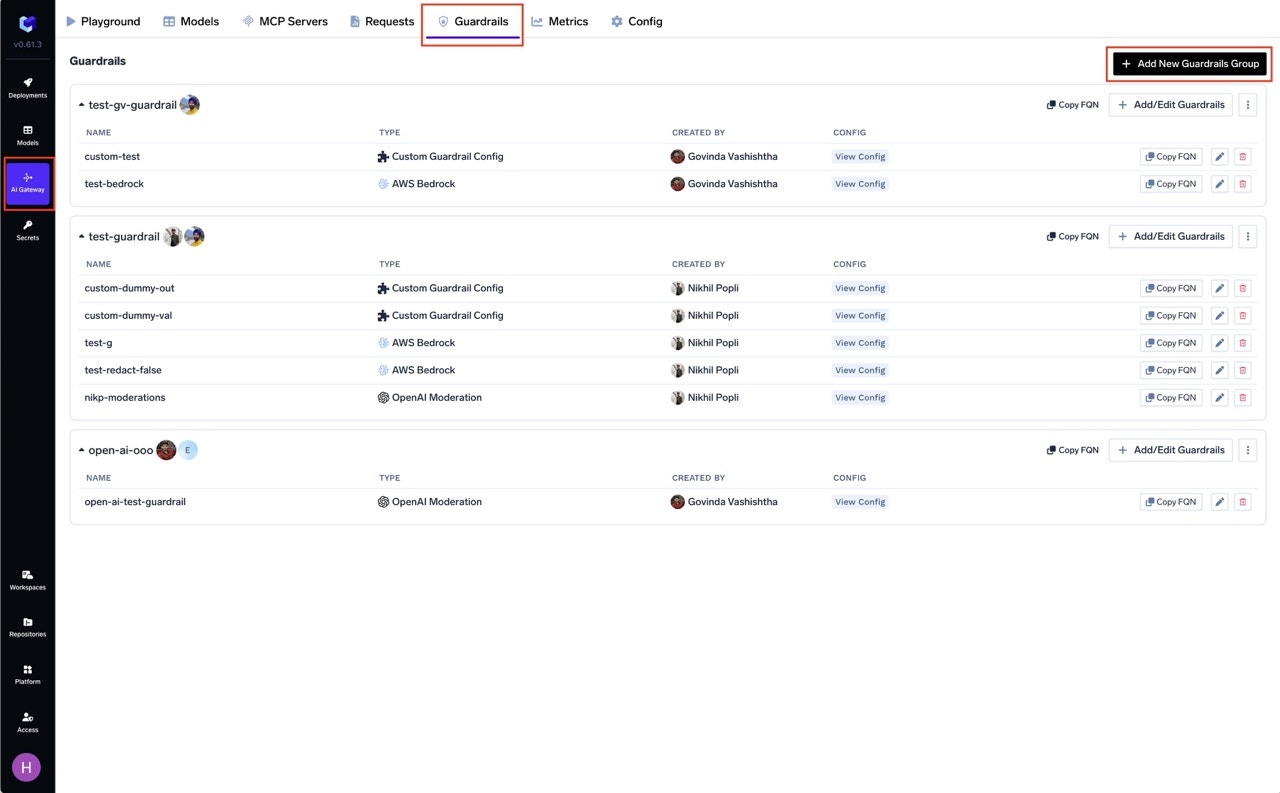
Configure the Guardrail
Fill in the configuration form with your desired settings (see Configuration Options below).
Configuration Options
| Parameter | Default | Description |
|---|---|---|
| Operation | validate | validate (block) or mutate (sanitize + continue) |
| Priority | 1 | Execution order for mutate guardrails (lower runs first) |
| Enforcing Strategy | enforce | enforce, enforce_but_ignore_on_error, or audit |
| Block DROP/TRUNCATE/ALTER/GRANT/REVOKE | true | Block destructive statements |
| Strip SQL Comments | true | Remove -- and /* */ comments |
| Block DELETE/UPDATE without WHERE | true | Block bulk operations |
| Require Parameterization | false | Flag string interpolation patterns |
See Guardrails Overview for Operation Modes and Enforcing Strategy details.
Validate vs Mutate
| Behavior | Validate | Mutate |
|---|---|---|
| Blocked statements (DROP, etc.) | Block request | Log but continue |
| DELETE/UPDATE without WHERE | Block request | Log but continue |
| SQL comments | Preserved | Stripped |
| Interpolation patterns | Block request | Log but continue |
Detected SQL Patterns
Destructive Statements
| Statement | Risk Level | Description |
|---|---|---|
DROP TABLE | Critical | Permanently deletes tables |
DROP DATABASE | Critical | Permanently deletes entire databases |
TRUNCATE TABLE | Critical | Removes all rows from a table |
ALTER TABLE | High | Modifies table structure |
GRANT | High | Adds permissions |
REVOKE | High | Removes permissions |
Unsafe Query Patterns
| Pattern | Risk Level | Description |
|---|---|---|
DELETE FROM table (no WHERE) | High | Deletes all rows in table |
UPDATE table SET (no WHERE) | High | Updates all rows in table |
SQL Injection Detection (Require Parameterization)
When Require Parameterization is enabled, the guardrail detects potential SQL injection vectors by looking for string interpolation patterns:| Pattern Type | Detection | Example |
|---|---|---|
| String Concatenation | + operator | "SELECT * FROM " + table_name |
| Python % Formatting | %. pattern | "SELECT * FROM %s" % table |
| Template Literals / F-strings | {...} braces | f"SELECT * FROM {table}" |
SQL Comment Patterns
The guardrail detects and can strip SQL comments:| Comment Type | Pattern | Example |
|---|---|---|
| Line Comment | -- ... | SELECT * FROM users; -- admin bypass |
| Block Comment | /* ... */ | SELECT * /* hidden */ FROM users |
How It Works
- Recursively scans all string content (including nested objects/arrays)
- Strips comments (if enabled) before checking patterns
- Checks for blocked statements and missing WHERE clauses
- Returns verdict and optionally sanitized content (up to 10 issues per request)
Validate Mode
When configured in validate mode, the guardrail blocks requests containing risky patterns.Blocked: DROP statement
Blocked: DROP statement
blocked_statement: Blocked SQL statement detected: DROPBlocked: DELETE without WHERE
Blocked: DELETE without WHERE
delete_without_where: DELETE without WHERE clause detectedAllowed: Safe SELECT query
Allowed: Safe SELECT query
Allowed: DELETE with WHERE
Allowed: DELETE with WHERE
Mutate Mode
When configured in mutate mode, the guardrail:- Strips SQL comments from the output (line comments
--and block comments/* */) - Logs all detected issues but allows the request to continue
- Returns sanitized content with comments removed
Sanitized: Line comment removed
Sanitized: Line comment removed
Input:Output:Issues logged: Comment stripped (no blocking issue)
Sanitized: Block comment removed
Sanitized: Block comment removed
Input:Output:
Flagged but allowed: DROP in mutate mode
Flagged but allowed: DROP in mutate mode
Input:Output: Same as input (not modified)
Issues logged:
Verdict: Allowed (mutate mode doesn’t block)
Issues logged:
blocked_statement: Blocked SQL statement detected: DROPVerdict: Allowed (mutate mode doesn’t block)
Use Cases
Text-to-SQL Applications
When building applications that convert natural language to SQL, apply SQL Sanitizer on MCP Pre Tool to validate queries before they’re executed by the database tool:Input Validation
Apply SQL Sanitizer to user inputs to detect potential SQL injection attempts:Best Practices
SQL Sanitizer provides defense-in-depth but doesn’t replace database permissions. Always configure database users with minimum required privileges.
Recommended Hooks
| Hook | Use Case |
|---|---|
| LLM Output | Validate SQL in LLM responses (text-to-SQL apps) |
| MCP Pre Tool | Validate SQL before execution by database tools |
| MCP Post Tool | Sanitize SQL in tool outputs |